
NOTE: This update require your intervention, but does not involve any downtime. Please refer to the upgrade steps outlined below.
New Features
New Orchestry Web Parts
Increasing our complement of SharePoint Web Parts from two to five, we are introducing three dedicated web parts to help enrichen the SharePoint workspace experience. Other thank updating their icons in the Web Part Picker, the existing two web parts (People and Tasks) will continue to function as before.
The Workspace Directory Web Part: Your Orchestry Directory experience, now accessible in SharePoint.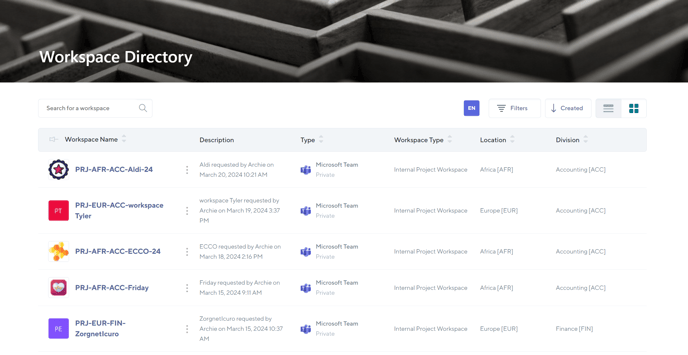
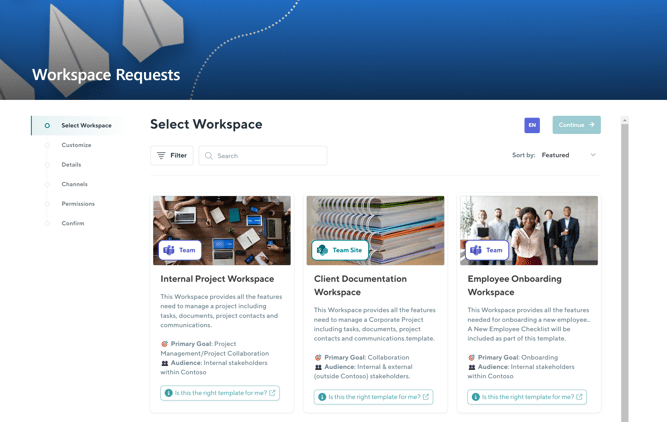
The Workspace Request Web Part: Your Orchestry Workspace Request experience, now accessible in SharePoint.
The Workspace Information Web Part: This is the equivalent of the Orchestry Team Information Tab, a powerful Orchestry-driven toolbox of information and features useful to both site owners and members.
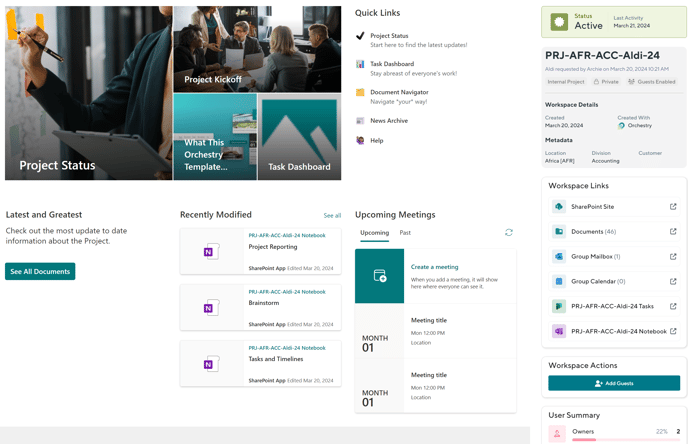
This web part will now play a key role in the Guest Management process, allow team owners to request the addition of guests via the managed Orchestry experience - directly from their SharePoint Team sites.
Previously this was not possible for Team Sites (without an attached Team). This web part remains unavailable for Communication sites.
The Web Part Upgrade Steps
To begin using the new web parts, you must upgrade the Web Part Package in Orchestry to V2.0.0.7 (or higher). Please follow the steps below to get going:
- Navigate to app.orchestry.com/settings/installation
- Update and Deploy the Web Part Package (v 2.0.0.7) by clicking the green button
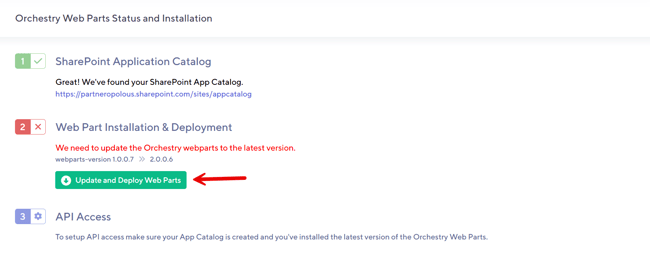
- Once complete, click the hyperlink for the SharePoint Admin API Access Page under Step 3.
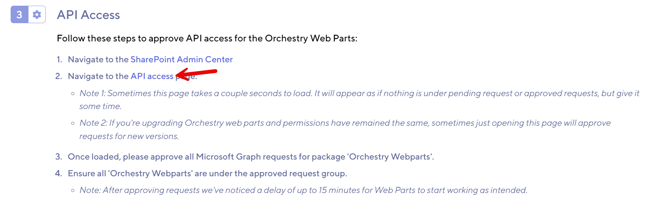
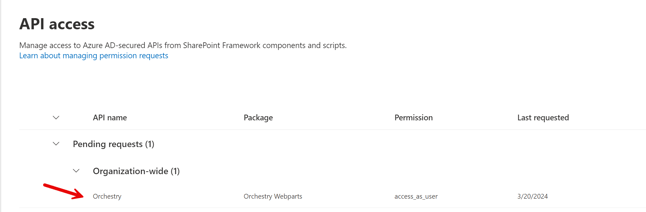
- On the SharePoint Admin API Page, accept the new pending API Request. This will ensure the new three web parts can interact with Orchestry appropriately.
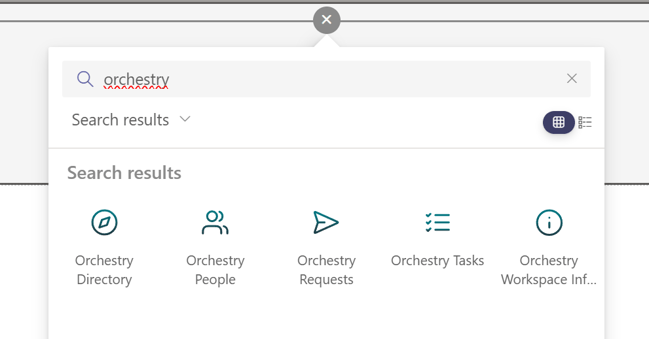
- Once complete, navigate to a SharePoint Site and add the new web parts. Type Orchestry in the search box to get started!
Please note that the Workspace Information Web Part is not supported on Communication Sites.
Granting Web Part Access to Guests
With the release of Orchestry's V2 web parts, M365 admins will need to create a dynamic group that will allow guest and external users to view Orchestry's "People" web part and "Tasks" web part.
To get started, please refer to the article: How to Grant Guest Users Access to the Orchestry Web Parts: Orchestry Software
Please note that the Directory, Requests and Workspace Information web parts do NOT support guest access at this time.
Ready to learn more? Check out these articles on Orchestry's web parts to get up to speed.
Workspace Directory External Links
Direct from feedback given from our partners and customers, we have implemented a request feature to allow admins and team owners to associate and display external resources directly within the workspace directory experience.
To help you capture key external URLS for workspaces in Orchestry, we have introduced a new metadata type called "Hyperlink" which will allow you to create one or more link fields that are intelligently rolled up and displayed everywhere they are needed included.
.png?width=686&height=88&name=_gTi9F6Yn0woRMwrgnP6EzRuHX4Qwa99uA%20(1).png)
The Team Information Tab (as metadata)
.png?width=651&height=438&name=s908pVGUPY08f5gKMvJGU4-H4Tx9R74muQ%20(1).png)
The Workspace Information Web (as metadata)
.png?width=586&height=710&name=QWPcWsEIpBcIHkb8t1-geEw4KToe2RbALQ%20(1).png)
Improvements
Increased Maximum Duration of Archival Jobs: We have increased the maximum allowable time for archival jobs from 4 hours to 12 hours. This amount of time is only used in extreme cases where enormous amounts of content are being moved from its source to a new Archival location.
Bug Fixes
Improved Handling of Archival Retries: We have improved the handling of Archival retries when the first or second attempt yields errors. Orchestry will intelligently pause before retrying a new archival processing to ensure it does not conflict with any lingering requests being processed in SharePoint.