How to Archive Groupless Workspaces
Last updated: June 9, 2026
Workspaces can sometimes get disconnected from their workspaces, and leave them only partially archived or deleted.
A common example is when there's a retention policy applied to a workspace. Orchestry cannot overrule retention policies when executing archival jobs, leaving you with a workspace that hasn't been fully archived or deleted.

How to Archive Groupless Workspaces
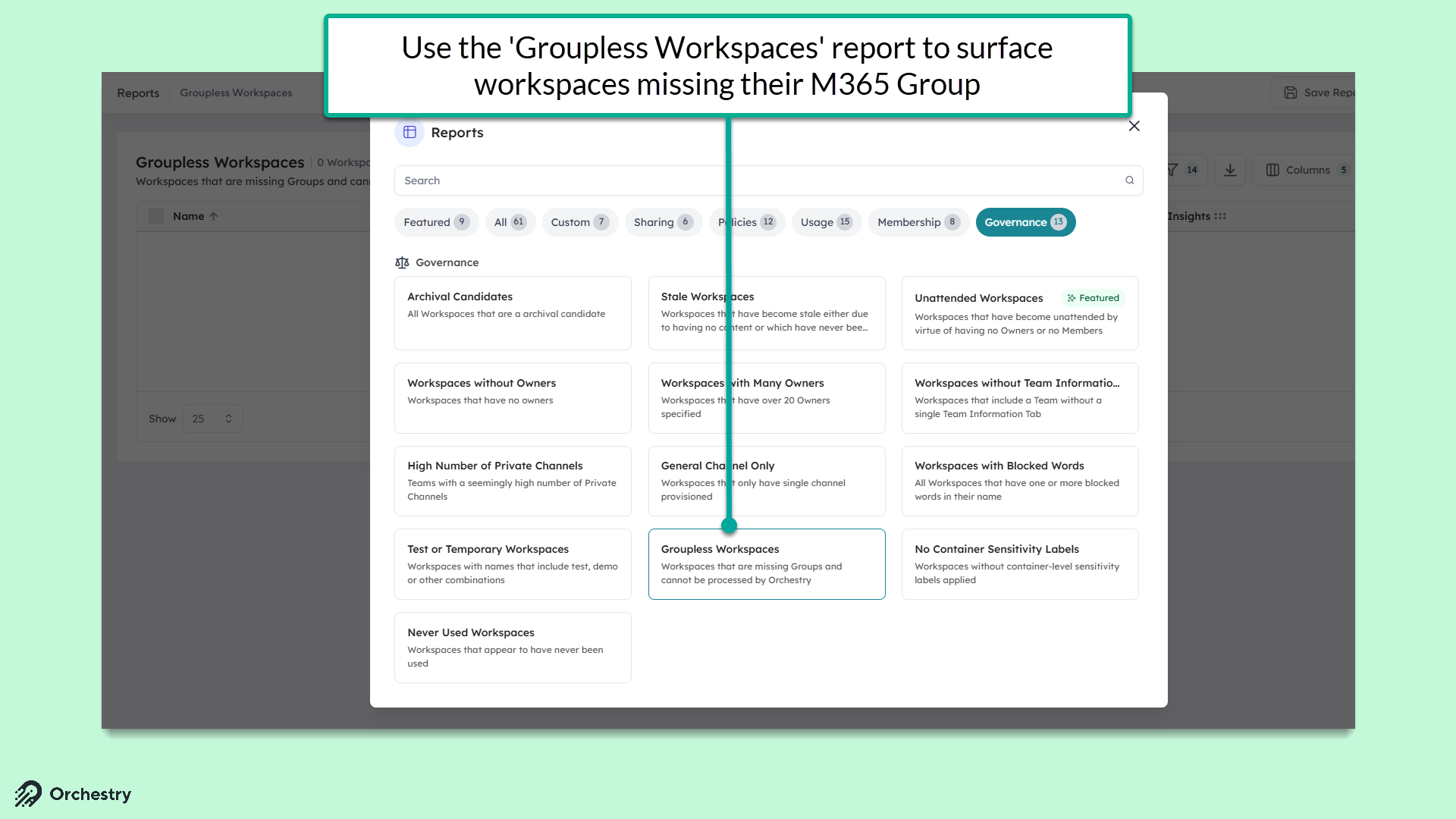
Locate your groupless workspaces in Orchestry using Recommendations or one of the built-in workspace report available in Orchestry.
From the Reports page, click a workspace title to open the Workspace Details page
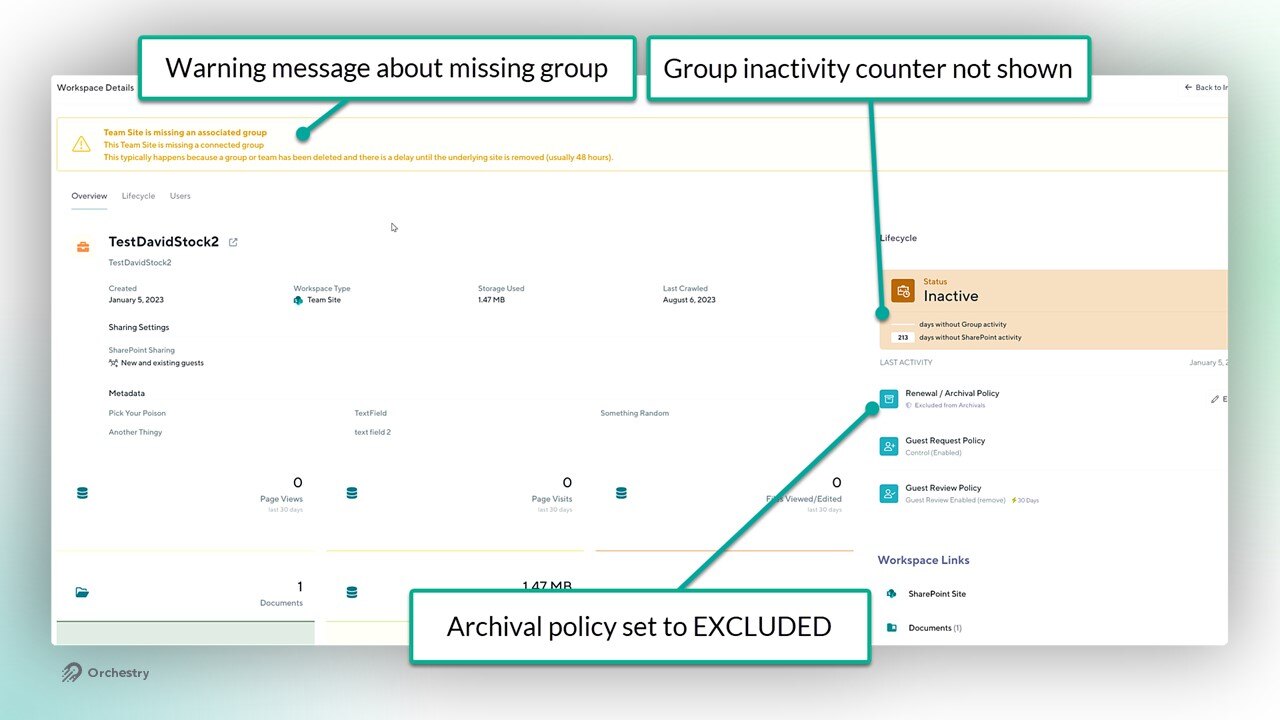
Click the EDIT button for the 'Renewal/Archival' policy
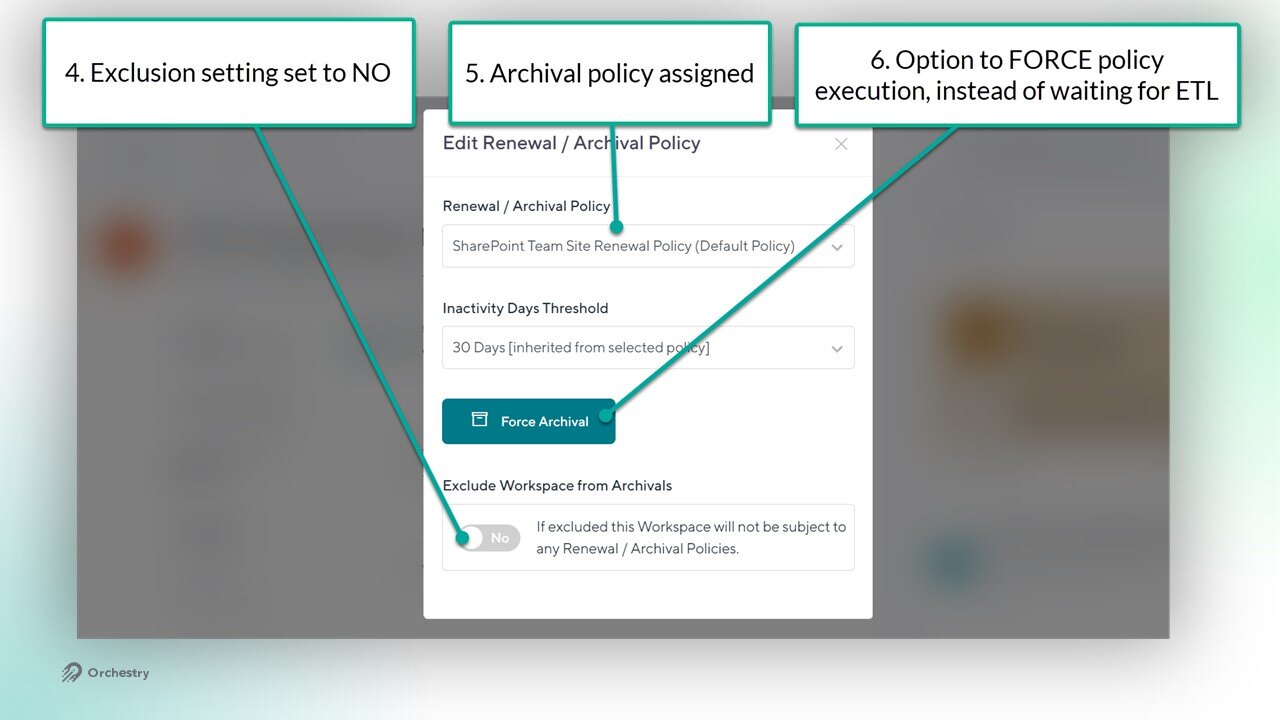
Set the 'Exclude from Archival' policy to NO
Assign a new archival policy to the workspace
Execute the archival policy by either FORCING it, or waiting for the next ETL crawl