
What are Recommendations?
Orchestry recommendations are designed to give you actionable insights into the health of your M365 tenant on a variety of topics, such as user adoption, security, guest management, governance and more.
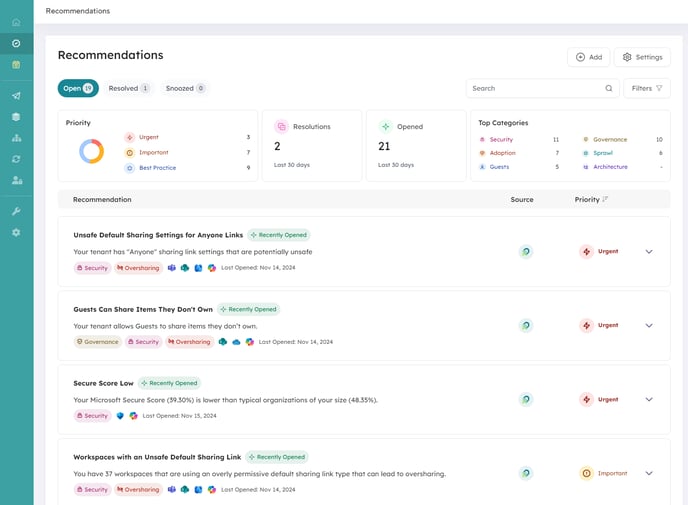
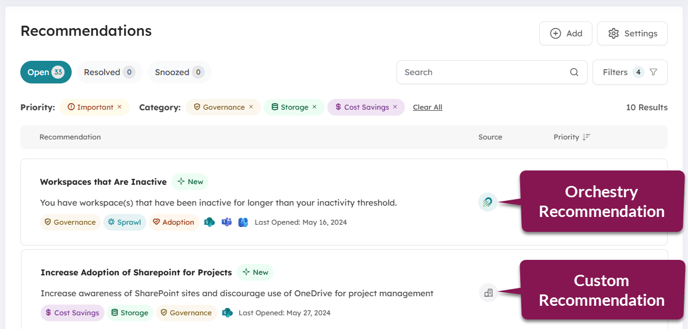
There are two types of recommendations available:
- Orchestry (provided) Recommendations. These include recommended actions, links to Orchestry reports and more.
- Custom Recommendations. Recommendations that you can create and manage within Orchestry.
Want to learn more about Orchestry recommendations and Custom recommendations?
Check out the article Recommendations Overview
Want to learn about the different Orchestry recommendations available?
Check out the article Available Recommendations in Orchestry
How to Review Open Recommendations
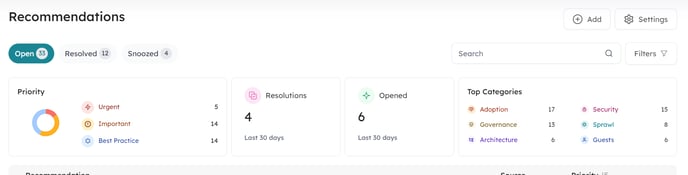
Your new and actionable recommendations will appear on the 'Open' tab of the Recommendations page. On this page, you can navigate your recommendations using the search and filter tools. You can also use the dashboard tiles (i.e.: 'Top Categories') to apply filters too.
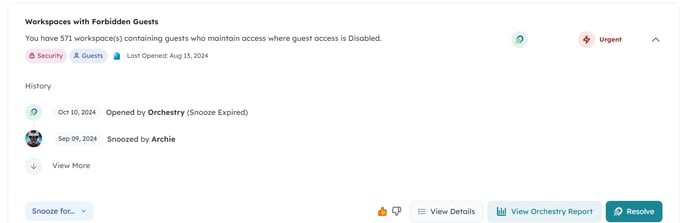
By clicking on a recommendation, you can expand it to view it's history, as well as buttons to snooze it, view associated reports, or resolve it.
Want to learn more about open recommendations?
Check out the article Reviewing Open Recommendations
How to Resolve Recommendations
Orchestry-provided recommendations can be resolved in one of two ways:
- Automatically Resolved. Orchestry's overnight ETL scans determined
- Manually Resolved. An Orchestry admin uses the 'Resolve' button.
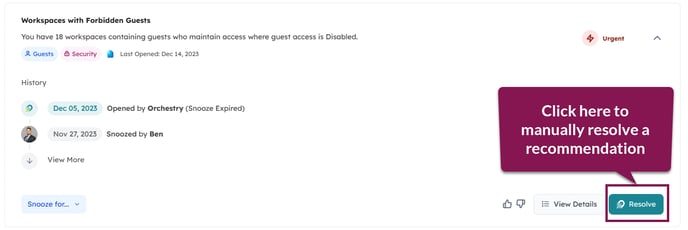
Recommendations may be automatically reopened the next business day if the overnight ETL scan determines that the conditions have not been met.
Want to learn more about resolving recommendations?
Check out the article How to Resolve a Recommendation
How to Snooze a Recommendation
Some recommendations may not be at the top of your organization's priority list for the foreseeable future. In these cases, you can snooze a recommendation to hide it either temporarily, or indefinitely.
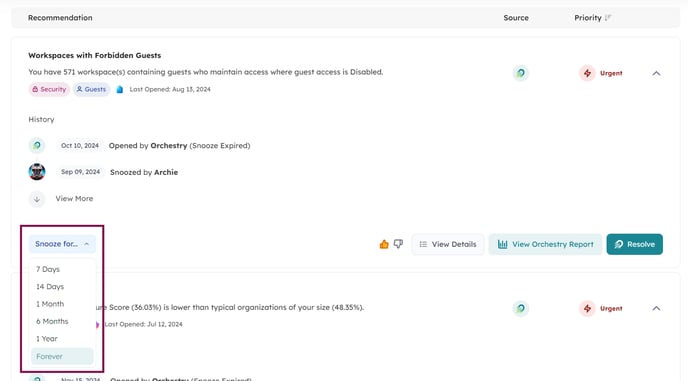
Want to learn more about snoozing recommendations?
Check out the article How to Snooze and Un-Snooze a Recommendation