Recommendations Overview
Last updated: April 1, 2026
The recommendations engine in Orchestry is designed to provide you insights into the health of your Microsoft 365 tenant. You can use recommendations to help plan and prioritize the work required to implement better security, guest management, reclaim cloud storage and more.

Click here to read the announcement on our blog.
Orchestry Recommendations and Custom Recommendations
You can leverage Orchestry-provided recommendations and your own custom recommendations to ensure your M365 tenant is operating at it's very best.
The Source column will tell you whether a given recommendation is provided by Orchestry or custom:
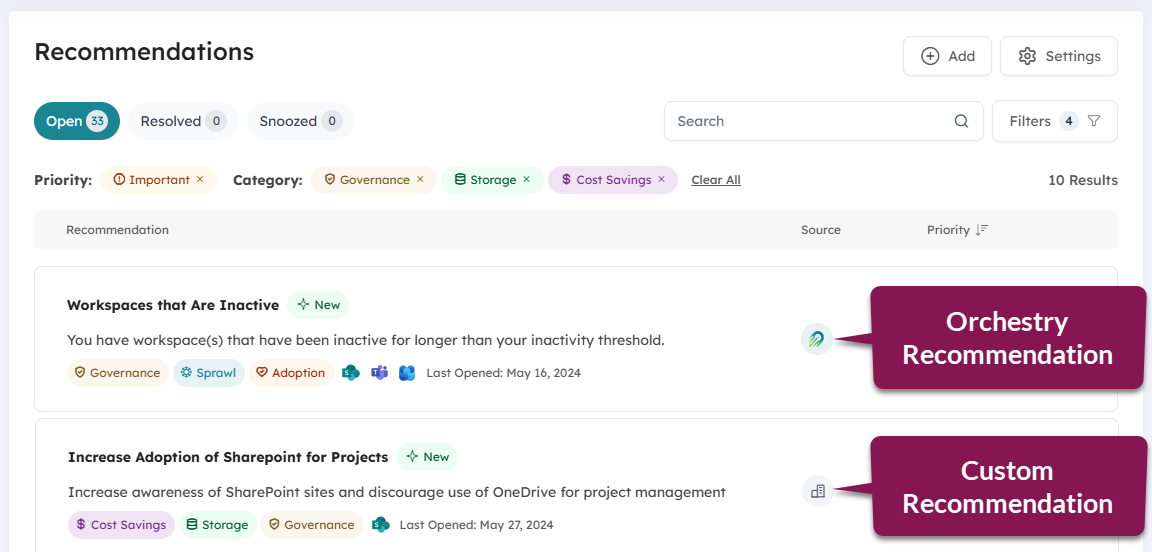
Orchestry Recommendations
These are recommendations powered by Orchestry, and include information such as recommended actions, why you should care, and links to resources to learn more.
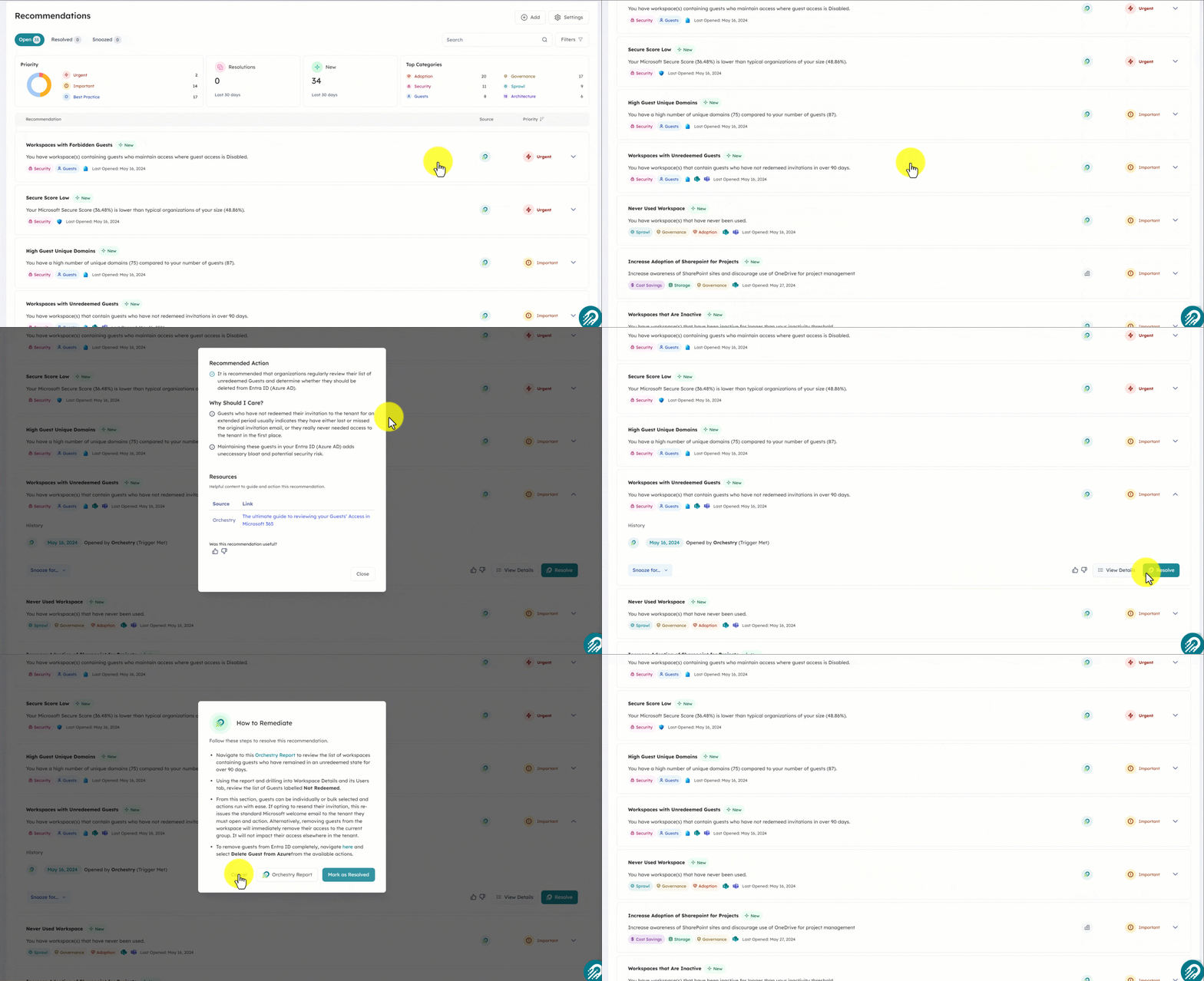
These are dynamic recommendations that can be opened and closed based on recent changes to your tenant detected during our overnight ETL scan.
See the full of list of Orchestry-provided recommendations, check out this article.
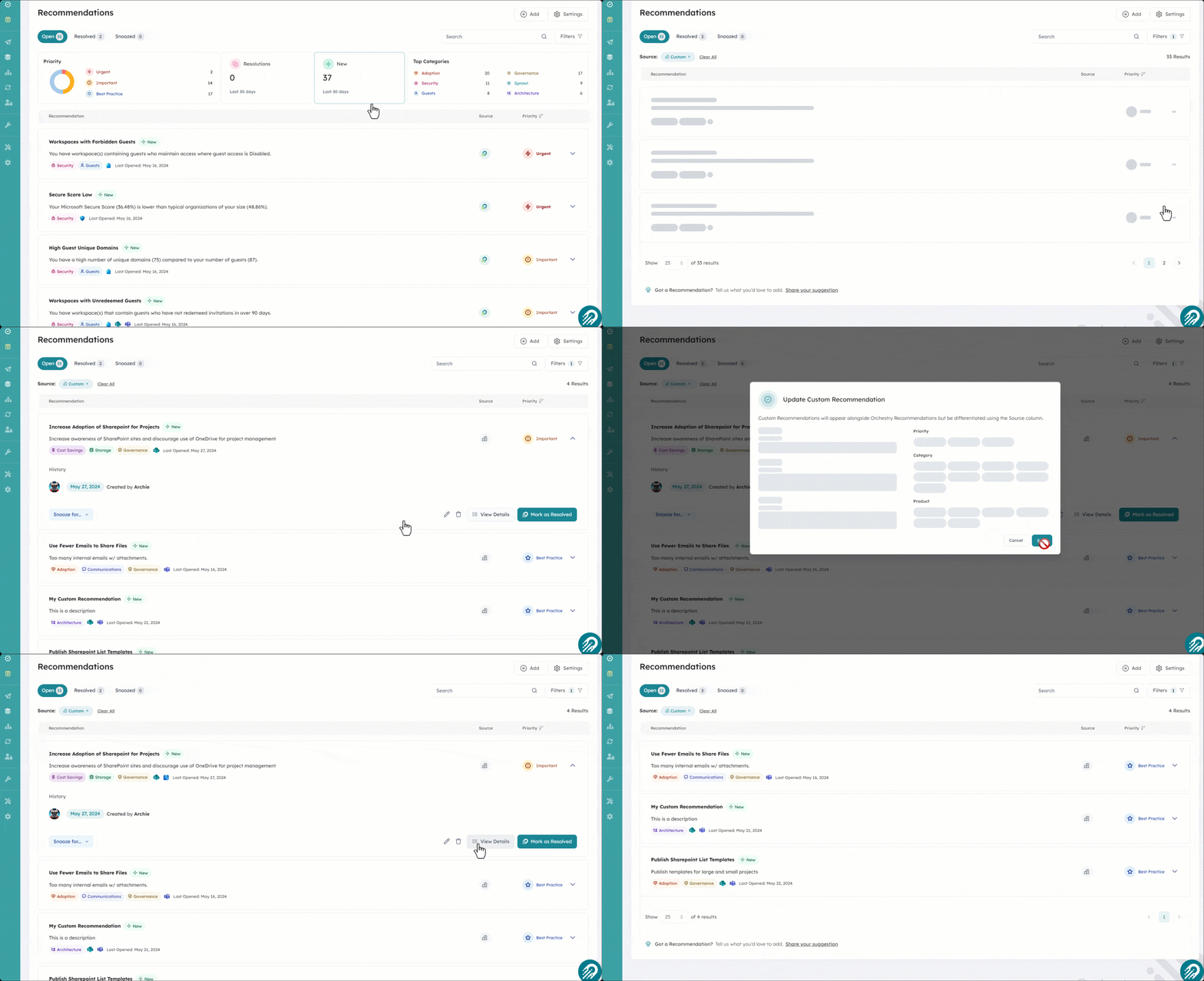
Custom Recommendations
Custom recommendations can be created by Orchestry admins and Health Check Reviewers. These are static recommendations, which means they are not affected by changes to your tenant and must be managed manually.
Orchestry Recommendations Vs. Custom Recommendations
The table below highlights the key differences between Orchestry-powered recommendations and your own custom recommendations.
| Orchestry Recommendations | Custom Recommendations |
Association with Insights reports | Yes, some | No |
Included in Health Check reports | Yes | Yes; can be added |
Can be edited | No | Yes |
Can be deleted | No | Yes |
Can be resolved | Yes | Yes |
Can be snoozed temporarily or permanently | Yes | Yes |
Automatically opened or resolved based on recent scan of tenant | Yes | No |
Other Recommendations Articles
Learn more about Recommendations from the articles listed below:
A list of all recommendations in Orchestry to date, organized by 'priority' status. | |
Learn about the 'Open' recommendations tab, such as the user interface and workflow | |
Learn about the 'Snoozed' recommendations tab, such as the user interface and workflow | |
Learn about the 'Resolved' recommendations tab, such as the user interface and workflow | |
Learn how to resolve a recommendation, and what happens. | |
Learn how to snooze a recommendation and what happens. | |
Learn how to create custom recommendations | |
Learn about the setting page for Recommendations, such as adding a company logo to custom recommendations. |