How to Configure an Archive Policy to Allow Workspace Deletion
Last updated: June 9, 2026
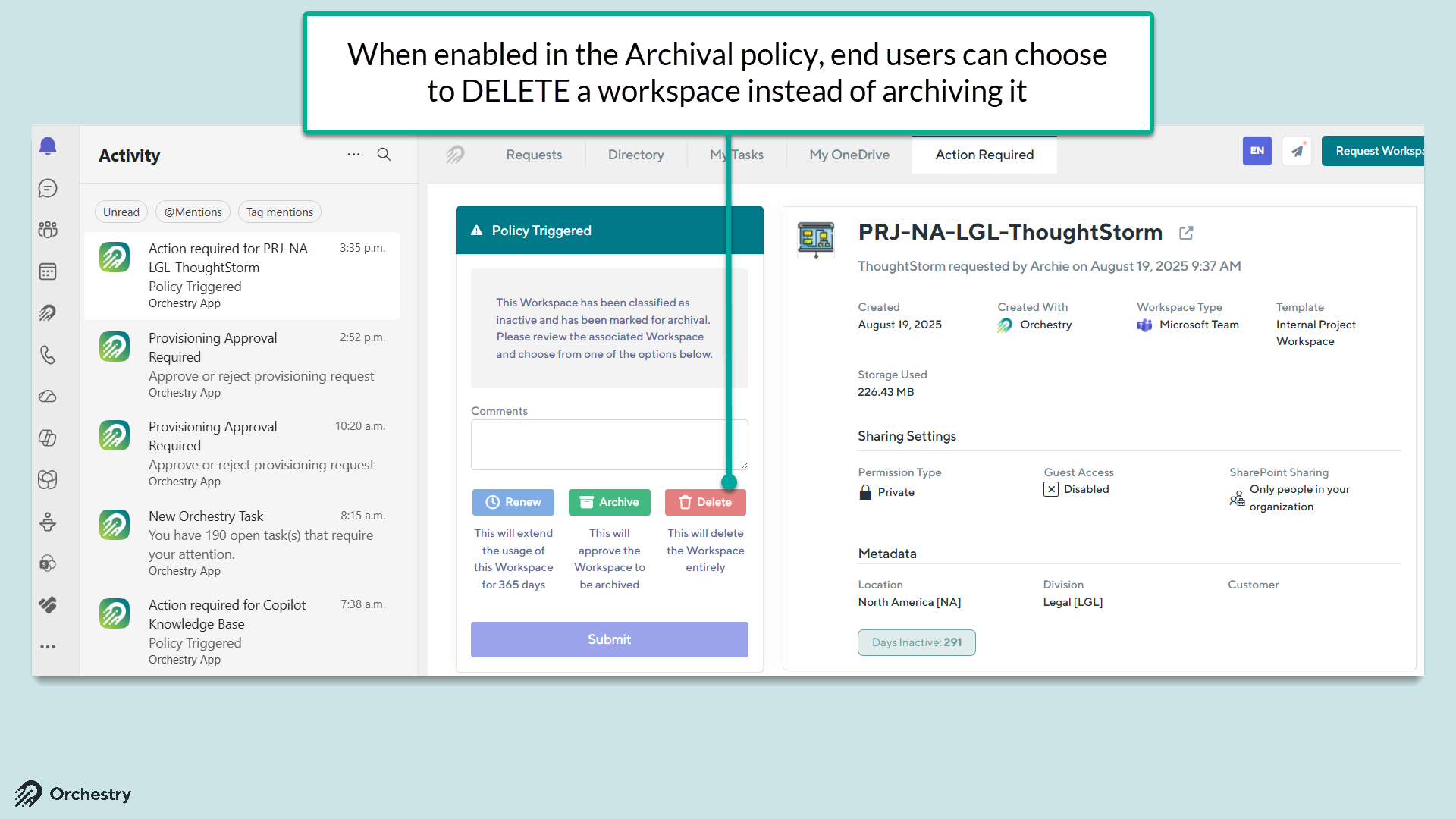
For scenarios where the end user (i.e.: workspace owner) may not need (or want) to archive a workspace - Orchestry admins can configure Archival policies to include a "DELETE" option in the assigned Archival task
How to Configure Archival Policies to Include a "Deletion" Option
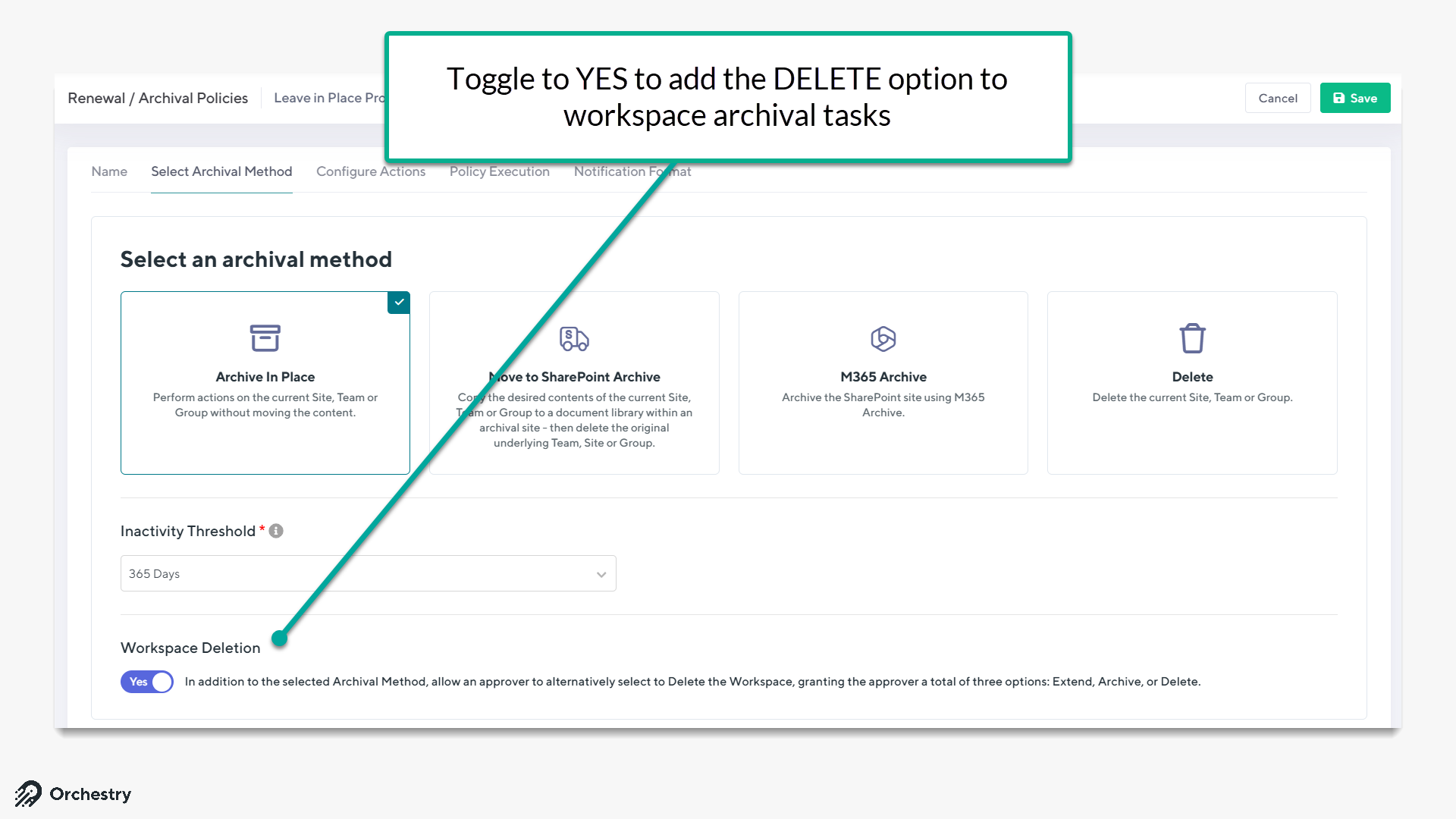
From the Archival policy:
Navigate to the Select Archival Method tab
ENABLE "Workspace Deletion"
SAVE your changes
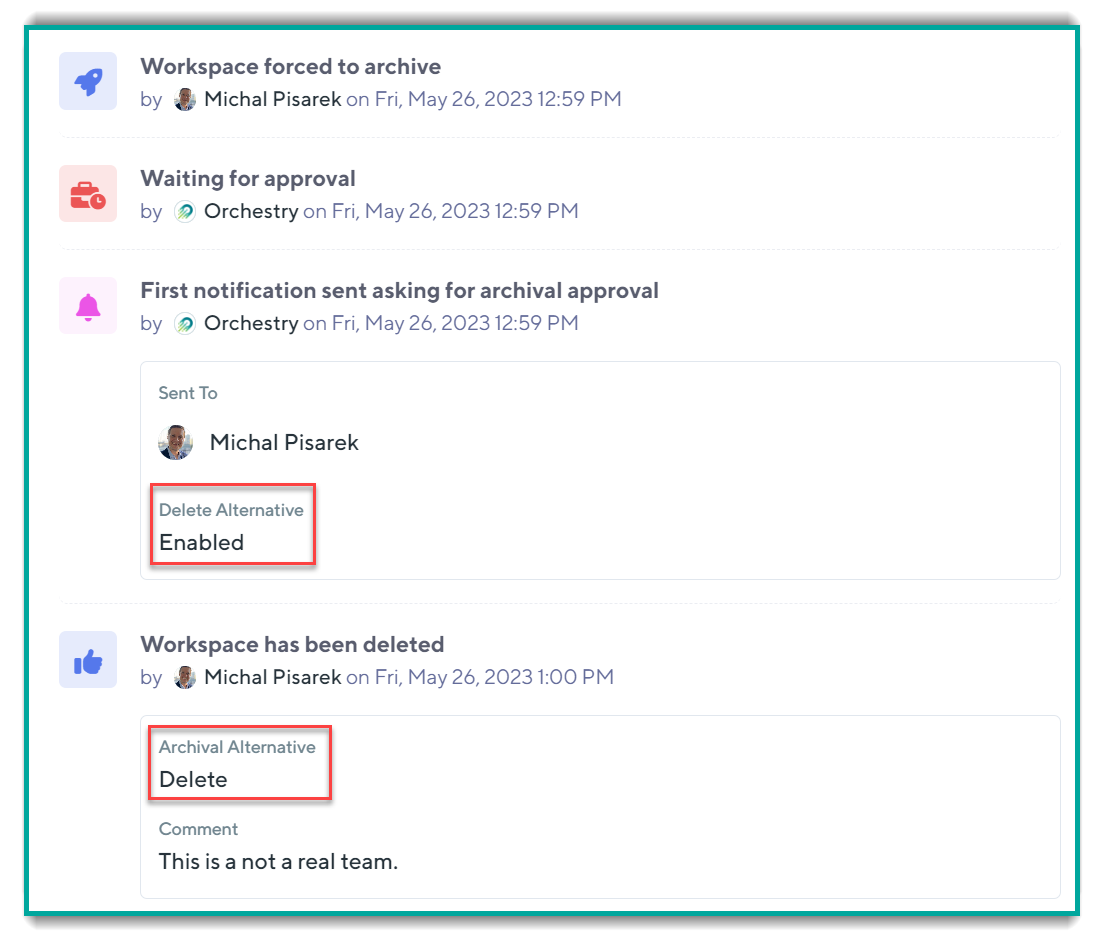
The "History" tab of Workspace Details will note whether a triggered archival policy includes the DELETE option: