Orchestry Updates July 2026 | Part 2
Last updated: July 21, 2026
These updates were deployed to Orchestry on July 20th, 2026.
New Features
This capability is rolling out gradually and will become available to more tenants over the coming weeks.
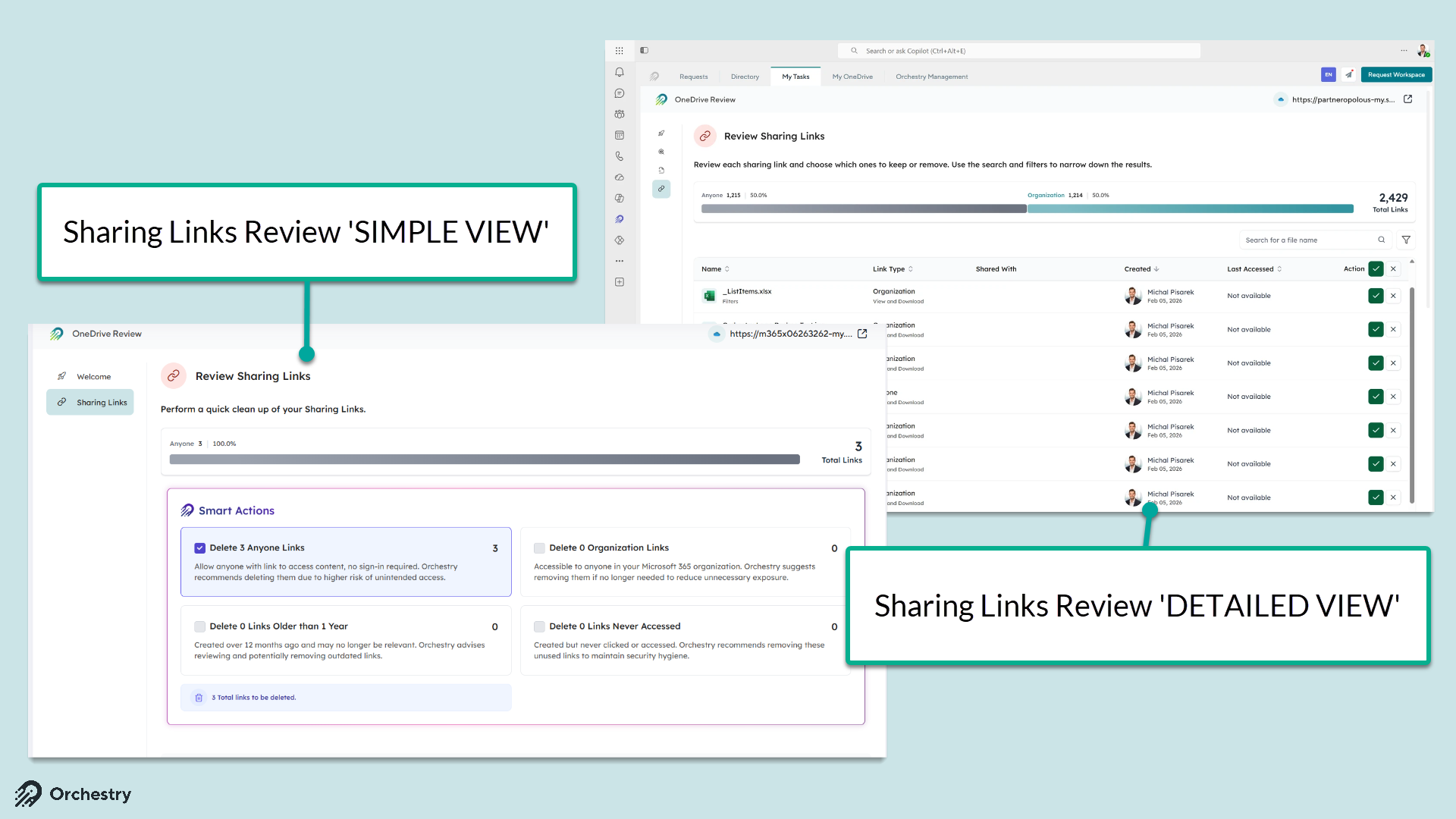
Detailed Sharing Link Review Now Available in OneDrive Reviews
We’ve brought the Detailed Sharing Links review step to OneDrive Reviews. Reviewers can now see and act on the individual sharing links tied to a user’s OneDrive content — instead of making a single, all-or-nothing decision — giving you the same granular control during OneDrive Reviews that you already have in Workspace Reviews.
Review and remediate individual sharing links during a OneDrive Review, link by link.
Links with no possible action are automatically skipped, keeping each review focused and fast.
OneDrive accounts with very large link volumes (100,000+) gracefully fall back to a simplified links step with a clear guidance message.
Want to learn how to configure OneDrive Review policies?
Check out the article: 📄 How to Configure OneDrive Review Policies
M365 Archive Now Available as a Second-Step Archival Action
You can now use M365 Archive as the second step in a lifecycle archival policy that begins with Archive-in-Place. After content has been archived in place for the interval you configure, Orchestry automatically moves it into Microsoft 365 Archive — helping you reduce active storage costs while keeping archived content compliant and recoverable.
Available as a second-step option on any archival policy whose first step is Archive-in-Place.
Uses the same interval and policy-execution controls as your existing second-step archival methods.
Full audit, lifecycle history, and reporting parity — second-step M365 Archive events appear everywhere your other archival actions do.
Requires M365 Archive to be enabled for your tenant.

Improvements
Faster Membership Report loading
The Membership Report (Reports > Owners, Members & Guests) now loads significantly faster for workspaces with large memberships. We’ve optimized how member information is retrieved, eliminating the long waits some customers experienced on very large groups.
Search by workspace URL in the new reporting experience
You can now search for a workspace by its URL directly in the new reporting pages, matching the behavior of the legacy reports. Locating a specific workspace is faster when you already know its address.
Restricted Content Discovery now Recognized for Microsoft 365 Copilot Licenses
Restricted Content Discovery (Templates > Content & Storage) is now correctly available to tenants that receive SharePoint Advanced Management capabilities through a Microsoft 365 Copilot license. Previously only the standalone SharePoint Advanced Management add-on was recognized, so some eligible tenants saw a “Feature not available” message in error.
Bug Fixes
Fixed an issue where a provisioning approval task could remain stuck in a user’s Pending Tasks after the original requestor was removed from the tenant.