Orchestry Updates | August 2026
Last updated: August 5, 2026
These updates were deployed to Orchestry on August 4th, 2026.
NOTE: the features below are deploying gradually and will be available to all eligible Orchestry tenants over the coming weeks.
New Features
The 'File Level Archive' Action for Workspaces (Enterprise)
Site-level archival has always had a hard ceiling. Large, long-lived workspaces like Human Resources, Finance, and departmental hubs will never be archived as whole sites, because a handful of genuinely active files blocks the decision even when the vast majority of the content has not been touched in years. File Level Archive removes that ceiling.
You select the workspaces, define what counts as inactive, and Orchestry moves the matching files into Microsoft 365 Archive cold storage. Nothing is deleted, nothing moves out of SharePoint, and no links break.
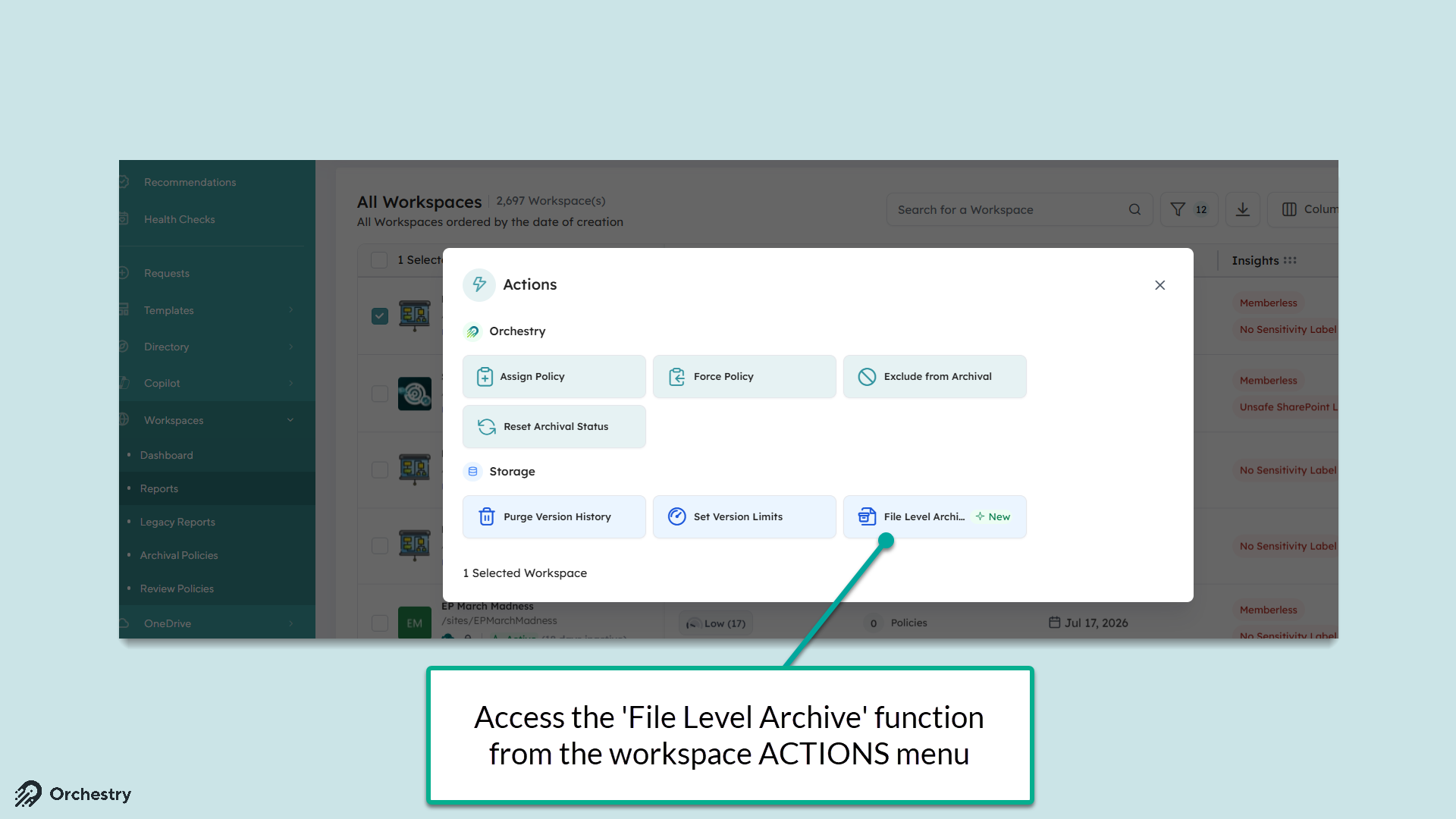
Orchestry now archives inactive files inside active SharePoint sites, at scale, in a single action.
Because archived content is excluded from Microsoft 365 Copilot's grounding scope, this is also a Copilot quality improvement. Cleaning up years of stale content makes Copilot answers more relevant, not just your storage bill smaller.
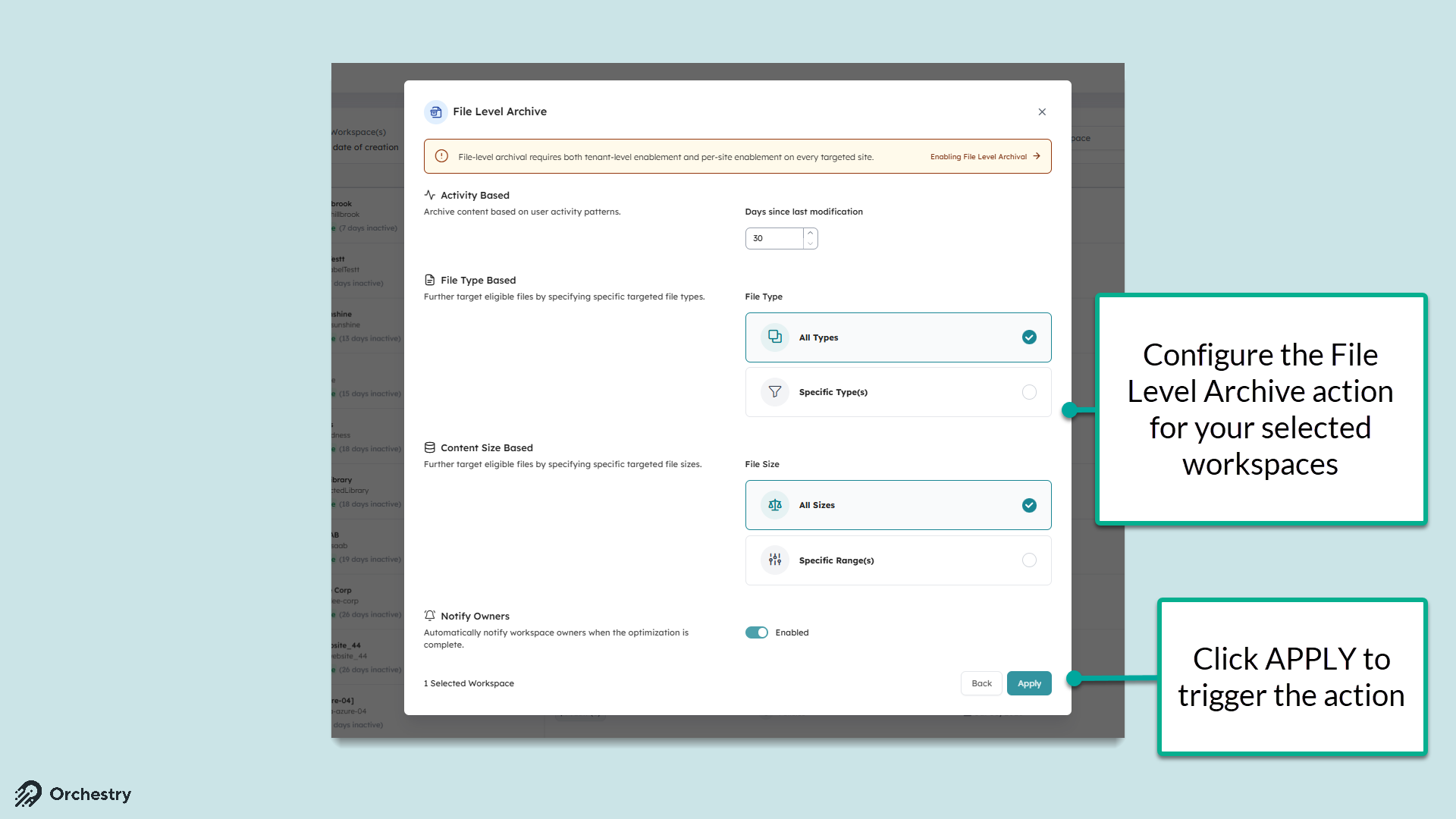
Availability:
File Level Archive is an Enterprise capability. The action is visible to every tenant so you can see what it does, but running it requires Enterprise.
Professional tenants who select it will see an upgrade prompt rather than the configuration modal. Access is limited to Orchestry Platform Admins and Workspace Admins.
Want to learn more about Microsoft's File Level Archival?
Check out: Enabling File Level Archive in Microsoft 365
Want to learn more about Orchestry's 'File Level Archive' Action?
Check out the article: 📄 Using Actions on Workspaces AND 📄 How to Configure and Use the File Level Archive Action
Guest Delete Policy
Guest accounts are the part of Microsoft 365 governance that almost never gets cleaned up. Vendors finish their projects, contractors roll off, partners move on, and their accounts stay in Entra indefinitely. Some were never even used: the invitation was sent, never redeemed, and the account has been sitting there ever since. Every one of them is a standing route into your tenant.
The new Guest Delete Policy closes that gap. It automatically identifies guests that have gone inactive or never redeemed their invitation, removes them from Entra on a nightly schedule, and reports exactly what it did.
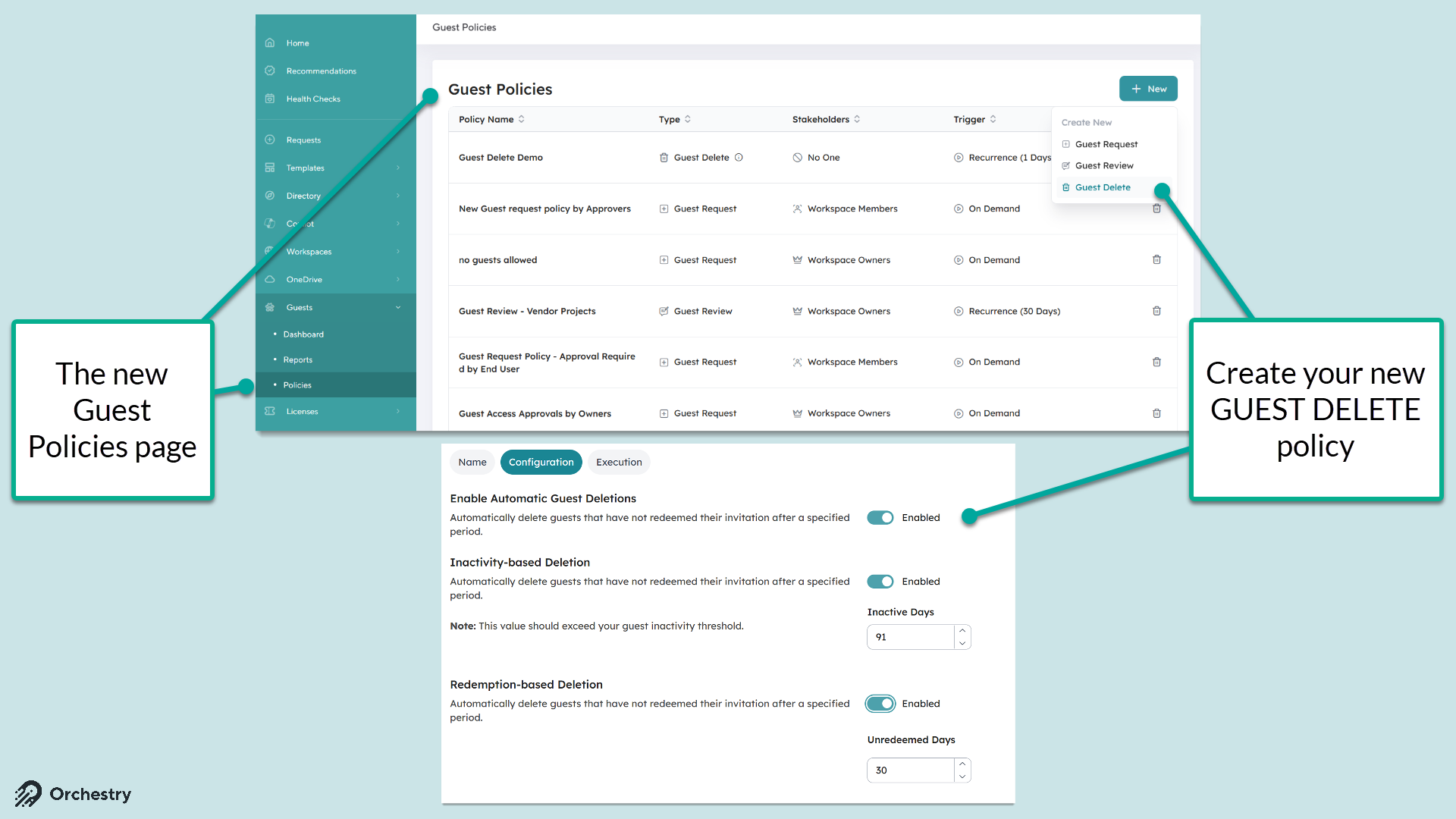
Together with Guest Request and Guest Review, Orchestry now covers the full guest lifecycle: how guests get in, whether they should still be there, and when they are removed.
Want to learn more about the Guest Delete policy?
Check out the article: 📄 The Guest Delete Policyand 📄 Design and Configure a Guest Delete Policy