How to Force Trigger Assigned Workspace Policies
Last updated: June 9, 2026
Orchestry admins can manually trigger assigned policies when the occasion calls for it. For example, testing a brand new policy before rolling it out to the rest of the company.
How to Trigger a Policy on a Single Workspace
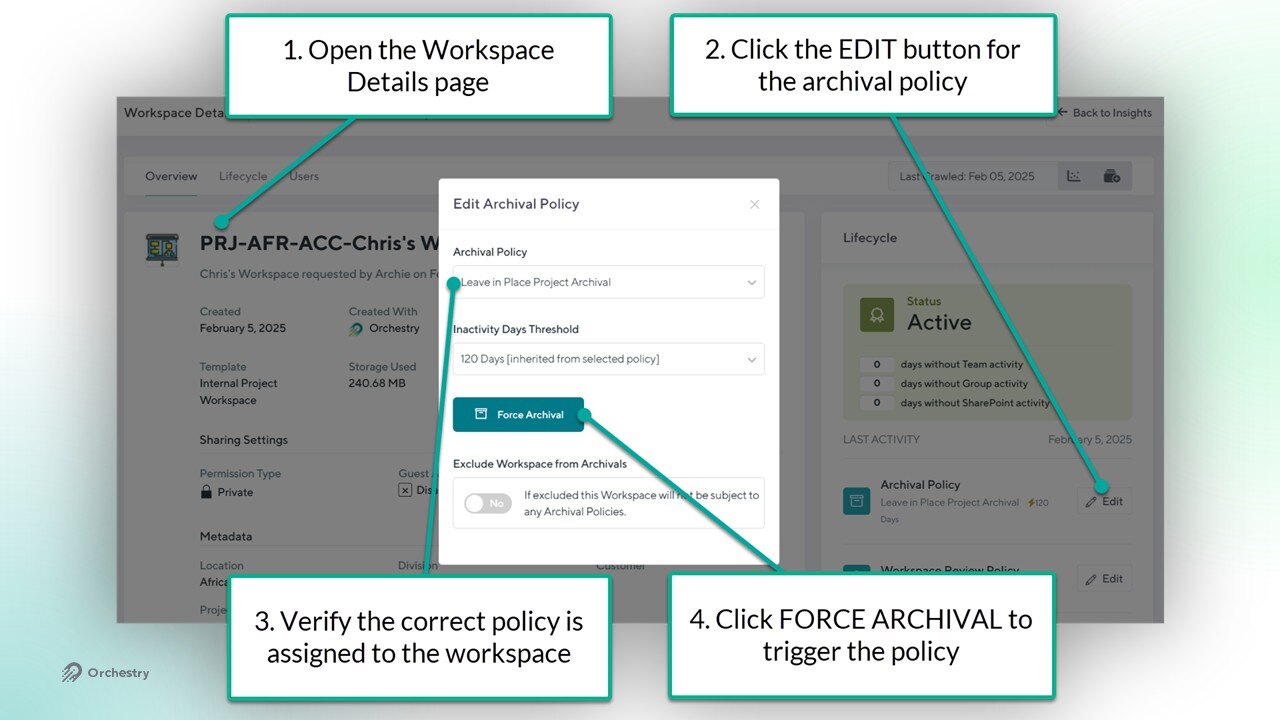
From the 'Workspace Details' page:
Click the EDIT button for the Archival policy, Workspace Review policy, or Guest Review policy.
Verify that the correct policy is assigned to the workspace
Click the "FORCE..." button to trigger the assigned policy
How to Trigger a Policy on Multiple Workspaces
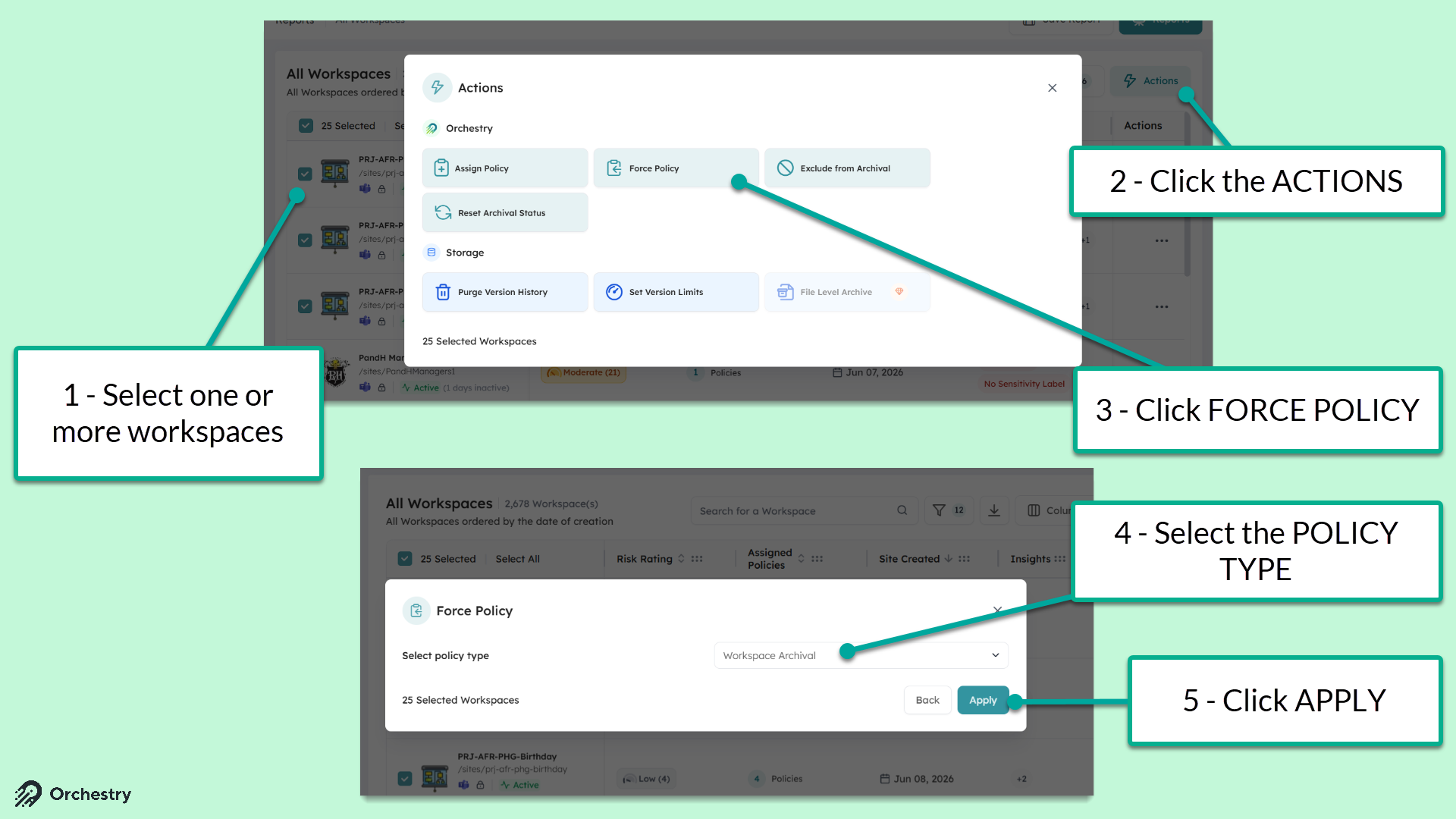
From the Workspace Reports page (Workspaces > Reports):
Select one or more workspaces
Click the 'ACTIONS' button
Select 'Force Policy' from the Actions menu
Select the policy TYPE
Click APPLY to trigger the policy against
NOTE: Orchestry will take no action if the selected workspaces do NOT already have a policy assigned to them.