How to Exclude Workspaces from Archival Policies
Last updated: June 9, 2026
There may be workspaces that you do not want to be subject to a Archival policy. In Orchestry, you can ensure that certain workspaces are not subject to archival.
A few examples of such workspace are:
Intranet Sites: | You don't want to ever archive your Intranet as want these sites to live in perpetuity. |
Organizational Teams: | Teams that are organizational-wide should be kept as the audience of the Team is so large |
Historical Content: | Workspace that might not be actively used but required to exist should be kept. |
Department Workspaces: | Workspaces for organizational departments are often designed to be permanent |
How to Exclude an Individual Workspace from Archival
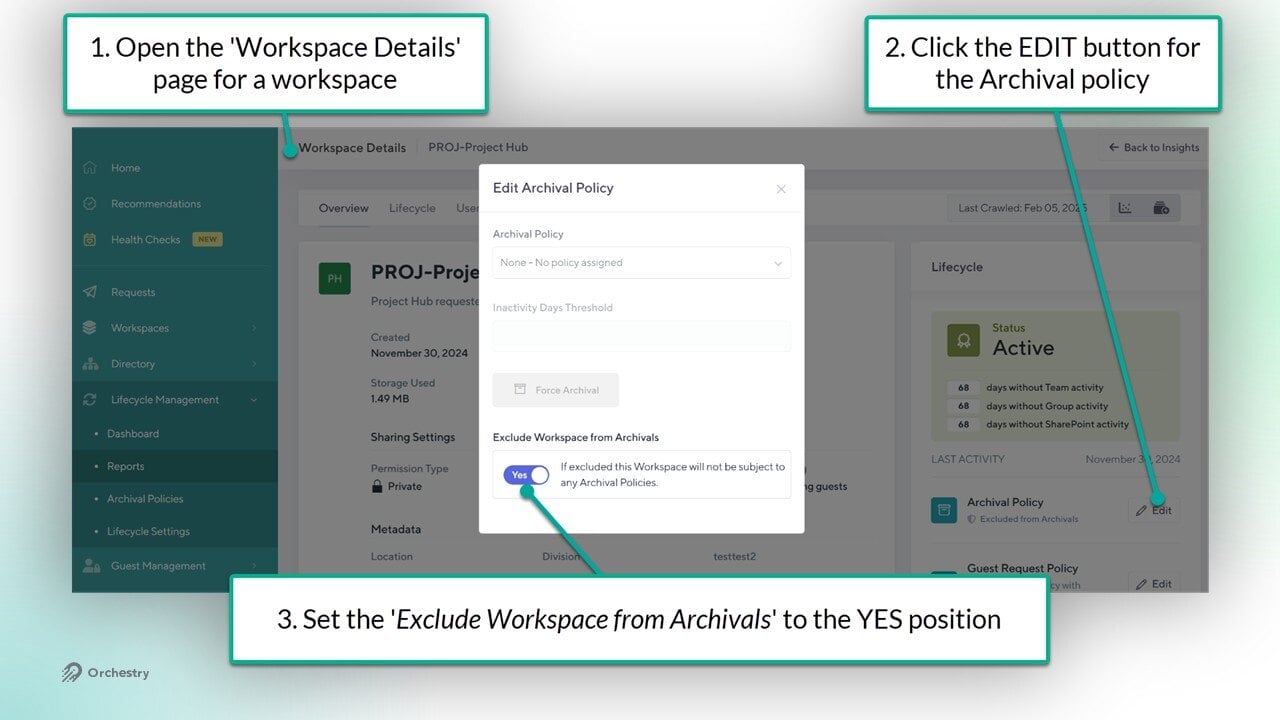
Open the Workspace Details page of a given workspace
Click on the EDIT button for the Archival policy
Set the 'Exclude Workspace Review from Archivals' toggle to YES
Your changes will be saved automatically.
How to Exclude Workspaces from Archival in Bulk via the ACTIONS Menu
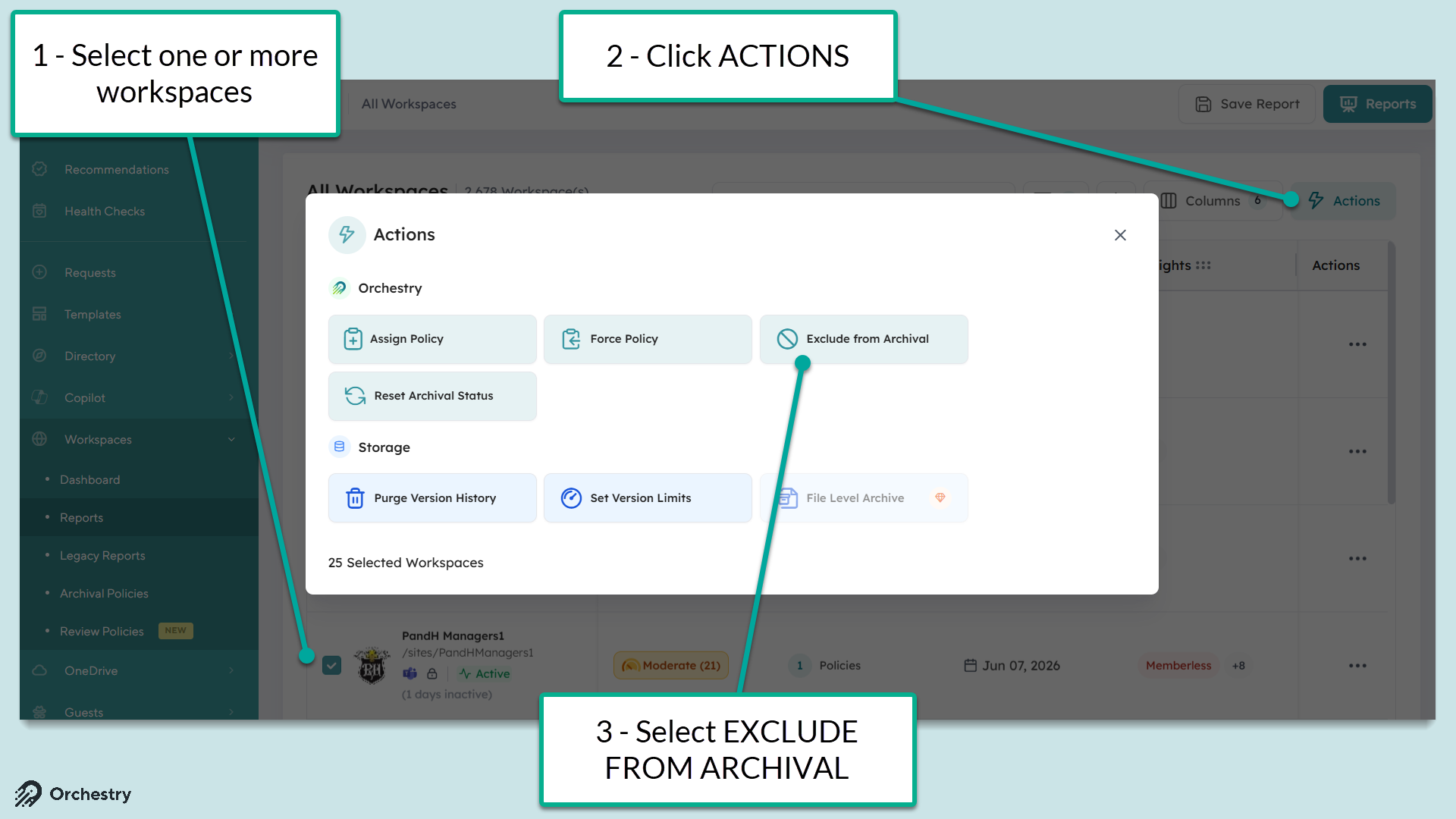
Navigate to the Workspace 'Reports' page
Surface the workspaces you want to action (via reports, filters, search, etc.)
Select the workspaces you want to action (up to 100 at a time)
Click the ACTIONS button
Select 'Exclude from Archival'
Click APPLY
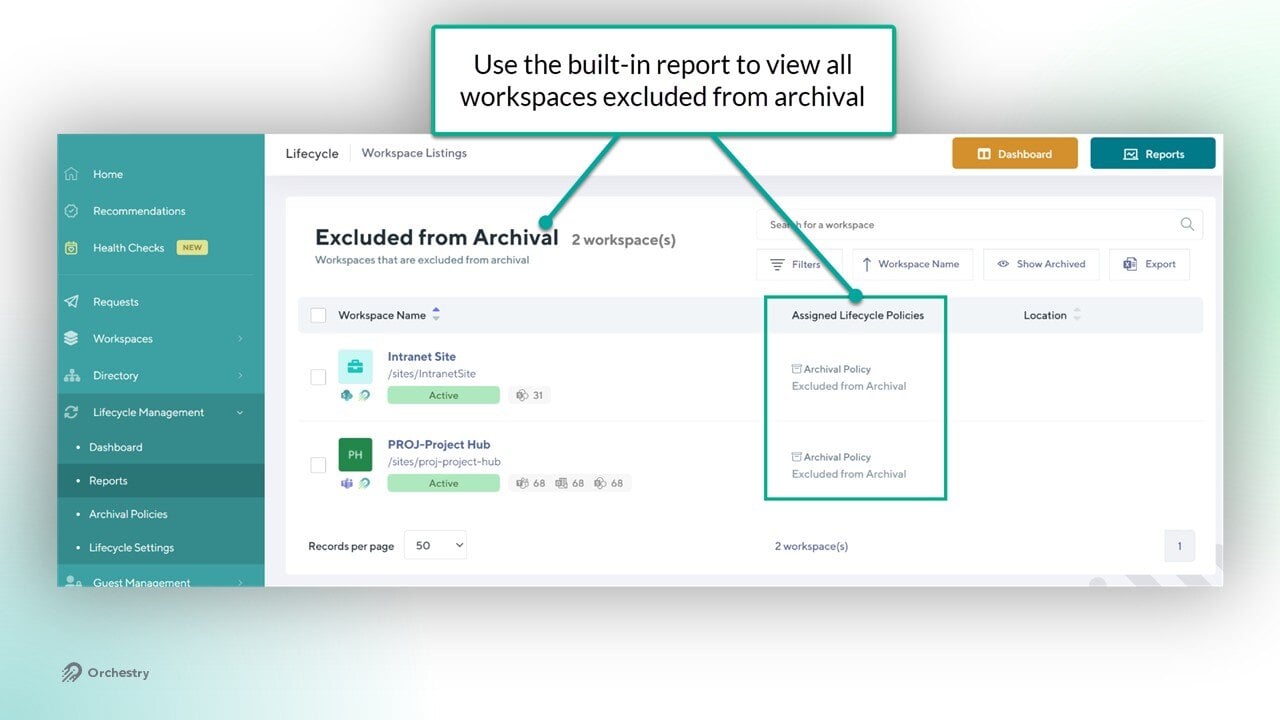
TIP: Use the built-in 'Excluded from Archival' workspace report to monitor workspaces with this label assigned.
How to Exclude Individual Workspaces from Archival in Bulk via the Legacy Reports Page
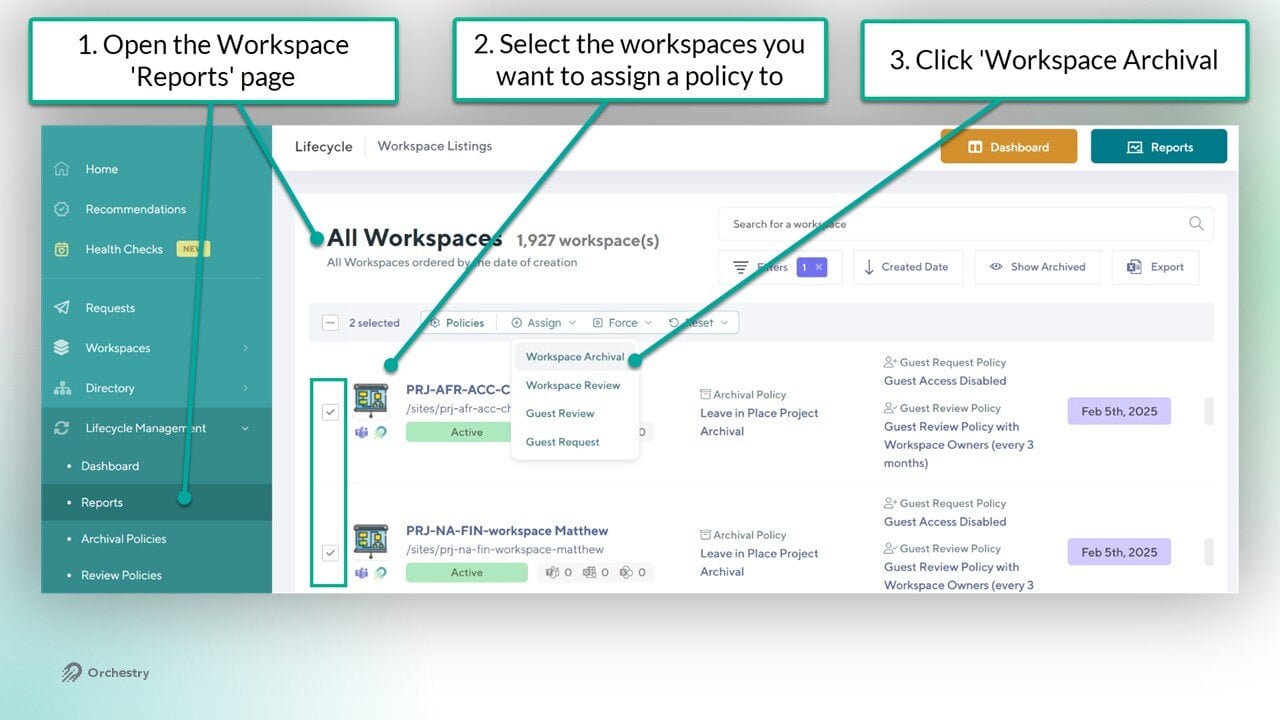
Navigate to the workspace 'Legacy Reports' page
Click the checkbox for the workspaces you wish to assign a policy to
Click Assign > Workspace Archival
Once selected press the 'Assign Policy' button to bring up the dialogue window
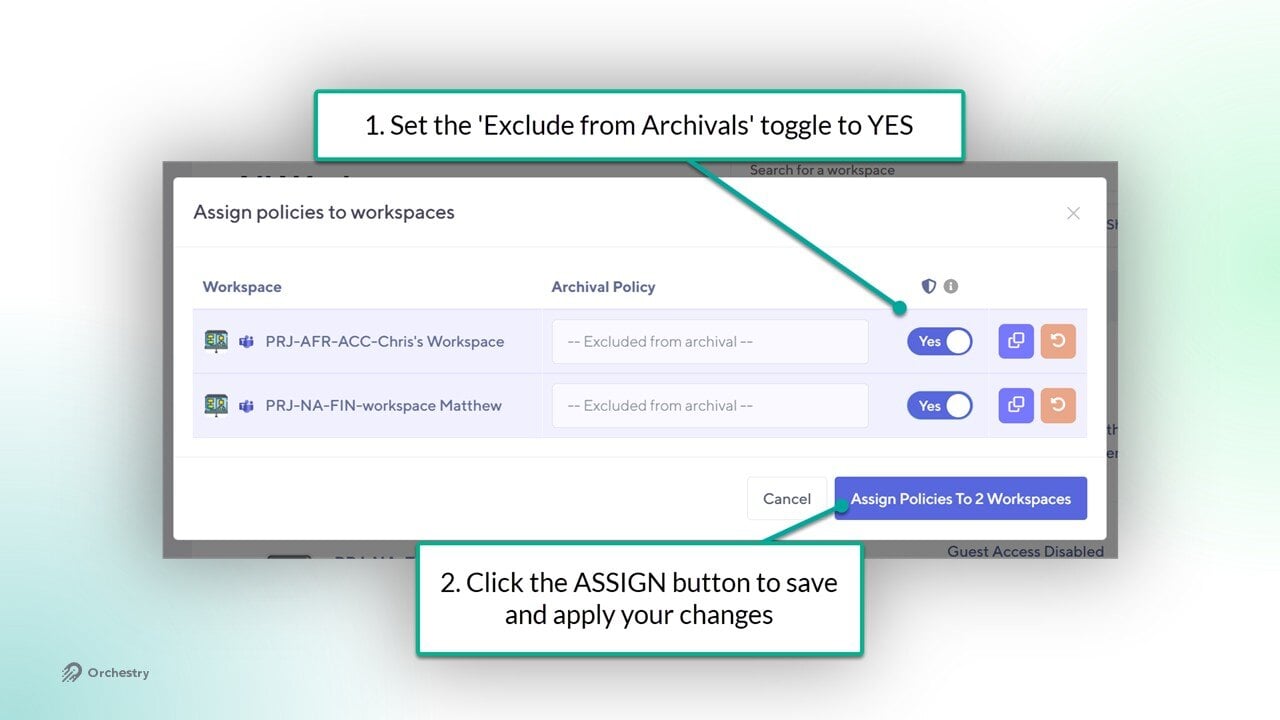
In the 'Assign policies to Workspaces' dialogue window:
Set the 'Excluded from Archivals' toggle to YES for all selected workspaces
Click the "Assign Policies to X workspaces" button to SAVE your changes
TIP: Use the built-in "Excluded from Archival" report to review all workspaces with the EXCLUDE toggle enabled: