
New Archival Policy Method: M365 Archive
This feature is rolling out gradually to customers and may not be visible in all tenants immediately.
We’ve added native support for Microsoft’s M365 Archival feature within Orchestry’s archival policies. This allows Orchestry to move inactive SharePoint sites into Microsoft’s cold storage tier—preserving security and compliance while removing the site from active storage consumption.
Integration with this feature has been highly requested from customers as it:
- enables cost-effective storage of inactive SharePoint sites, and
- keeps content searchable and compliant.
Additionally, this update enables Orchestry to detect sites already in the M365 Archive and label them appropriately.
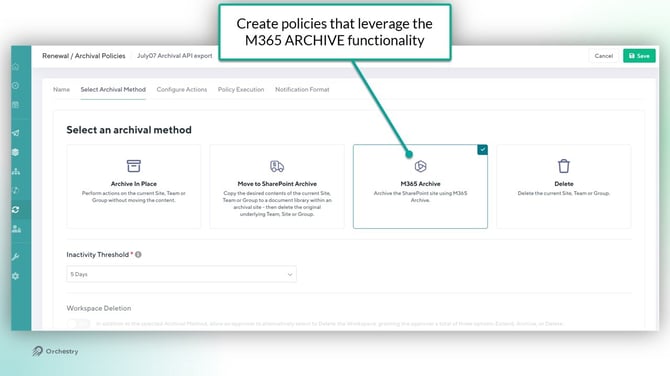
Want to learn more about Microsoft 365 Archive?
Check out the site: Microsoft 365 Archive – Microsoft Adoption
Orchestry Update Considerations
- Already have rolled out Microsoft 365 Archive in your tenant
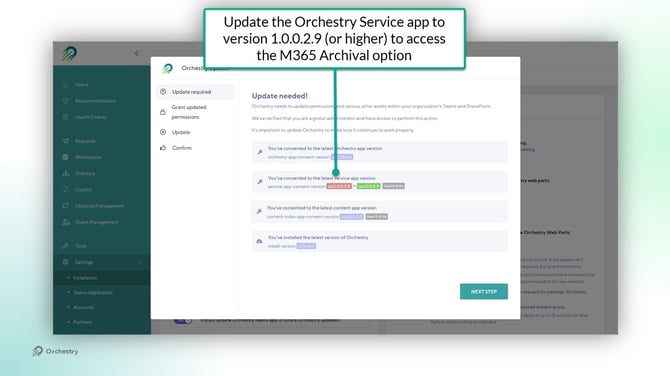
- Update the Orchestry Service app to version 1.0.0.2.9 (or higher)
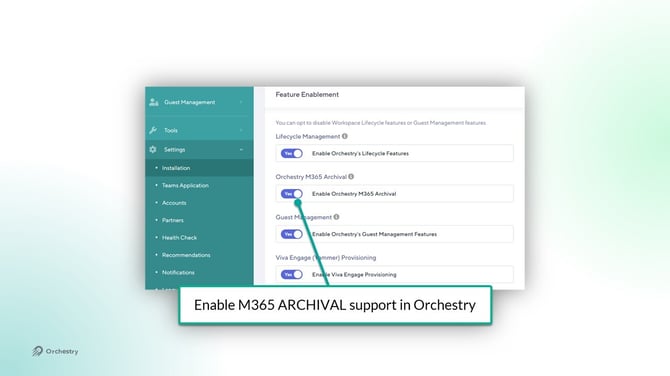
- Enable the flag on the Orchestry Installation page
Orchestry will prompt for a Service App permission update (v1.0.0.2.9 or higher) as a new API scope is required to support M365 Archive: Archive/reactivate Site Collections without a signed in user
NOTE: This update only applies to tenants that have licenses for M365 Archive. It is optional for anyone who does not subscribe to this feature from Microsoft.
Team Information Tab Update - Sharing Links Now Available
This feature is rolling out gradually to customers and may not be visible in all tenants immediately.
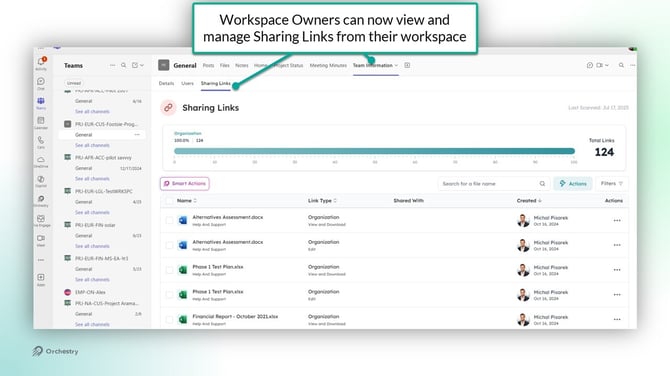
With immediate access to a consolidated view of all sharing links in one dashboard, this enhancement empowers teams to mitigate external sharing risks proactively, strengthening overall data security.
How it Works in Orchestry:
- Look for the new Sharing Links tab in your Team Information Tab
- Available to team owners and administrators
- Use Smart Actions to quickly manage external access
Want to learn more about the Team information Tab?
Check out the article: How to Install and Use Orchestry's 'Team Information' Channel Tab