Navigating Guest Management Settings
Last updated: August 27, 2026
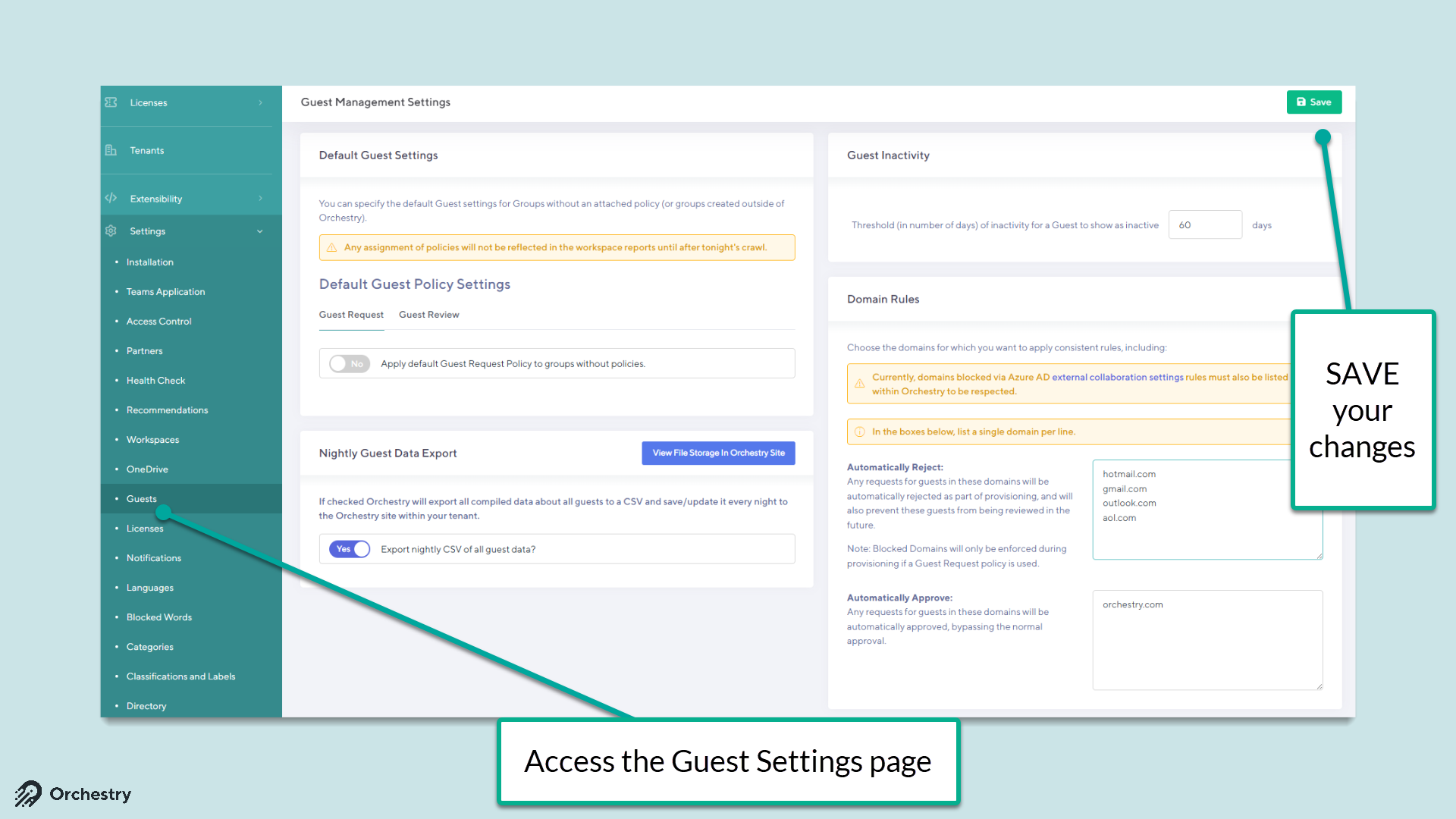
The Guest Management settings page (Settings > Guests) provides a variety of configurable options.
Default Guest Settings
The Default Guest Settings allow admins to select a Guest Request and/or Guest Review policy to be automatically assigned to any supported workspaces that do not already have policies assigned.
WARNING: Workspaces assigned default policies may be obsursed from some workspace reports. For the best experience, it is recommended to assign policies through workspace actions and workspace templates.
Nightly Guest Data Export
This option allows you to export all of the Insight Data that Orchestry stores to a CSV file that can be used for additional reporting or historical information.
Want to learn how?
Check out: 📄 How to Setup and Access the Nightly Guest Data Export
Blocked Domains
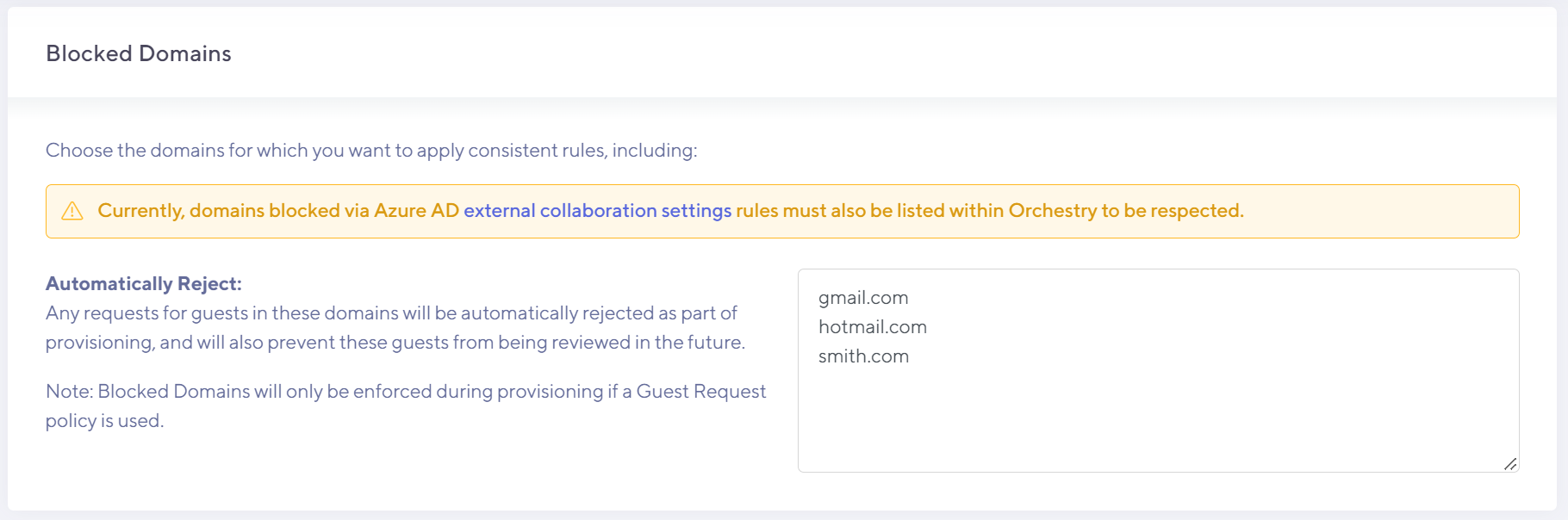
This option allows you to specify guest domains you want to block from all workspaces with guest request policies.
Want to learn more?
Check out the articles: 📄 How to Block Guest Domains and 📄 Impact of Blocked Guest Domains in Orchestry
Whitelisting Domains
By whitelisting a domain in Guest settings, you allow guest users from that domain to bypass the approval stage of a Guest Request policy. Adding trusted domains to your safe list can help remove friction from the guest request process for workspace owners and guest approvers.
Want to learn how?
Check out: 📄 How to Whitelist Guest User Domains
Guest Inactivity Threshold
This option allows you to specify the number of days before a Guest is classified as 'Inactive' in Orchestry.
Want to learn more?
Check out: 📄 How to Configure the Inactivity Threshold for Guest Accounts and 📄 Understanding ETL Crawls and Activity/Inactivity in Orchestry