Using Power Automate is a great way to interact with the Orchestry API without needing to use scripting.
Technical Resources: Orchestry Custom Connector Setup (PDF)
Power Apps
How to Set It Up
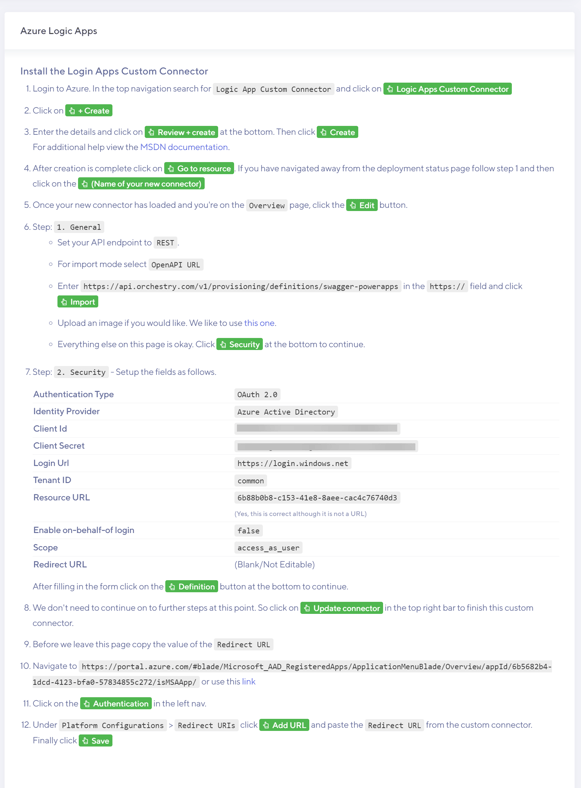
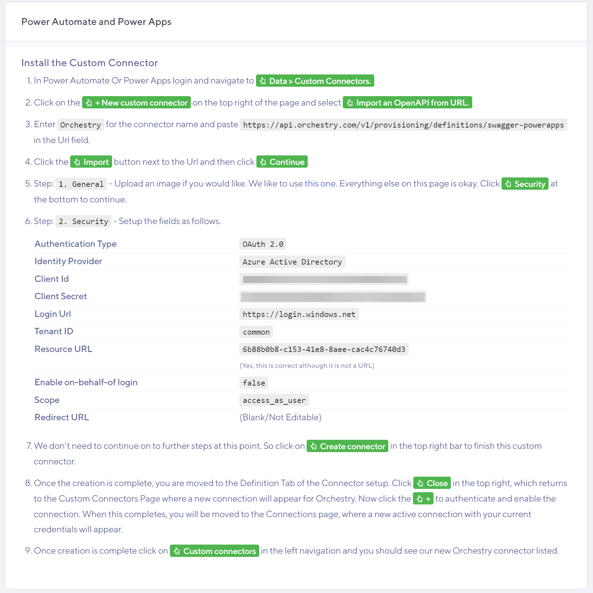
To make the Power Automate connection available within Power Automate, you must first setup the Custom Data Connector. For the steps customized for your environment, please navigate to https://app.orchestry.com/client-api/connections
Sample Steps
How to Use the API
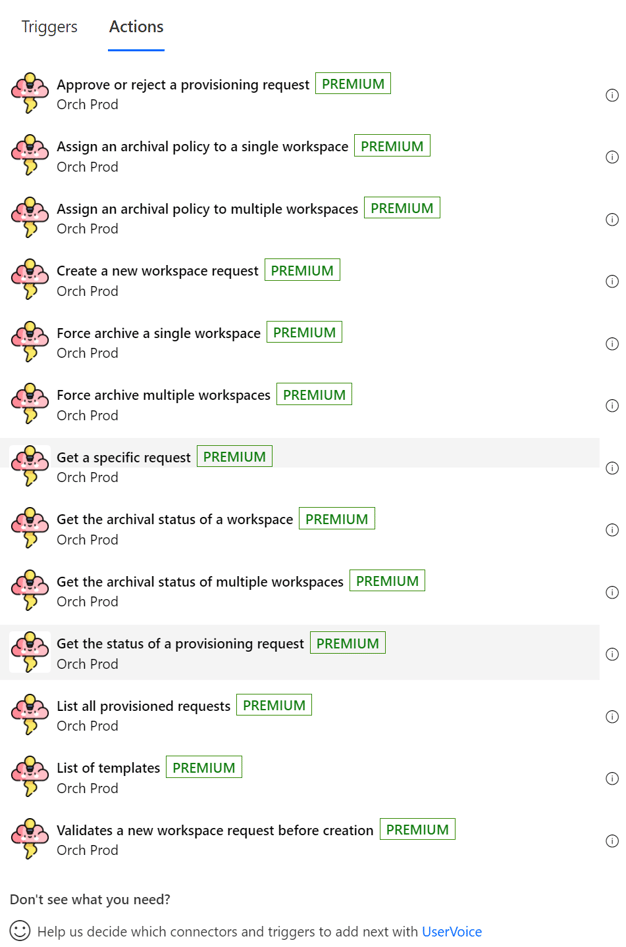
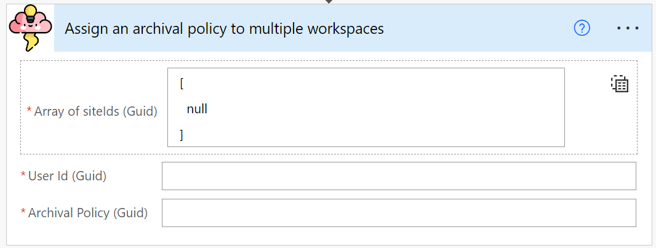
Once the connector is correctly established in PA, you will see a list of available Orchestry actions, corresponding with the API definitions available elsewhere.
Logic Apps
How to Set It Up
To make the Power Automate connection available within Logic apps, you must first setup the Apps Custom Connector. For the steps customized for your environment, please navigate to https://app.orchestry.com/client-api/connections
Sample Steps: