New Features
Notification Emails Now Show the List of Recipients
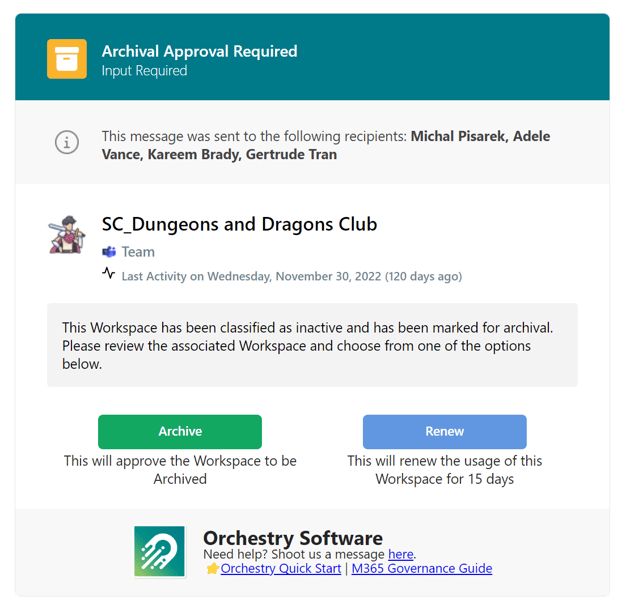
Based on feedback from some of our great customers, we have implemented a new standard section to all of our core Notification Emails. Even though emails are sent to individual users (a single user in the To field), recipients will now be able to tell if other users beyond themselves were also asked to perform an action. This will aid in visibility across requests where only a single user amongst a group is required to approve or reject the request.
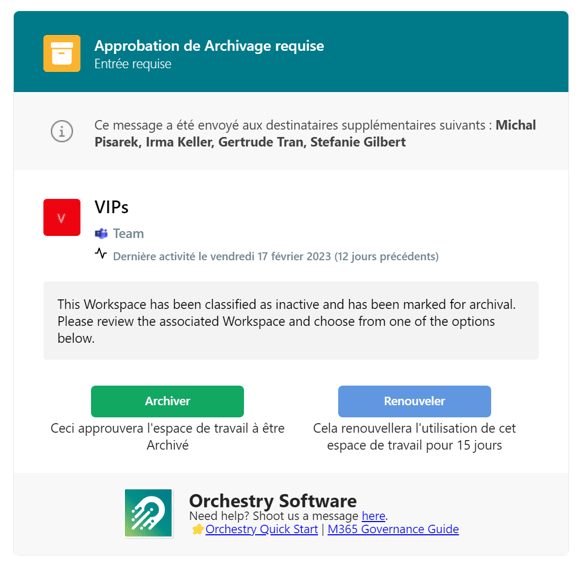
Of course, we ensured these emails continue to support localizations for supported languages.
Cloning of Null (Unconfigured) Planner/OneNote Tabs
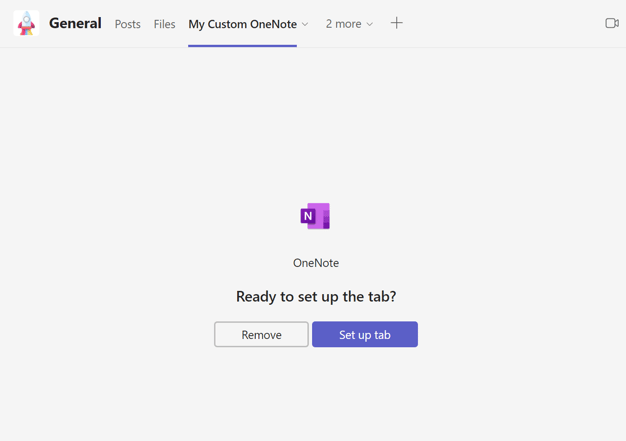
Most customers have Live Templates setup with both Planner Plans and OneNote Notebooks, and these are duplicated into every request. However, some customer have asked for the ability to have an un-configured Planner or OneNote tab to allow the Owner of the new team to decide to point to an existing asset - based on the scenario.
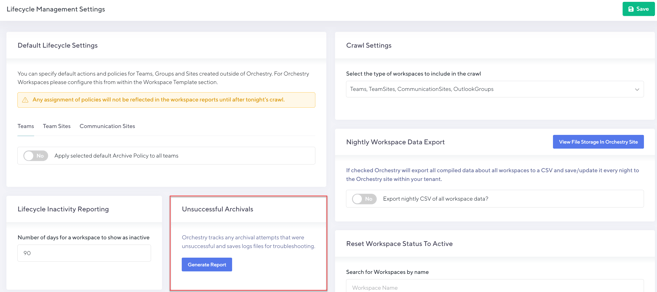
New Report for Unsuccessful Archivals
In some rare cases an archival may be unsuccessful. Typically this is due to a PnP Provisioning error for Archivals that process and move content from its original source to a special destination. To aid in better visibility and the need to monitor log files, we have setup a new report that gives Administrators a live view of any workspaces where the archive did not complete and should be examined and then restarted. This new report is available from the Lifecycle Settings page.
Improvements
- Removed Orchestry Notification Engine: As we in the final steps of moving all notifications to the Teams Activity Feed (and email) we have removed the legacy in-app Orchestry Notification ("bell" icon) as it is now replaced with better functionality.
- Planner Archival Name Sanitized: We now strip out any non-acceptable characters when processing and archiving Planner Plans, allowing them to be saved to the destination in SharePoint.
- Document Count Insights: We have re-worked the logic to count Documents within your workspace and ensured the same consistent data is available across Orchestry.
- Workspace Archivals (Deletion): For workspaces that used a Deletion method, we will now show their status post-archival as "Deleted" to help avoid confusion that these were deleted versus being stored somewhere.
- Adjusted Guest Activity Que
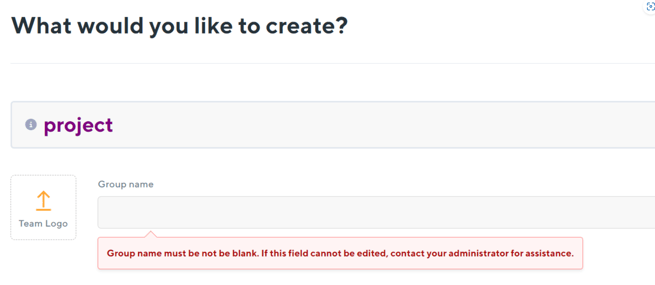
- Prevent Users from Creating Blank Requests: Sometimes possible if a Naming Convention is not setup correctly, we now alerts users before they submit a request that the Group URL cannot be blank.
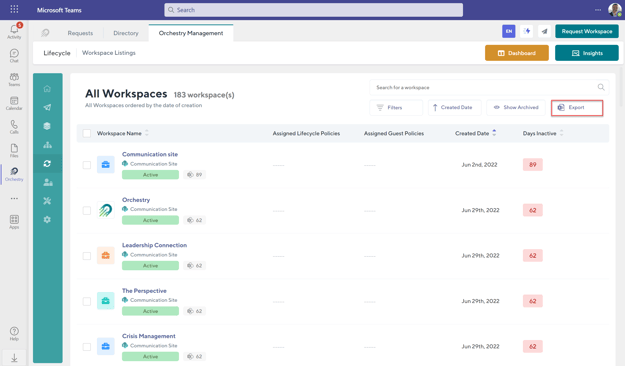
- Workspace Insight Reports Can Not be Exported from Teams: Previously not possible due to constraints within Teams Apps, we have re-enabled the ability for Orchestry Administrators to export any Insight Report all within the Teams Client.