Our biggest set of fixes and features for 2022 is heading your way on the 30th of June! This release has a ton of improvements and fixes particularly around provisioning to help ensure that you can provide amazing solutions to your users.
Bug Fixes
- Planner cloning is more robust than ever. We have also added additional throttling support to ensure that you won't be throttled if you try to provision many Planner plans at once
- Tab Cloning: In rare instances tabs could be provisioned in the incorrect order. Now they will not be.
- Archival: Permission extractions would fail if you changed the URL for the SharePoint site. This will no longer happen.
- Archival: If you have many archival then SharePoint will fail due to the list view threshold being reached. This is no longer a problem.
- Provisioning: If provisioning multiple communication sites Orchestry would also provision a OneNote file. Not a huge deal but not ideal either. This won't happen now!
Improvements
- Provisioning: Folders are now created automatically when provisioning a Workspace. We know that Microsoft 365 does this sometimes but wanted to make sure that it worked all the time :)
- Provisioning: Previously you couldn't provision a Workspace with Orchestry with the same name. Now you can as long as you archive the request first.
- Workspace Request: When requesting a Workspace we would check on the fully constructed name of the Workspace. Now we will check on the name in the Workspace box only to give a broader set of results
New Features
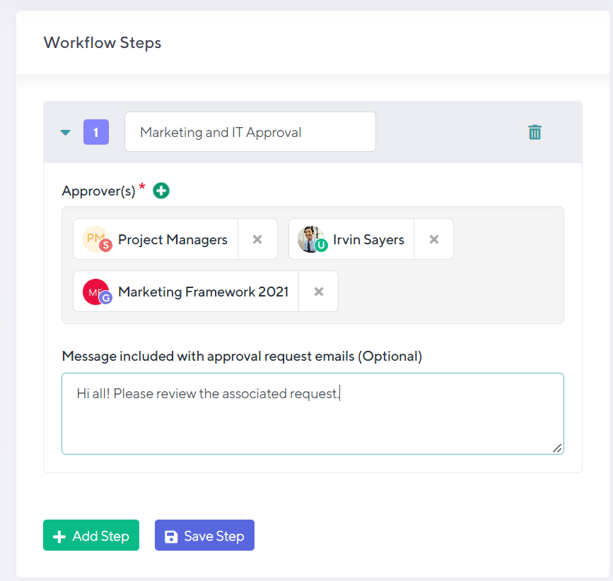
Groups available for Approval Workflows
Orchestry now supports Groups as part of an Approval Workflow. Previously you could only use individual users but now you can use M365 groups for an approval step.
Any person in the Group will need to approve the request in order for it to be provisioned.
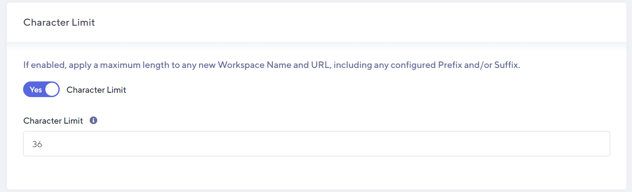
Character Limits for Naming Policies
Orchestry now has the ability to limit the number of characters that a user enters in as part of the Workspace name. This is incredibly powerful since you can enforce best practices and ensure that your names don't wrap.
Support for Microsoft Adaptive Scopes
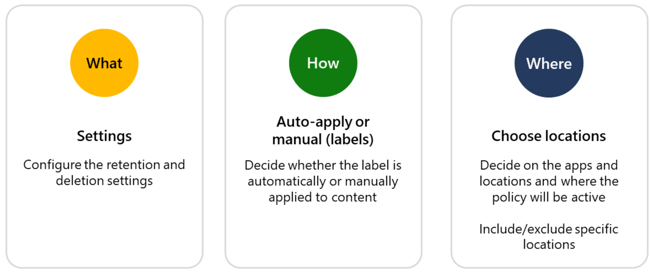
Adaptive Scopes are a new piece of functionality that can help you better manage your compliance needs for Microsoft 365. Orchestry now supports writing SharePoint property bag values as part of the provisioning process so that you can create your scopes around provisioned content.
As part of provisioning Orchestry will not write the TemplateID and any metadata selected to the SharePoint property bad so that it can be used to create your scope.
Workspace Descriptions can contain rich text and links to other content
In order to help guide your users better through selecting the correct Workspace, we have now added additional options.
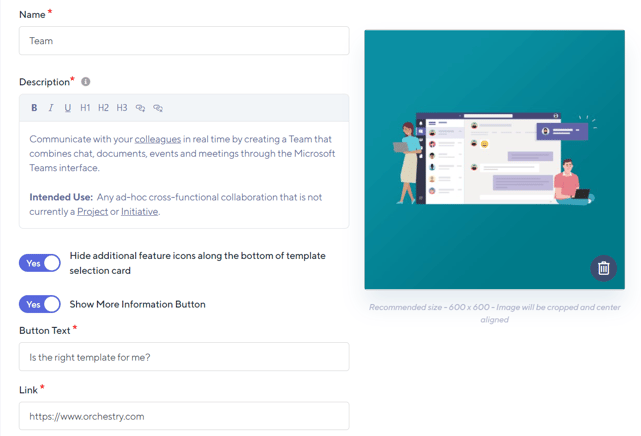
Rich Text Formatting
Now you can have rich text in your Workspace description to provide additional context.
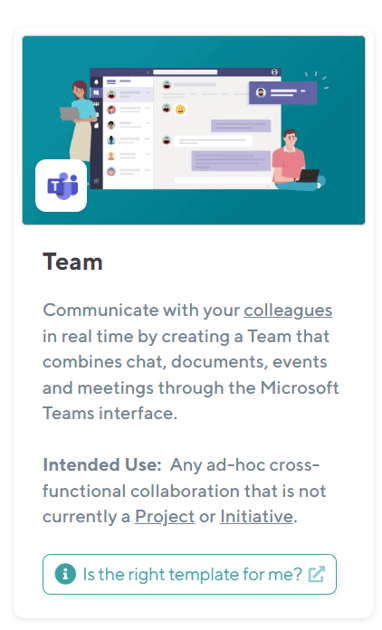
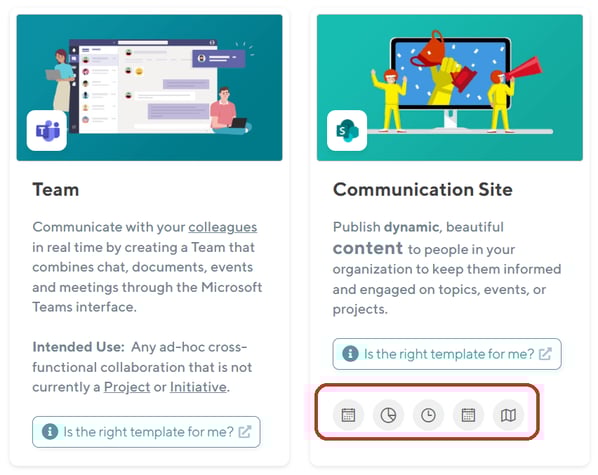
Hiding Feature Icons
To make the template clearer you can also now hide the Feature Icons on a per template basis.
Show More Information Button
This is really helpful to help drive your users to more information about a template and can be linked to anywhere.
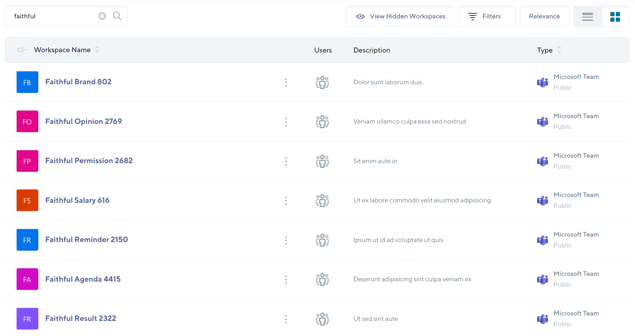
Workspace Directory Search Improved
If you have a large number of items in your Workspace Directory you might not get the results that you expect. Now we return the items based on relevance rather than the default sort order that you have selected. This makes for a much better search experience.