
New Features
Subscribe Members to Group Emails and Events
Based on feedback from a number of customers, we have added the ability to "subscribe" team members to Events and Emails that are sent to the M365 Group, immediately from provisioning. This setting was released to the M365 Admin recently and has been helpful for many customers in ensuring Team Members are not forced to manually subscribe themselves to see important Group notifications.
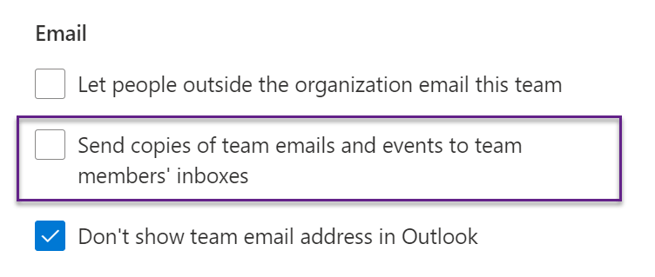
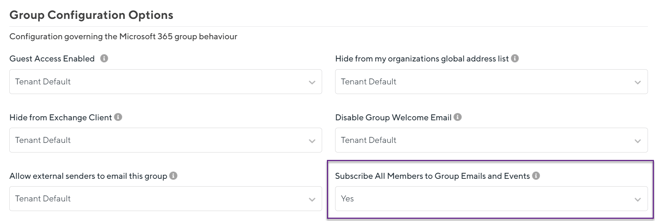
This can now be set alongside other Group Options (when applicable) under your Template Configuration:
Added Provisioning Approvals to Teams Activity Feed
As one of the first pieces created in the Orchestry product, the approval notifications for Workspace Provisioning requests have long been available by email only. We have remedied this gap and added support for these in Teams!
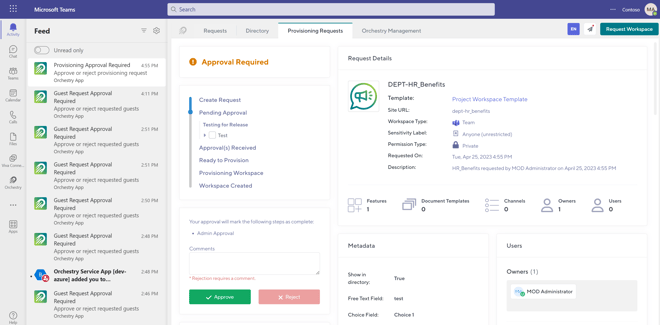
In the future we will roll out more configuration for this piece, such as allowing admins to decide if they want to opt for email notifications, or teams notifications, or both.
Added Support for Site URL in Workspace Insights
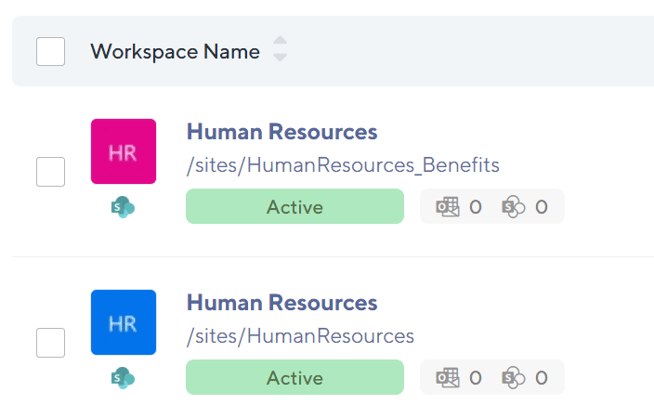
Some customers have struggled with managing and finding workspaces that have identical Display Names, and can only be told apart thanks to their SharePoint Site URL. Previously, it required accessing the Workspace Details page to see the URL, and could mean for tedious work to find a workspace with many duplicates.
To remedy this, we've added support for Searching by URL and surfacing the URL in the Type Ahead Search Results.
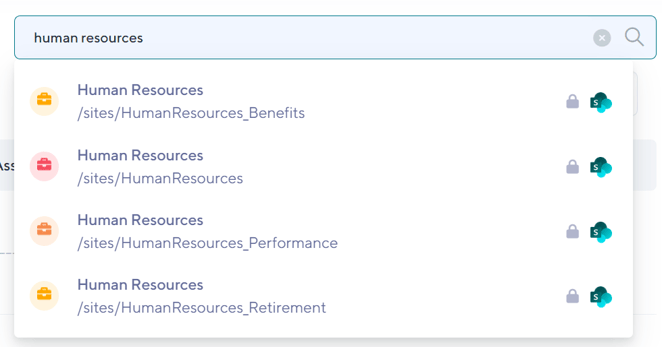

In the next release we will also release the ability to immediately see the URL from the Insights report! Here's a sneak peek for those reading closely!
Added Multilingual Support for Spanish and Portuguese
Customers in North and South America, in particular, have been waiting for the ability to roll out Orchestry to Spanish and Portuguese-speaking users. This is now available. Ensure you enable the desired languages under Settings > Languages to allow end users to select it.
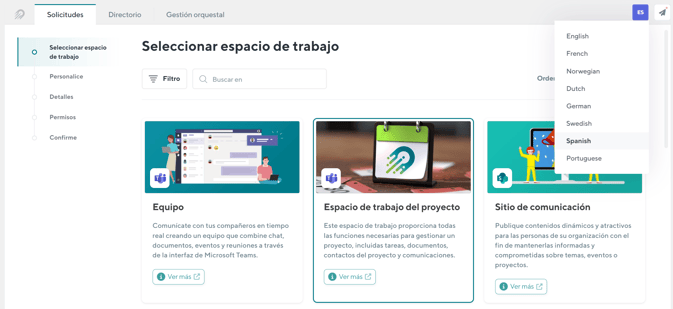
This brings our supported Language list to a total of eight (8) languages:
- English
- French
- Norwegian
- Dutch
- German
- Swedish
- Spanish
- Portuguese
As always, if you see individual translations that can be improved, please reach out to us via the Service Desk and we'd be happy to make the improvement immediately!
Improvements
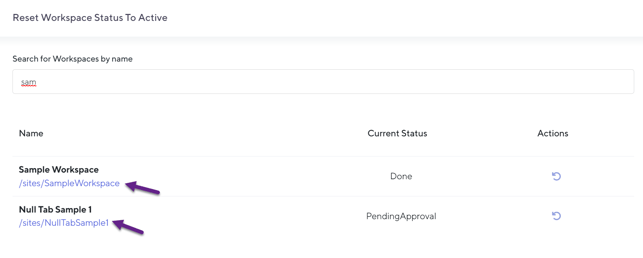
- Orchestry Reset Status: As part of similar enhancements introduced above to improve findability, we have also added the Workspace URL within the Reset Status module in Orchestry to ensure it is easy to find and reset the correct workspace:
- Skip the Hidden "Hub" Catalog Library During Archivals: SharePoint Sites attached to a hub have a hidden library created that contains a JSON file which defines the inherited navigation links. When attempting to Archive such sites, this library would fail on extraction due to it containing invalid characters. We have implemented a fix to skip this library as it does not provide value in the archival context.
- Archival Execution Integrity Check: In line with enhancements in recent weeks to improve the process behind Archival policies which move content from one location to another (the archival "repository"), we have implemented a change in logic that will now automatically check to see if Documents targeted to be moved during the archival were lost during the API Copy Job, and proactively set the Archival to a Failed State to ensure it can be reviewed and content is not lost.