Navigating Tasks in Orchestry
Last updated: April 1, 2026
End users (i.e.: Workspace owners) can be assigned a variety of tasks in Orchestry, such as approving workspace requests or completing a workspace review.
Based on how admins have configured Orchestry policies and the environment, end users can be assigned any (or all) of the tasks listed below.
TIP: A task can be assigned to multiple people at once. The first person to action the task completes it for everyone it was assigned to.
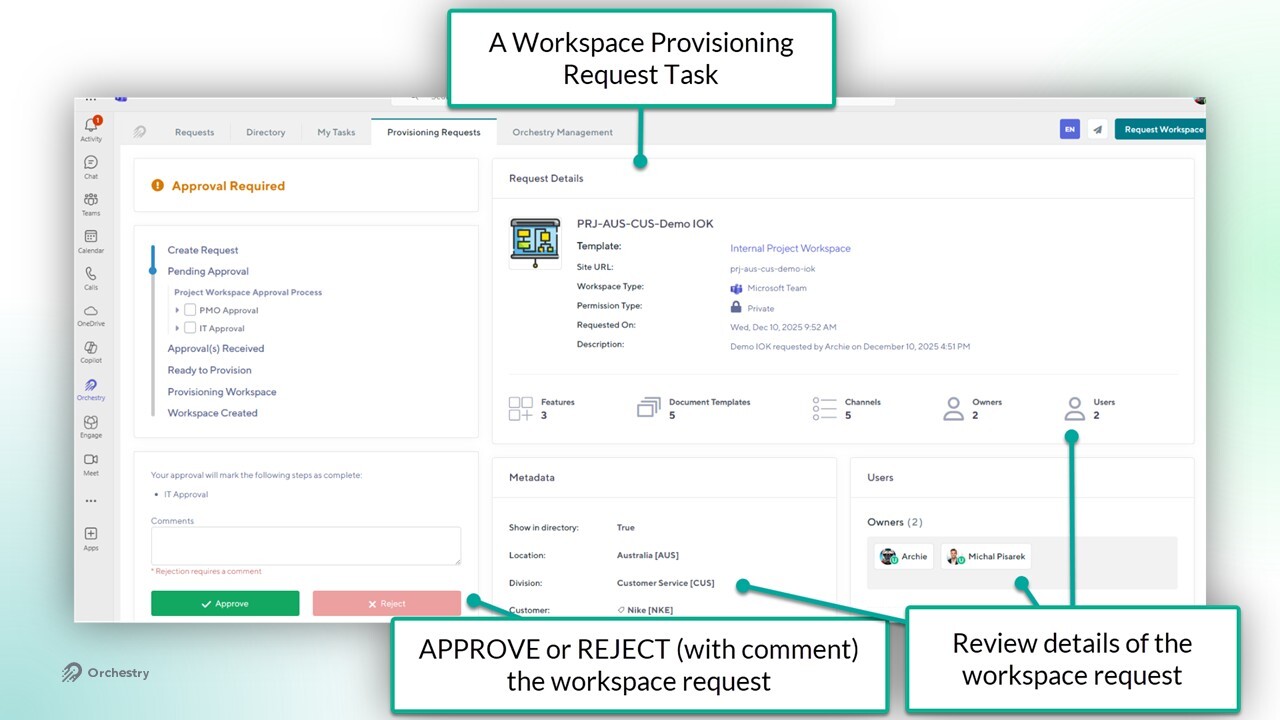
The Workspace Request Tasks
These tasks ask end users to APPROVE or REJECT tasks in Orchestry. A comment is required for rejection.
These tasks are triggered when a workspace is requested by an end user.
Want to learn more about Workspace Requests?
Check out the article: Requests and My Tasks Overview
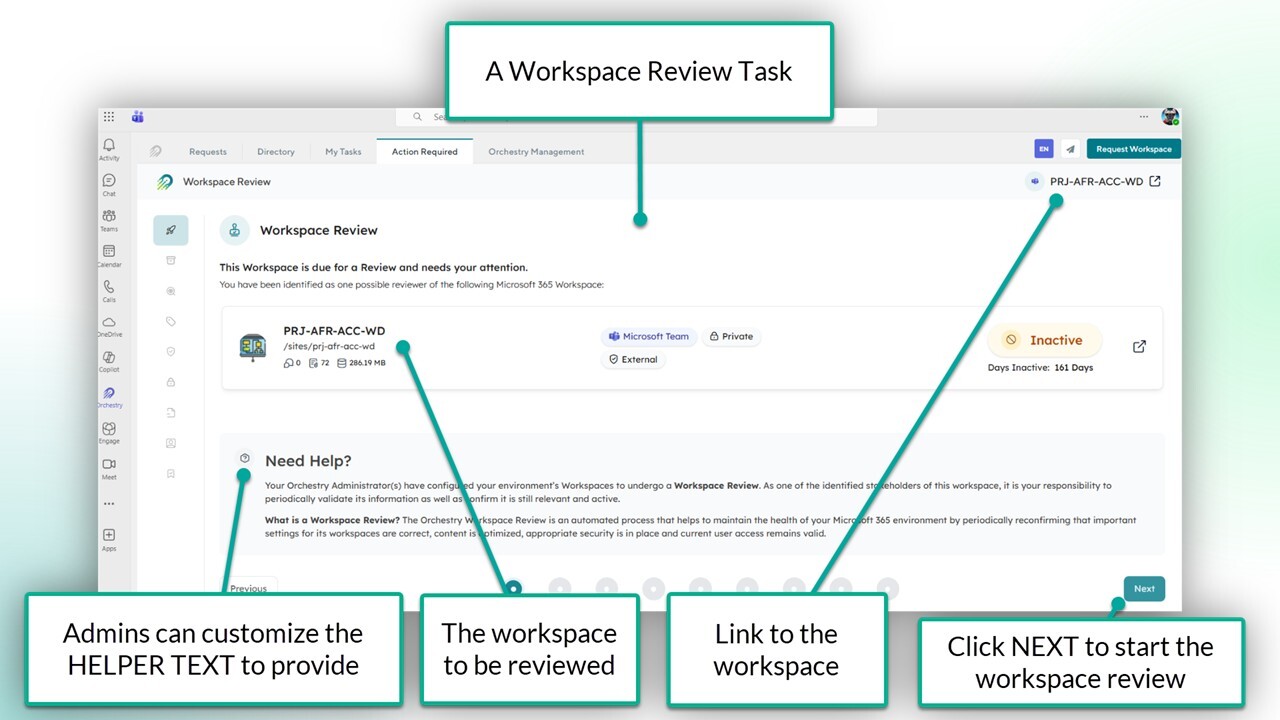
The Workspace Review Tasks
These tasks ask workspace owners to review different setting of their workspace, to ensure they remain complaint with IT policies. The contents of a workspace review can vary from policy to policy.
These tasks can be triggered automatically on a recurring basis, or manually by a Orchestry admin.
Want to learn more about Workspace Reviews?
Check out the article: Workspace Review Policies Overview
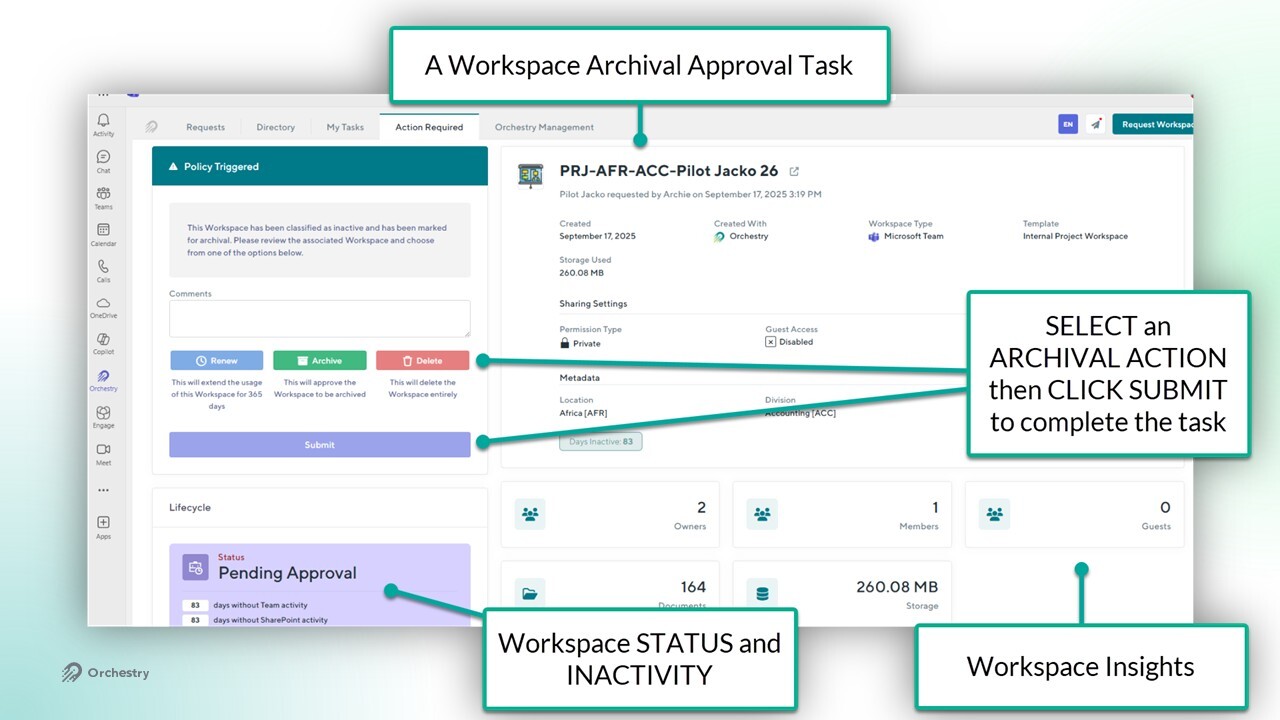
Workspace Archival Approval Tasks
Workspace owners (or delegates) can be asked to ARCHIVE, RENEW or DELETE workspaces.
These tasks can be triggered automatically when a workspace becomes inactive for a period of time. They can also be triggered manually by Orchestry admins.
Want to learn more about Workspace Archival policies?
Check out the article: Archival Policies Overview
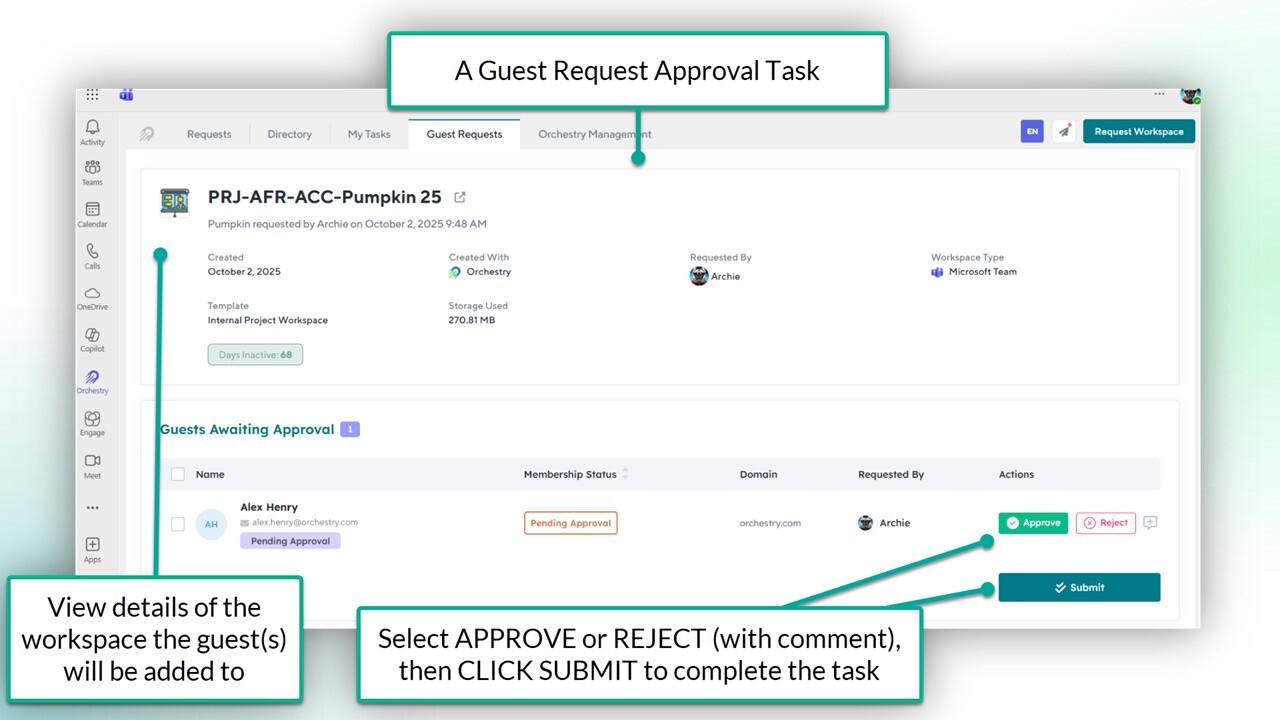
Guest Request Approval Tasks
Workspace owners can REQUEST NEW and EXISTING guest users to join their workspace using Orchestry. If the Guest Request policy is configured to seek approval from specific users/groups, they will be assigned this task.
These tasks are only triggered when a workspace owner submits a guest request for a workspace.
Want to learn more about Guest Request policies?
Check out the article: Using a Guest Request Policy
Guest Review Tasks
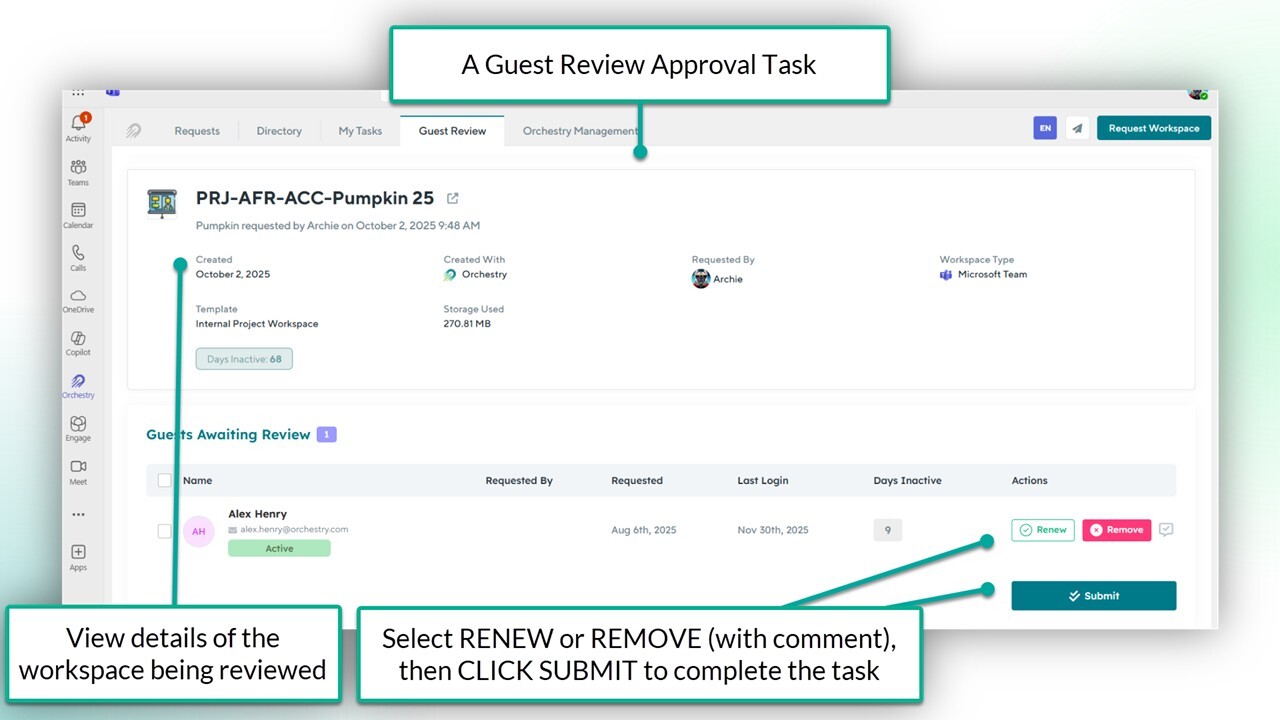
Workspace owners (or delegates) can be asked to REVIEW guest users part of their M365 Group-connected workspaces. End users need to specify which guests to KEEP and which guests to REMOVE.
These tasks can be triggered automatically on a fixed schedule, or manually by an Orchestry admin.
Want to learn more about Guest Review policies?
Check out the article: Using a Guest Review Policy
Health Check Tasks
When new health check reports are generated, anyone assigned the 'Health Check REVIEWER' role will be assigned a task when the report enters the 'Ready for Review' state.
Anyone assigned the 'Health Check VIEWER' role will be notified when the report enters the 'PUBLISHED' state.
Health checks can be triggered automatically on a recurring schedule, or manually by an Orchestry admin.

Want to learn more about Health Checks?
Check out the article: Heath Checks Overview