Overview
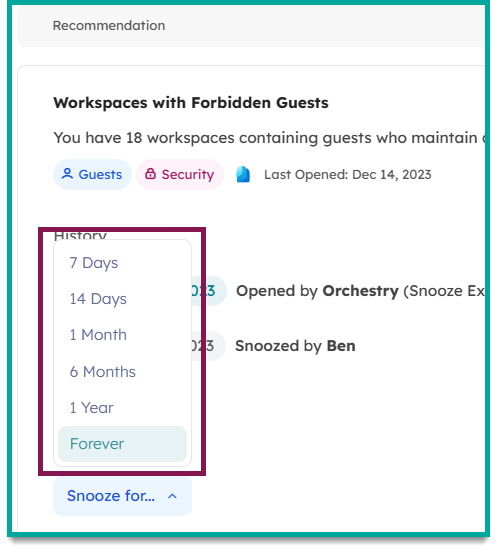
Snoozing recommendations allows you to temporarily or permanently shelve recommendations that you cannot, or will not, action.
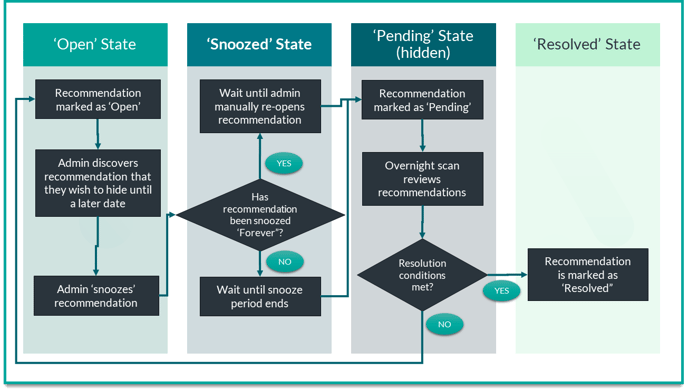
When recommendations are in the 'Snoozed' state, they are excluded from Orchestry's overnight scans. When you are ready to review a recommendation again, it can be reopened at anytime using the instructions in this article.
How to Snooze a Recommendation
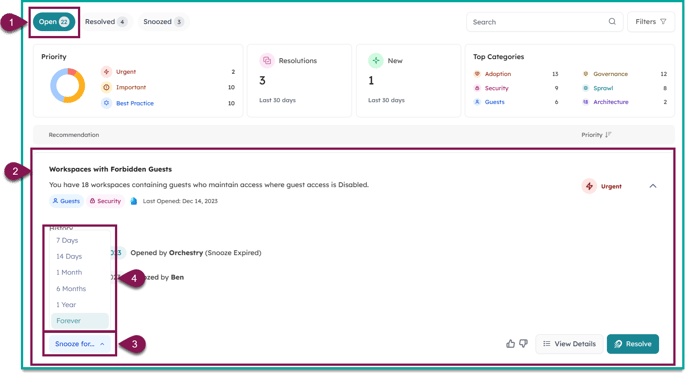
- Go to the 'Open' tab on the Recommendations page
- Select the recommendation to unfurl it
- Click the 'Snooze' button to view the list of snooze-duration options
- Choose a snooze-duration
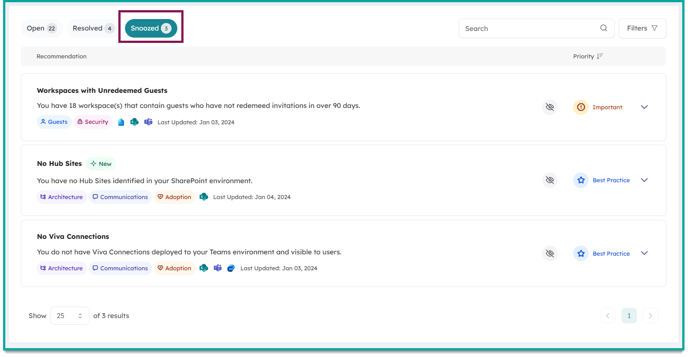
After snoozing the recommendation, you can view it immediately on the 'Snoozed' tab.
How to Un-Snooze a Recommendation
You can un-snooze a recommendation anytime using these steps:
- Go to the 'Snoozed' tab
- Select the recommendation you'd like to reopen
- Click 'Reopen'
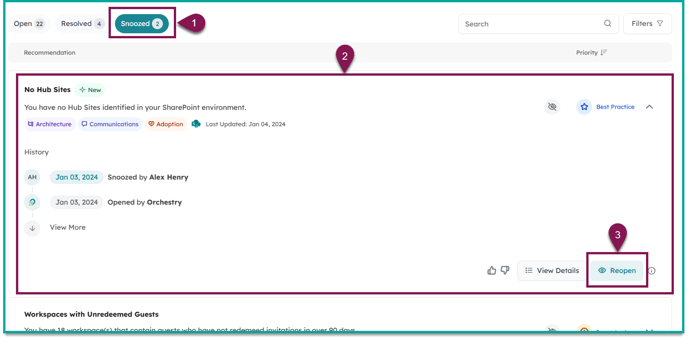
After reopening a recommendation, it will move to the 'Pending' state until the next overnight scan.
- If the recommendation still requires action, it will move to the 'Open' state.
- If the recommendation does NOT require action, it will move to the 'Resolved' state.
Recommendations Snoozed with a Duration Timer
Recommendations that were snoozed with a duration option will automatically move to the 'Pending' state after the hold expires.