
The 'Client Secret' key first generated by Orchestry after the initial setup expires after about two years. Admins can replace that key either before or after it officially expires.
Global admin or Entra Admin access is required to complete the steps below.
Want to learn about updating the secret key for the Orchestry Apps?
Check out the article: How to Renew the Secret Key for Orchestry Apps
How to Renew the Client Secret Key for the Orchestry API
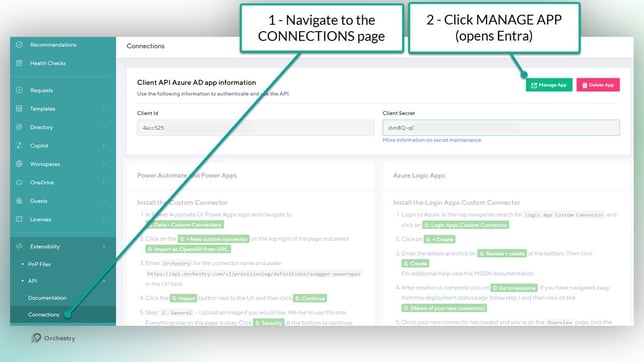
- Navigate to the 'Connections' page in Orchestry.
- Click MANAGE APP. This will launch Entra ID.
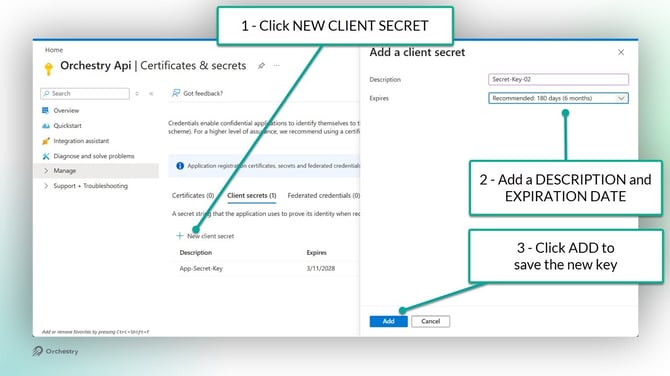
- On the 'Client Secrets' tab (Manage > Client Secrets), click NEW CLIENT SECRET.
- Add a DESCRIPTION and EXPIRATION DATE for the new key.
- Click ADD to save and publish the new key. Orchestry will automatically detect the new key.
- Update any custom workflows that used the old key.
Make sure to update any custom workflows before deleting the old key from Entra. Deleting the old key is NOT required for the new one to work.