How to Add Orchestry Web Parts to SharePoint Sites
Last updated: April 1, 2026
M365 Admins and SharePoint site owners can add any of Orchestry's five custom web parts to their sites.
If you've never used SharePoint web parts before, learn the basics from Microsoft.
How to Add Orchestry Web Parts:
To edit the page, click on the Edit option on the top right:

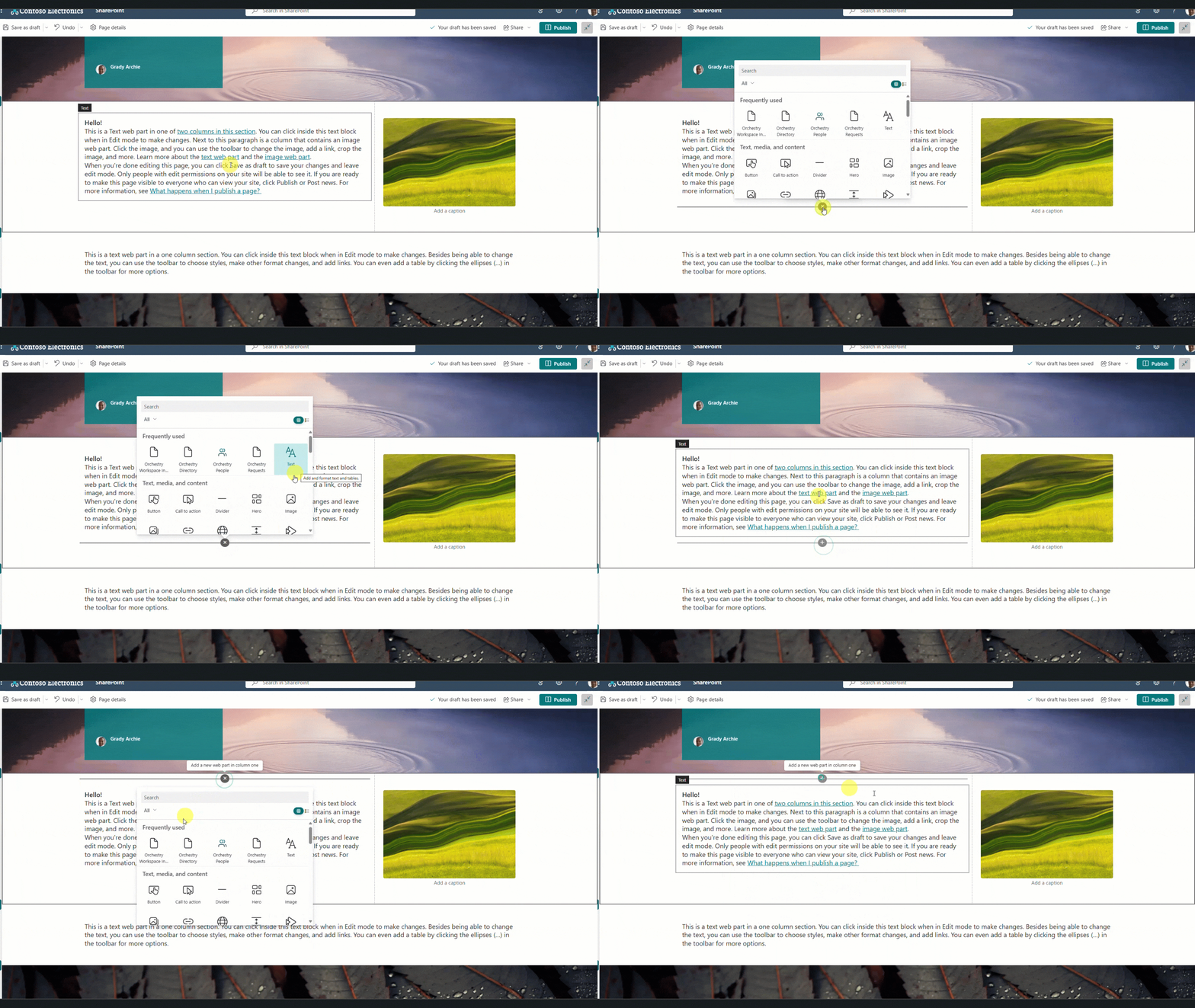
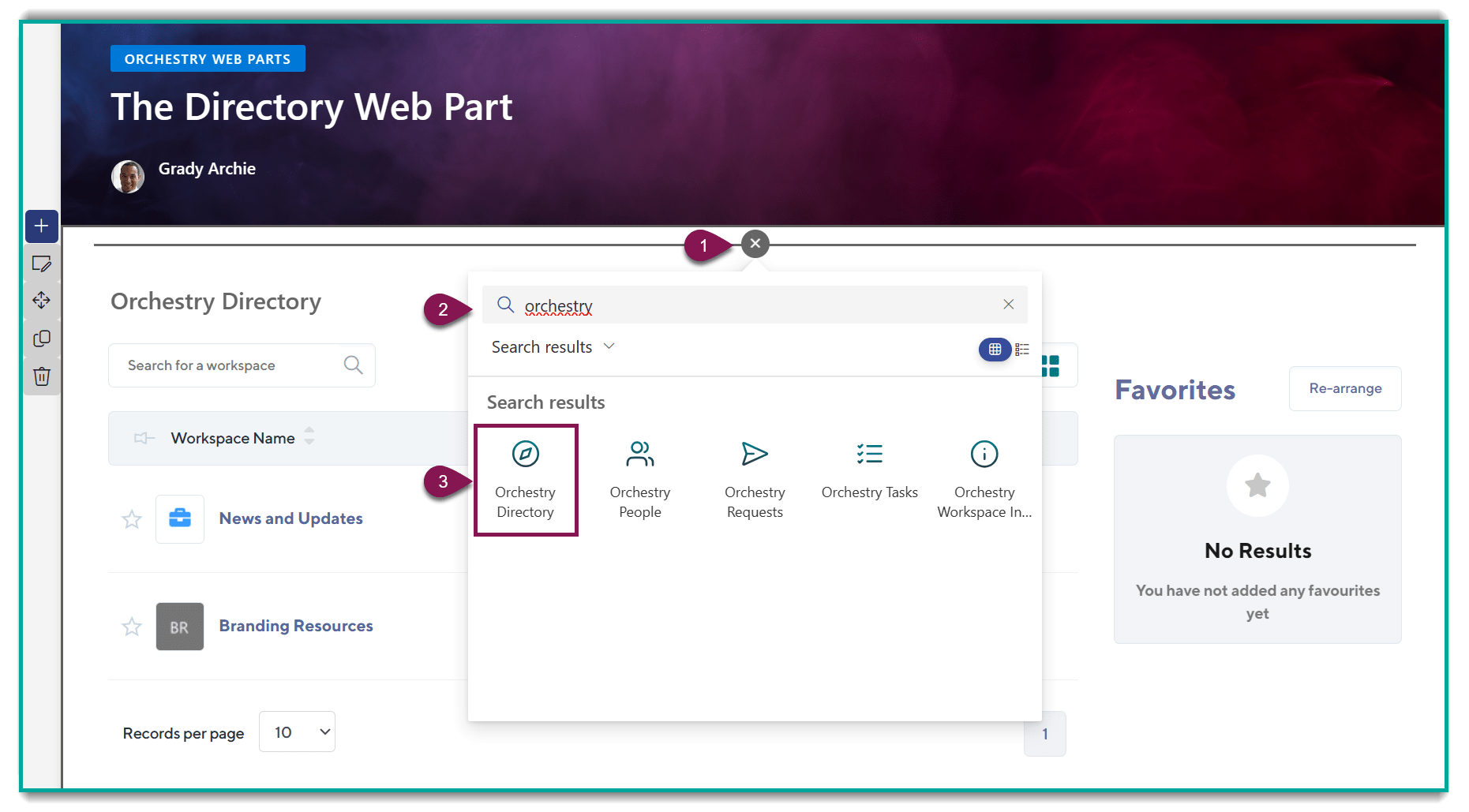
To add a web part to your page, hover your mouse over an empty part of the page and click on the plus sign to see list of available web parts.
Search for 'Orchestry' to filter for our entire list of web parts
Select the web part you want to add
If you do not see all five Orchestry web parts in your tenant, check out our upgrade instructions.