
The Health Checks settings page allows you to configure functions such as automatic report generation, assign report reviewers, and more.
Accessing Health Check Settings
You can access the Health Check settings page in two ways:
- Clicking on the 'Settings' button from the Health Checks page
- On the navigation panel, go to Settings > Health Checks
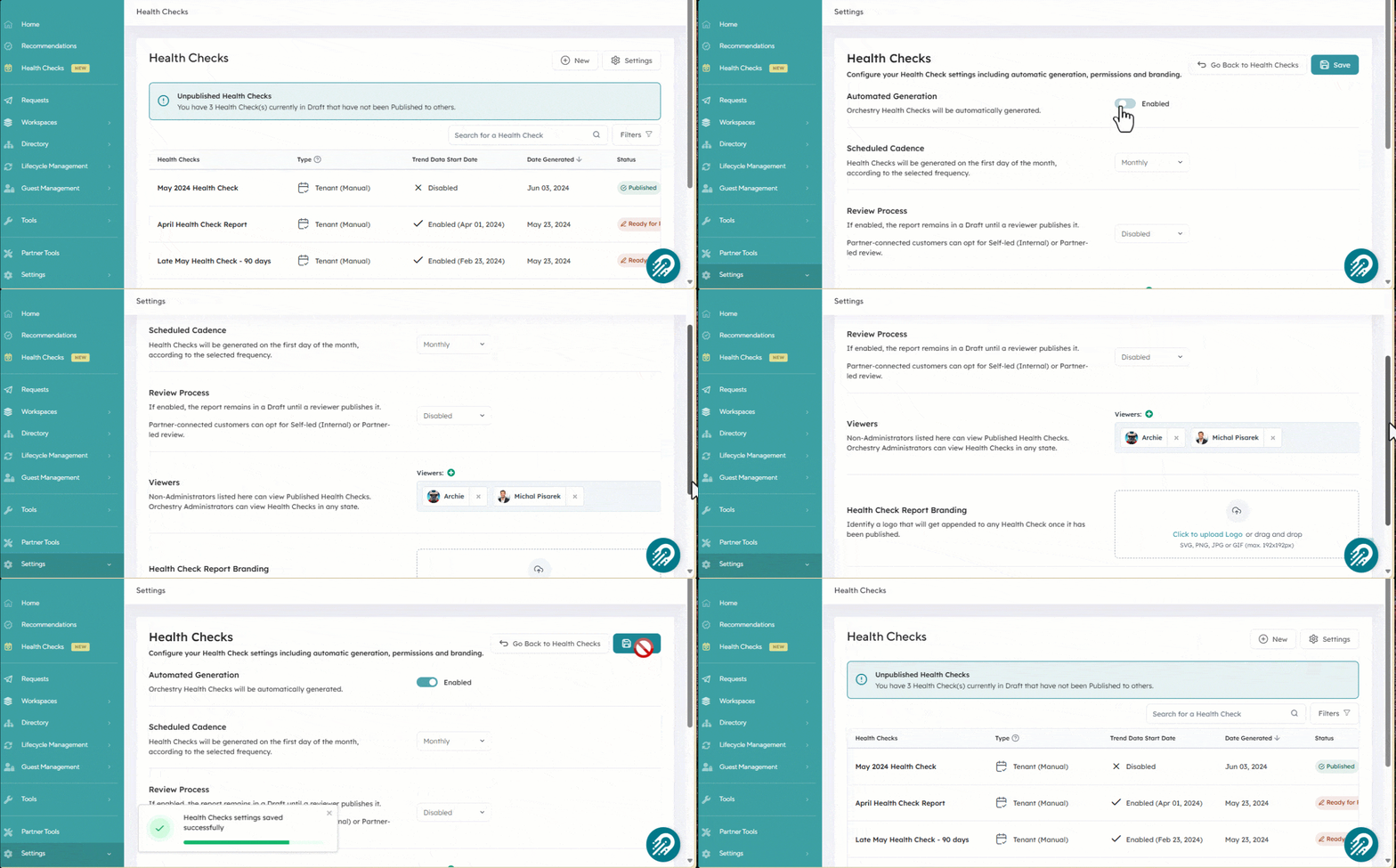
Navigating the Health Check Settings Page
The settings page is divided into multiple sections. See the table below to learn more about what each does.
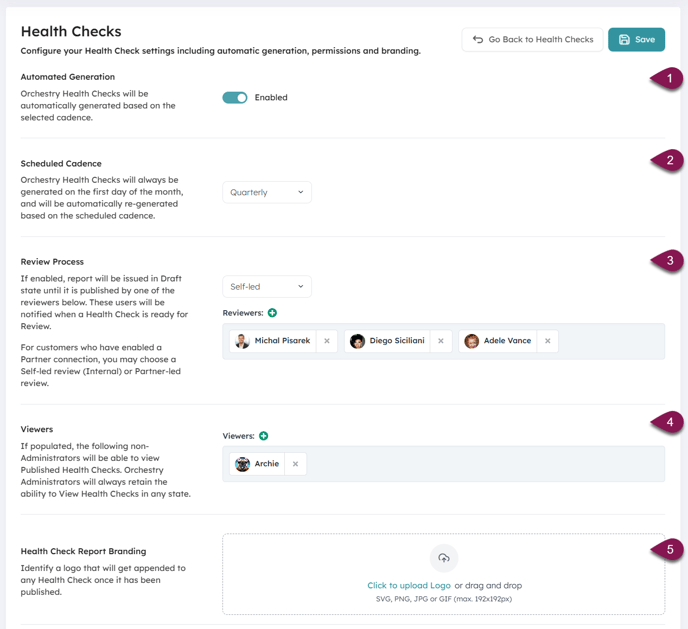
| 1 - Automated Generation | Enable this setting to allow Orchestry to automatically generate new health check reports based on the selected cadence. |
| 2 - Scheduled Cadence |
Choose how often new heath check reports are generated, with options including monthly, quarterly, semi-annually and annually. Reports are always generated on the 1st of the month. |
| 3 - Review Process |
Enable this setting to designate individuals who can view heath check reports in the 'Ready for Review" state. Self-Led: Assign individuals from your organization who will be notified when new health check reports are available for review. Partner-Led: If your environment is associated with an Orchestry partner, you can choose "Self Review" or "Partner-led" review |
| 4 - Viewers | Allows non-Orchestry admins to access published health check reports. Assign any individual from your organization to be a viewer. |
| 5 - Health Check Report Branding | Add your company branding to your health check reports by uploading a logo here. We support SVG, PNG, JPG and GIF formats with a max size of 192x192px |