Why Force an Archival?
There are situations where you do not want to wait for the Inactivity Days threshold to be reached before the archival policy executes. To help you keep things moving, Orchestry provides the ability to force the archival process at any time.
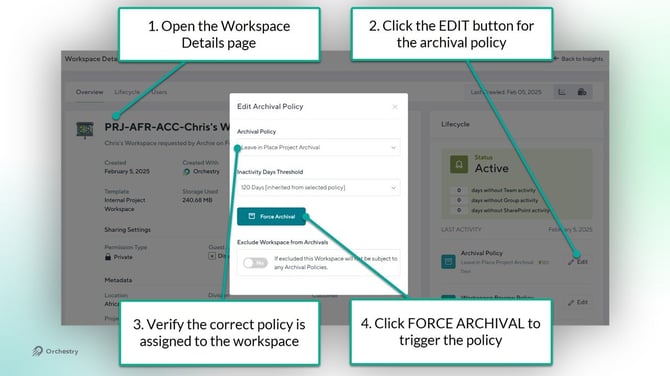
How to Force an Archival Policy
From the workspace 'Reports' page (Workspaces > Reports),
- Select a workspace to open its 'Workspace Details' page
- Click the EDIT button for the archival policy
- Ensure the correct archival policy is assigned
- Click the FORCE ARCHIVAL button to trig