NOTE: These articles are intended to showcase examples of Orchestry's Custom Feature option. From a product support standpoint, we do not assist in creating or debugging custom features.
Getting Started
Before creating a custom Feature, definitely check out our more introductory articles on:
Feature Proposal
Have you wondered if you can programmatically reduce Member's permissions on a workspace, as part of the template. For example, you may want to prevent Members from Sharing documents outside the Team, or prevent Members from adding additional Members to the team. You can do that with PnP!
Sometimes it can be much easier to do away with the entire PnP package I did away with the entire PnP Package file. I don't believe it's required for what we are trying to do. Instead, I simply used the extracted XML file under <extract>/Files.
Likely you will want to update the XML to simplify it as much as possible and re-save it, here's an example:
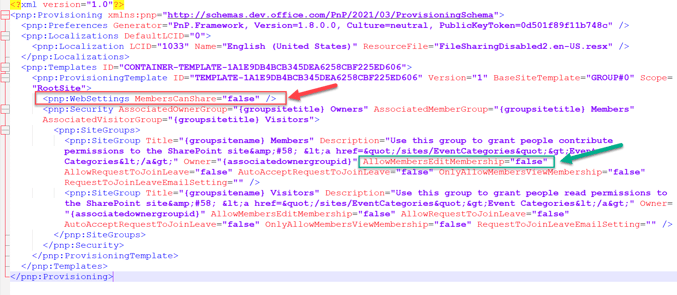
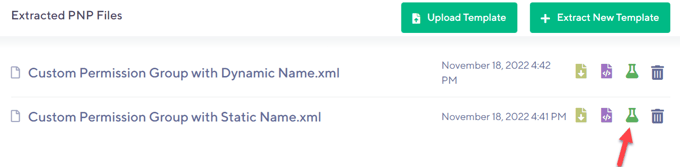
Next, upload only the XML into the Orchestry Template Files. Here are the two of ours:

Testing the Feature
One useful trick to test your XML file, before you deploy it as a feature, is to use the green 'beaker' icon to launch as a test against an existing site in the environment. This is a much faster way to test the file is working.
Next, connect each of these to a feature to be able to attach them to a Template:

Here is an example of a request with the feature added: