How to Create Custom Health Check Reports
Last updated: April 1, 2026
Orchestry administrators can generate health check reports at any time in a few easy steps. This can be helpful when you need the latest information or need data trends for a specific time period.
How to Create a Custom Health Check Report
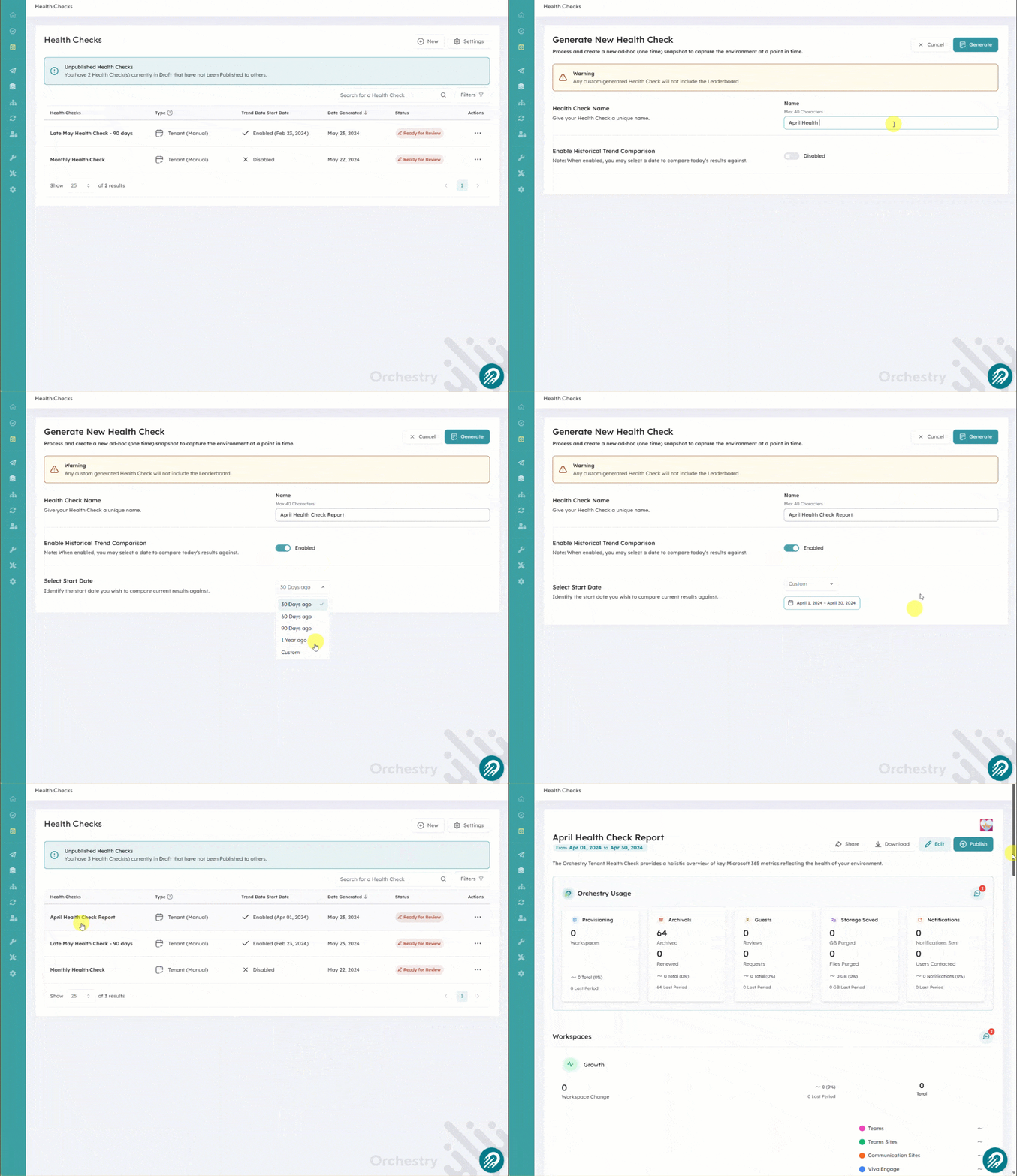
From the Health Checks page, click the 'New' button
Give your custom report a clear and concise name
Enable the "Historical Trend Comparison" toggle
Select a start date and end date for your data history
Click 'Generate' to create your new report. This will take you back to the Health checks page
Click anywhere on your report to view the data
Health check reports will provide data from the last 30 days by default. If your report does NOT need a larger data set, you can leave the "historical data trend" toggle off