Configuration
Enabling Second Step
To enable the Second Step on a new or existing policy. Within the Policy editing wizard:
- Navigate to the Select Archival Method tab
- Select the Archive in Place Method (see limitations below)
- Enable the toggle under the Add Second Step section

What Users Will See
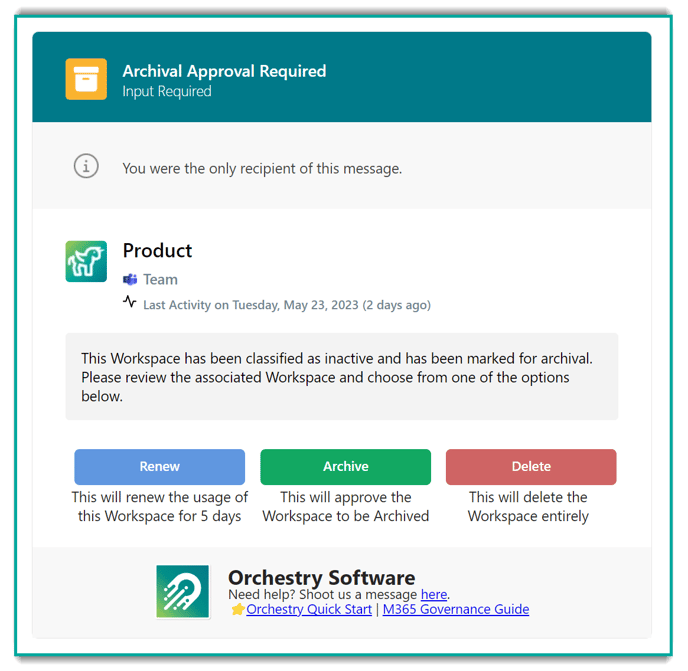
The big change is what users will see, they will now see a third option on the approval notification:
Monitoring
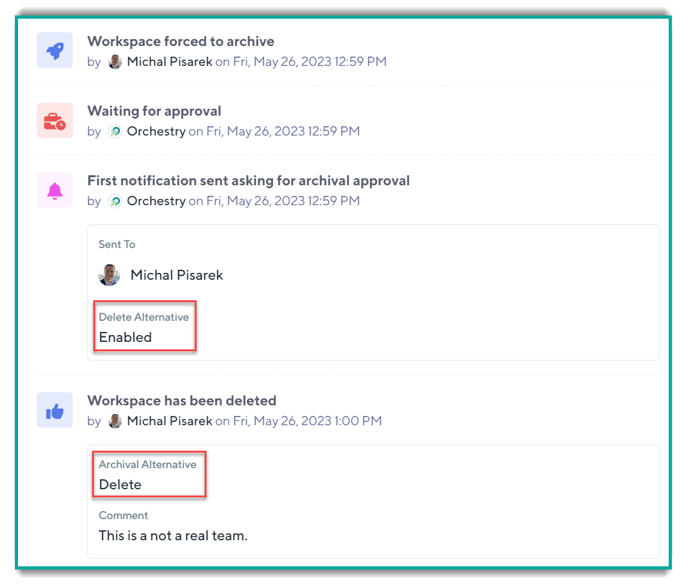
We have added functionality to make it easy to track the activity of a second step alongside the audit log for all lifecycle actions in the Lifecycle tab: