M365 License Management Overview
Last updated: July 27, 2026
Enterprise subscribers can access Orchestry's License Management features, enabling admins to:
Ensure the right licenses are assigned to the right users
Identify Microsoft 365 Copilot license assignments and total cost
Interested in learning more about Orchestry Enterprise plan features?
Learn more: Orchestry Pricing & Plans
The License Management Dashboard
The Licensing Dashboard (Licenses > Dashboard) surfaces highlights of license distribution, total costs, savings opportunities and more.
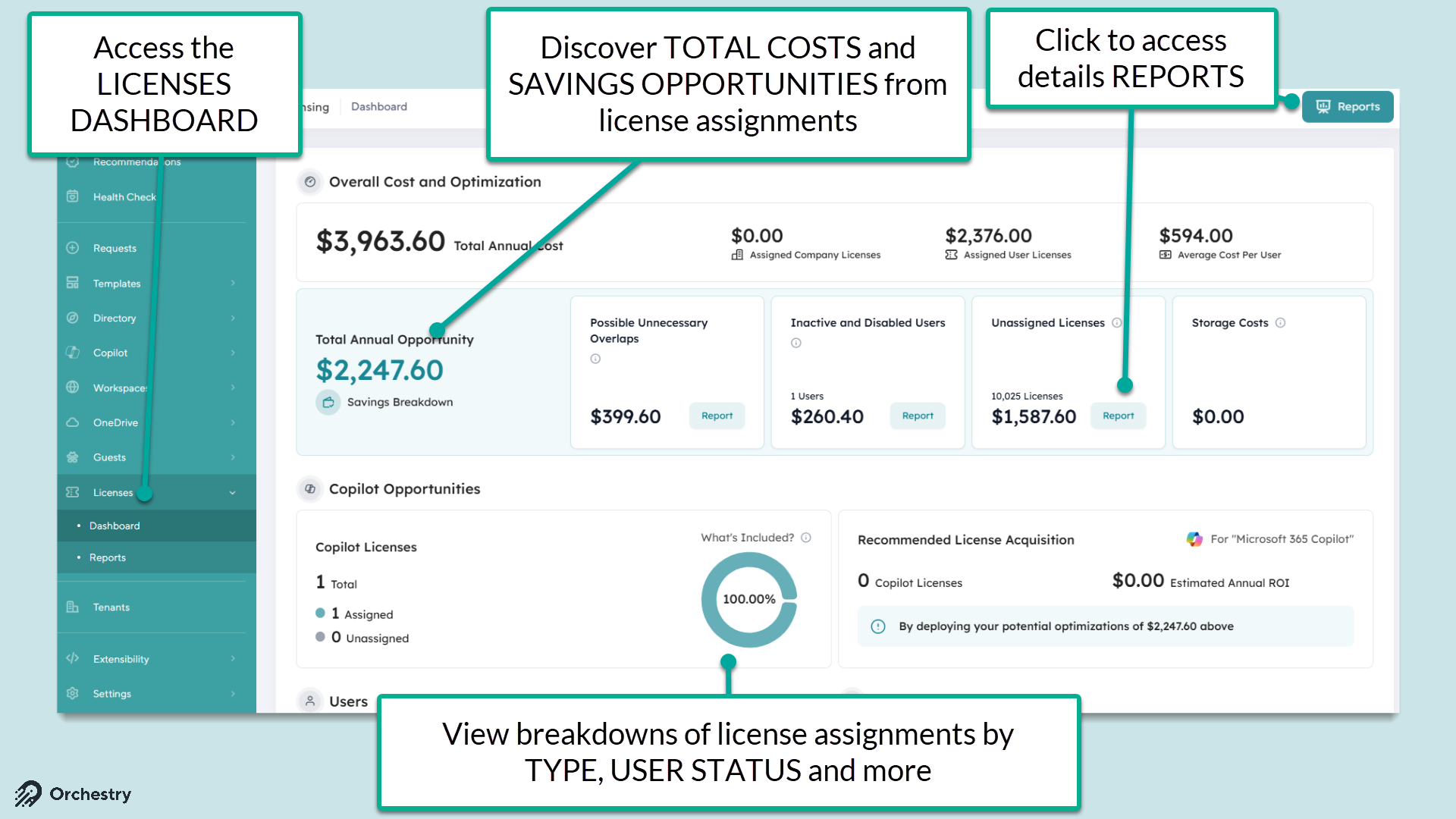
TIP: Go to the License Settings page (Settings > Licenses) to customize (1) the TYPE of licenses that are shown on the dashboard and (2) the license costs.
The Licensing Overview Page
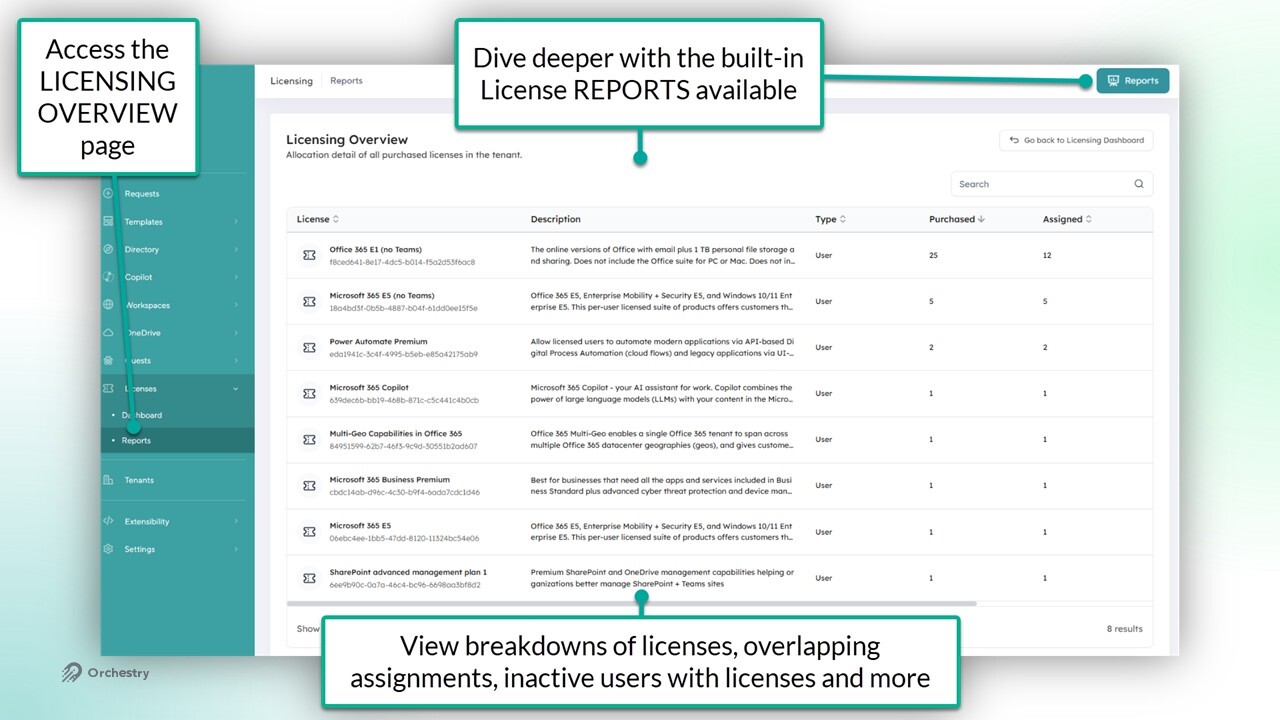
The License Overview page (License > Reports) allows admins to analyze:
all M365 licenses they've have by NAME and TYPE
the number of licenses they've purchased, and
the number of their ASSIGNED licenses
License Management Settings Page
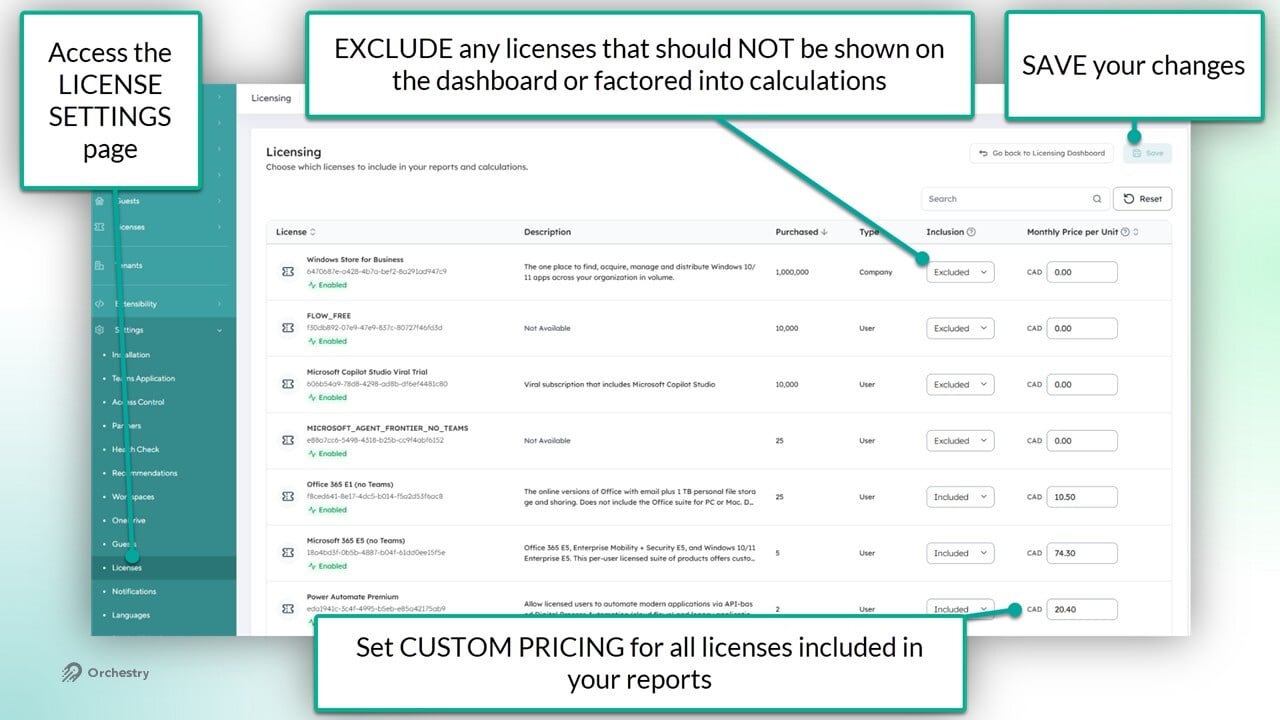
From the settings page (Settings > Licenses), admins can:
manage what licenses appear on the dashboard and
update the monthly cost-per-unit to ensure estimated costs and savings are as accurate as possible.
Notes:
The CURRENCY TYPE is based on the tenant region and cannot be changed manually.
After updating license pricing under Licensing → Settings, the Licensing Dashboard may take up to 24 hours to reflect the updated totals, since cost figures are recalculated once per day rather than in real time. For new installs, this may take longer, as the initial data crawl must complete first before daily updates begin.
How to Configure Licensing for the First Time
From the Licensing Settings page:
Identify any licenses that should be EXCLUDED from your reports and dashboards, such as 'Company' types with thousands of 'free' units
Set the monthly price-per-unit for each INCLUDED license
SAVE your changes
Additional Recommendations
Review license inclusions during initial setup.
Every SKU Orchestry detects defaults to "Included." Before relying on dashboard numbers for the first time, go to Licensing → Settings and confirm which products should actually count toward your totals.
Set price overrides for negotiated or custom pricing.
Default prices may not reflect your actual contracted rate. Use the Price Override field per product if your costs differ.
Set a recurring review cadence.
A quick quarterly check (or right after any licensing/procurement change) of the Included list helps keep dashboard numbers accurate over time rather than catching drift after the fact.