How to Hide Orchestry from the Microsoft 365 App List for Users
Last updated: April 1, 2026
Orchestry is best used from either the web app (https://app.orchestry.com) or our Microsoft Teams app.
Orchestry cannot be launched any other way, so you may want to consider hiding it from other places it may appear in Microsoft 365.
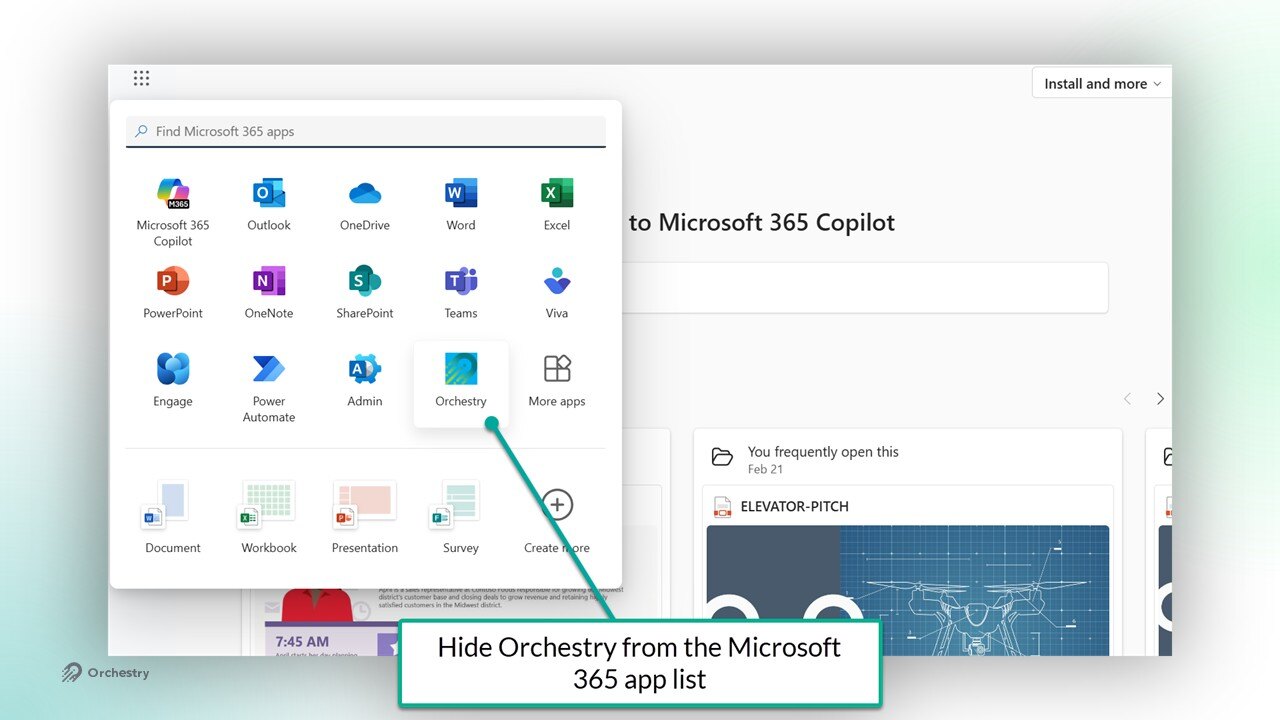
How to Hide Orchestry from the Microsoft 365 App List
You can hide Orchestry from the app list by changing a setting in the app properties in Microsoft Entra.
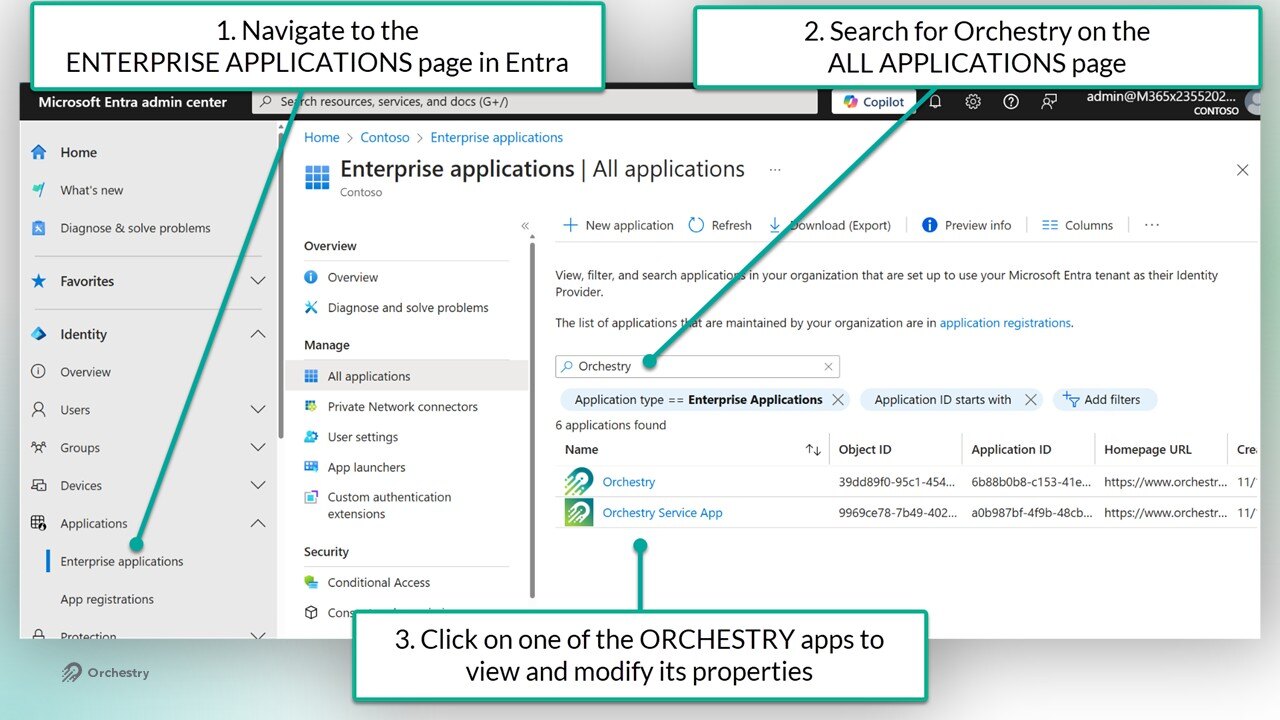
In Entra, navigate to the Enterprise Applications page
Search for the Orchestry apps
Select one of the (two) Orchestry apps to view it's properties
Navigate to the 'Properties' page
Change setting 'Visible to Users?" to NO
SAVE your changes
Repeat steps 3-6 for the other Orchestry app
NOTE: These changes can take approximately 24 hours to go into effect