Language Support Overview
Last updated: April 1, 2026
From the 'Languages' page (Settings > Languages), Orchestry admins can set the default language for Orchestry for ALL users, and provide additional alternative languages that users can select from.

Supported Languages include: English, French, Norwegian, Dutch, German, Swedish, Spanish, and Portuguese
How to Configure Default and Additional Languages in Orchestry
From the 'Languages' page, Orchestry admins can:
Set the DEFAULT LANGUAGE for all users (including admins)
Add additional languages for users to choose from.
To configure the default and additional languages in Orchestry:
Navigate to Orchestry App | Languages (Settings > Languages)
Configure the DEFAULT language.
Add ADDITIONAL LANGUAGES for your end users.
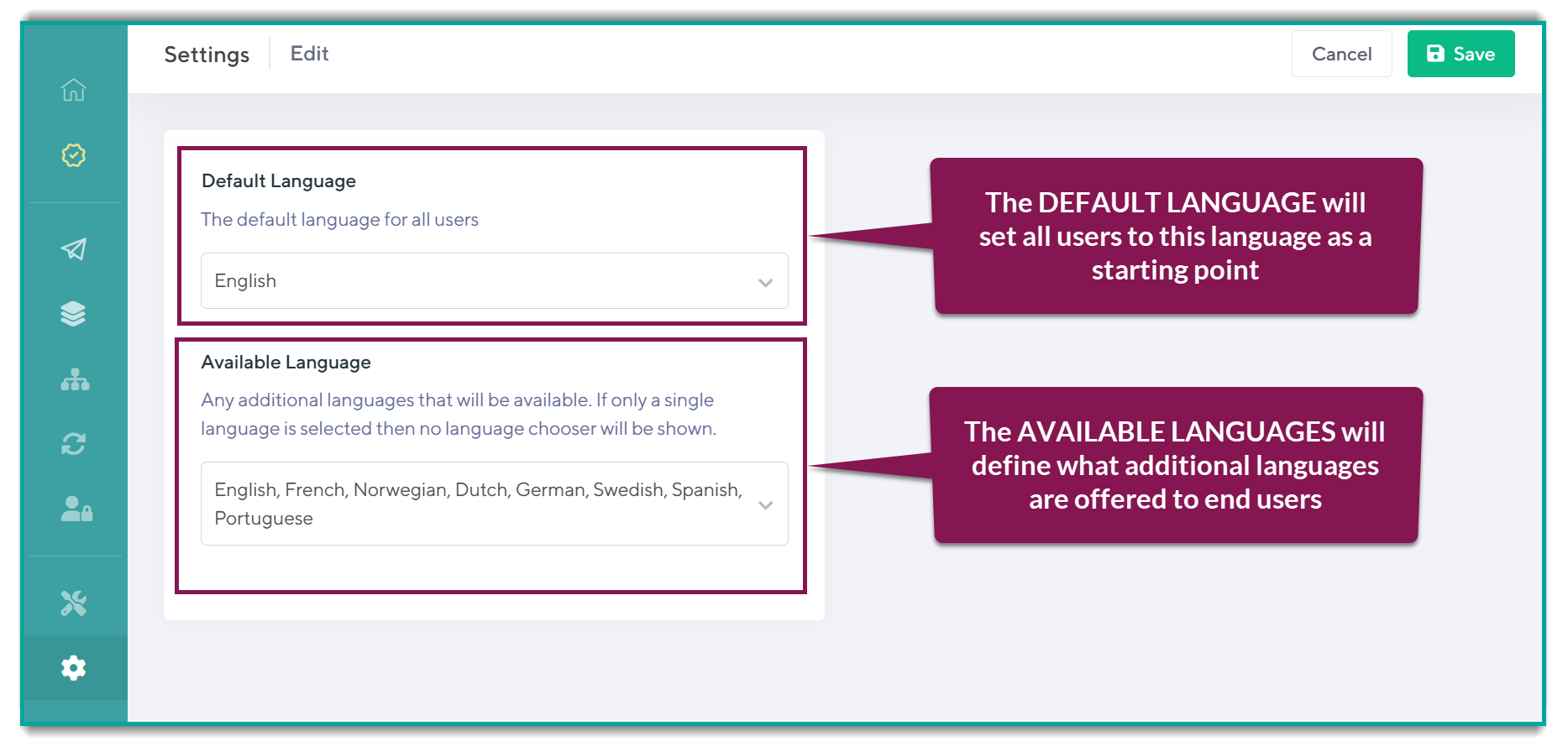
Default Language | The default language will set all users to this language as a starting point. |
Available Languages | The available languages will define what additional languages are offered to end users. The lock icon in this drop-down denotes which language is the organizational default. |
Language Translation Limitations
At this time, support for multilingual is focused on the end-user experience. Orchestry admins can also change their preferred language, however most of the (admin) user interface will remain in English.