Multi-Geo Provisioning in Orchestry
Last updated: June 24, 2026
Orchestry allows you to target workspace templates to specific regions, with our Multi-Geo support. This allows you to ensure that data from provisioned workspaces are stored in the right geo for your end users.
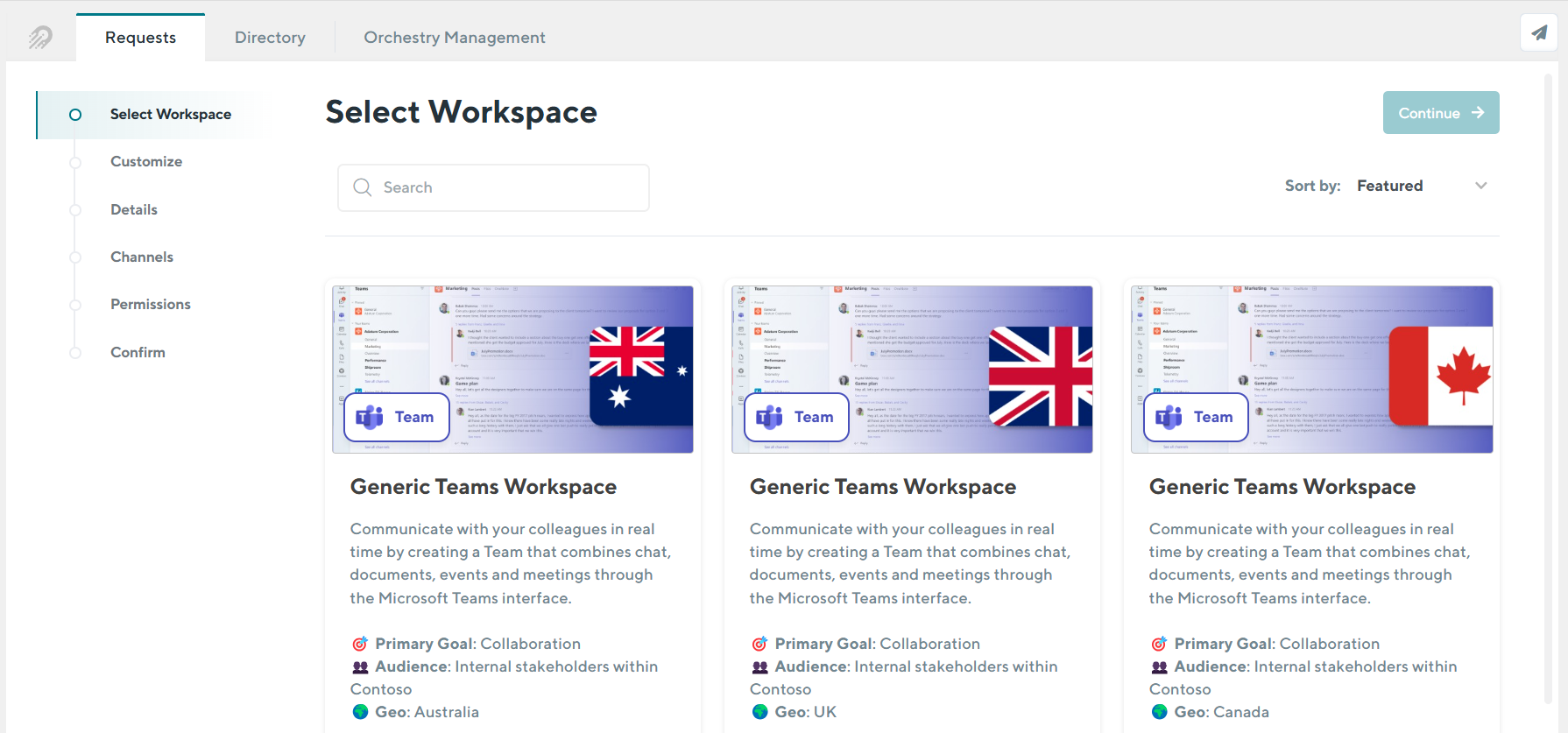
To access the Multi-Geo functionality in Orchestry, your Microsoft 365 tenant must already be configured. Learn more from Microsoft here.
Configuring the Orchestry Service App API Permissions
These instructions only apply for Orchestry installations that occurred after May 2026
To provision workspaces in a multi-geo environment, the Orchestry Service app must have the API permission: Directory.ReadWrite.All
As an Entra Admin:
Navigate to the Orchestry Service app API permissions page
Click 'Add a Permission'
Select 'Microsoft Graph'
Select 'Application Permissions'
Add
Directory.ReadWrite.AllClick 'Add Permissions'
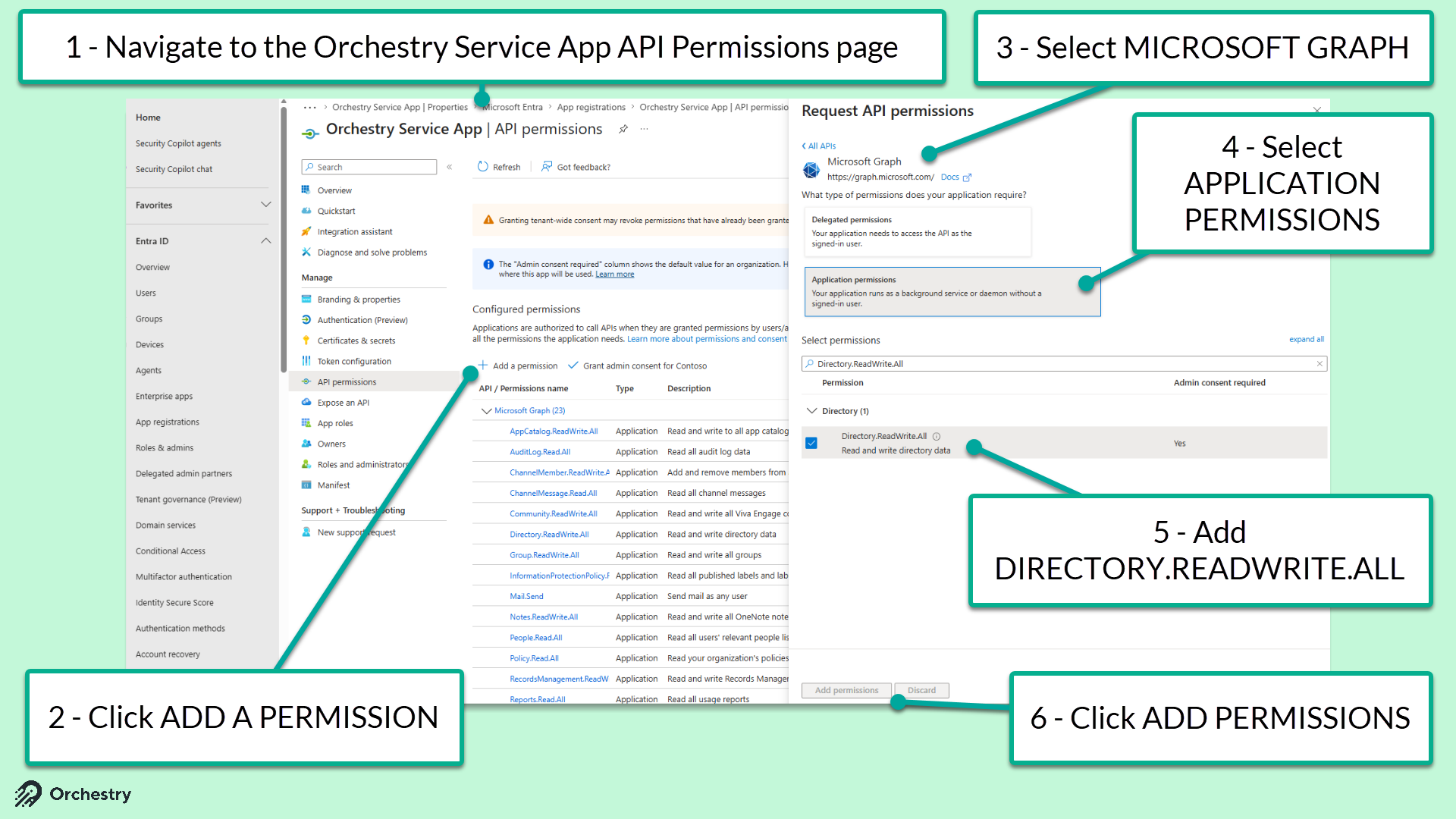
TIP: Review the list of API permissions have been granted and nothing has been revoked.
Configuring Data Storage Location in Workspace Templates
Workspace templates in a multi-geo environment include a new section under the 'Configuration' tab called "Data Storage". When users provision new workspaces from this template, the data will be stored in the specified geography.
By default, workspace templates will be configured to your tenant's 'Preferred Data Location'. You can change this on a template-by-template basis.
To configure a workspace template to a specific region:
Go to the "Configuration" tab
Under the "Data Storage" section, change the 'Location Application' field to 'ENFORCED', which will trigger the "Enforced Geography" field to appear.
Under the 'Enforced Geography' field, select a target geography from the list.
SAVE your changes to the template.
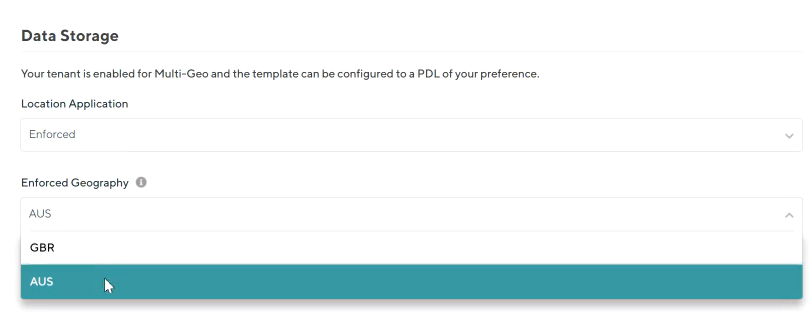
The data storage setting will automatically be set to the tenant default unless otherwise configured.
Targeting Geo-Specific Workspace Templates to Security Groups
As each workspace template can only target a single geo, you may need to create additional identical workspace templates for each geo you manage.
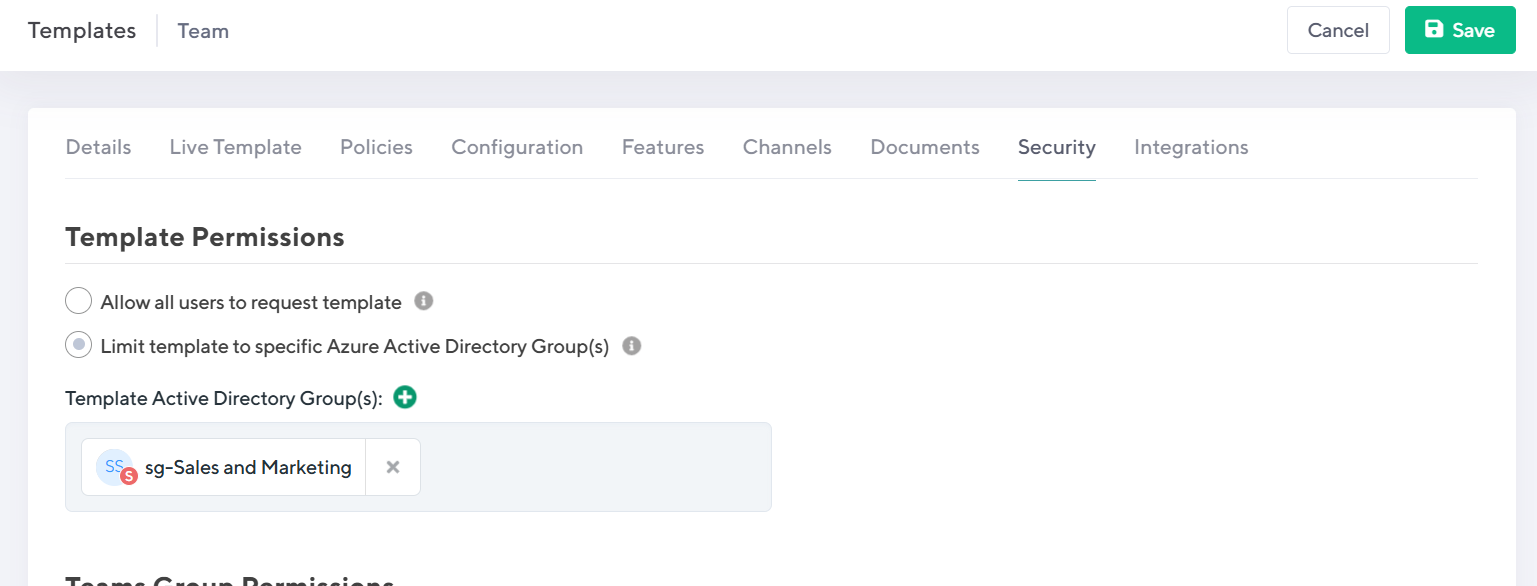
To avoid confusing end users with multiple identical workspace templates to choose from, you can security trim the workspace templates to target different groups of users across.
Current Limitations of Workspace Templates with Targeted Geos
Certain workspace template features are not supported in workspace templates that are set to a custom geo. Including, but not limited to:
Live templates
Team Workspace Information tab
Workspace Information web part
Sensitivity Labels
Guest Management Policies
Lifecycle MGMT Policies