How to Enable Provisioning for Microsoft Education (EDU) Tenants
Last updated: April 1, 2026
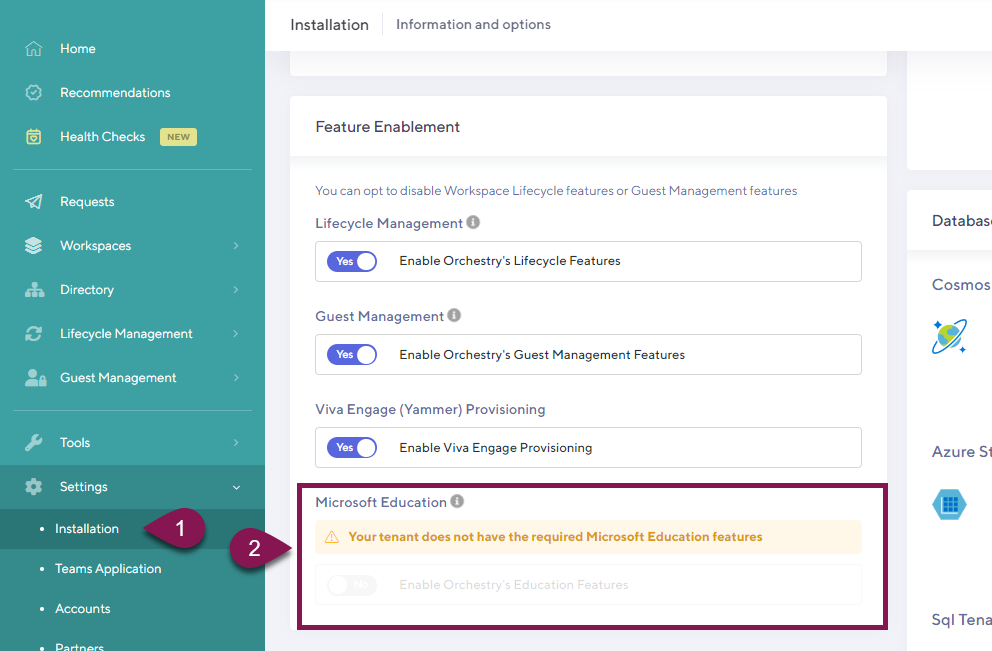
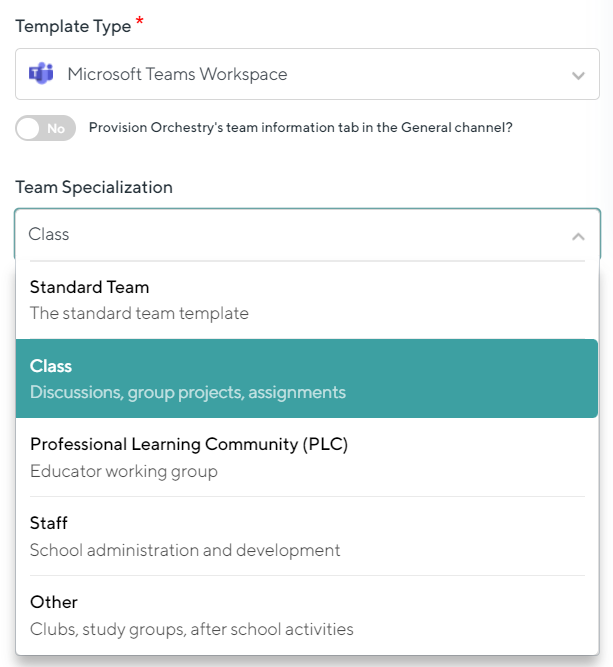
Orchestry supports the unique Teams workspaces provided in MS EDU tenants. This must be enabled from Orchestry settings:
How to Enable Microsoft Education Features in Orchestry
As an Orchestry admin, go to the Installation page (Settings > Installation)
Switch the toggle under "Microsoft Education" to the YES position
SAVE your changes